


Last Updated: November 12, 2026
Ask anyone in sales where they get contact info, and 9 out of 10 times, they’ll tell you Apollo.io. It’s relatively inexpensive, and it does almost everything since it’s an all in one platform.
But it’s not perfect by any means. A lot of emails bounce and contact information can be stale. And when you’re paying per credit, a wrong email wastes money.
So, I tested 12 tools to see if there are any viable alternatives. For all of them, I signed up for an actual account and ran two scientific tests across all of them to see how well they each performed (with screenshots as PROOF!)
- lemlist: best all-in-one Apollo replacement, with the most accurate emails (Free Trial)
- Snov.io: best for finding emails from a list of names (Free To Try)
- FullEnrich: best for bulk-enriching a list on a free trial (Free To Try)
- Prospeo: best free plan (Free To Try)
- AI Ark: best for building precise lists on a free monthly plan (Free To Try)
- BlitzAPI: zero wrong emails and fresh lists, but you need LinkedIn URLs first (Free To Try)
- MoltSets: by far the biggest list (via Claude or ChatGPT), but found fewer emails from names (Free To Try)
- Hunter: accurate email finder, but weak at building lists (Free To Try)
- Seamless.AI: surprisingly accurate emails, but the weakest list building (Free To Try)
- Lead411: every email verified and dated, but thin coverage outside North America (Free Trial)
- Lusha: never a wrong email, but the free plan hides a lot (Free To Try)
- LinkedIn Sales Navigator: the freshest data and best list filters, but no emails and no export (Free Trial)
How I tested them
Test 1: Finding emails. I compiled a list of 20 real people whose email addresses I already know are correct (because I emailed them recently). Then I ran the exact same 20 emails through every tool.
I made the list deliberately hard and diverse. It’s not 20 SaaS founders in San Francisco (every tool does great on those). It includes:
- People in about 10 countries, from Norway and Serbia to Brazil, Fiji and New Zealand
- Big companies like Canon alongside small businesses most databases have never heard of
- Non-tech industries like manufacturing, modeling agencies and telecom
- A few unusual email formats (think
lastname.firstname@) that trip up tools that just guess the pattern
Test 2: Building a list from scratch. In every tool, I ran the same exact company search: VP or Head of Sales at software/SaaS companies with 51–200 employees in Canada. I looked at how many results came back, how good the filters are, then checked a few of the people on LinkedIn to see if they still held that job.
Beyond that, I looked at the stuff that matters day-to-day: the pricing, how far the free plan gets you, and how much you can actually try during the trial.
To be transparent, there’s 1 thing I didn’t judge: email deliverability (when applicable). Whether your cold emails land in the inbox depends mostly on your domain, your warm-up and your copy.
(Names and emails are blurred in the screenshots. These are after all real people, and they didn’t sign up to be in this article)
1. lemlist – Tied for the best accuracy
Pros: Found an email for all 20 of my people, and every email it marked “Deliverable” was correct. It also has a enormous people database with useful filters, plus email sequencing, so it really can replace Apollo end to end.
Cons: The free trial credits are locked until you connect LinkedIn through their Chrome extension. Enrichment is also slow and pricey per email.
lemlist started as a cold email tool but has gradually turned into a full outbound platform: a 650M+ contact database, email finding, and multichannel sequences (email, LinkedIn, phone calls). Of all the tools in this article, it’s the closest thing to an full-fledged Apollo replacement.
The setup almost made me quit
Signup was normal: name, email, password, a CAPTCHA, and a few onboarding questions. You get a 14-day trial with 200 credits.
But when I first tried to upload my 20 people, mapped the columns, clicked “Start enrichment”, I got this: “Enrichment could not start.”
I had to dig into the browser’s network requests to find the real error, which was: “Please connect your LinkedIn account to access your lemlist free credits.”. So in essence, your credits are locked until you install lemlist’s Chrome extension and connect your LinkedIn account. None of that is mentioned anywhere in the enrichment screen, unfortunately.
Once my LinkedIn was connected though, the exact same upload worked perfectly fine!
Test 1: Finding emails for my 20 people
First off, lemlist doesn’t rely on a single database. It runs a “waterfall”: what this means is it checks 25+ data providers one after another for each person and stops at the first verified match. That’s partially why it’s slow. My 20 people took close to 6 minutes.
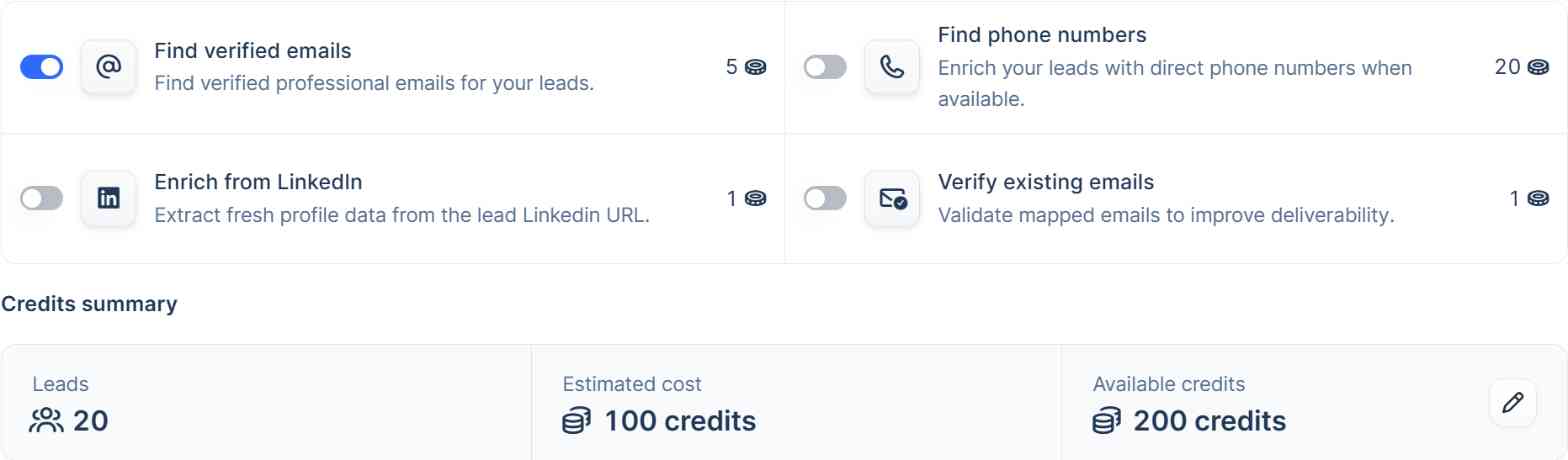
It’s also not cheap either. Finding an email costs 5 credits, and a phone number costs 20:
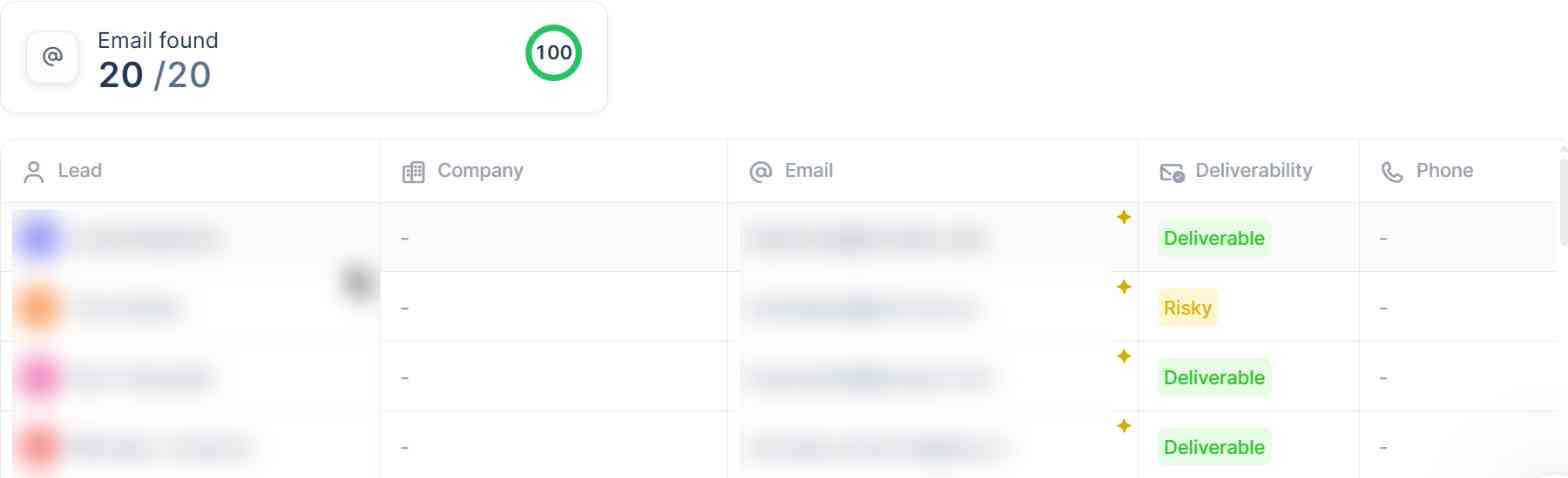
But the result was the best of any tool I tested:

Each email comes with a deliverability label (Deliverable, Risky or Undeliverable):
Here’s how it held up against my list:
- ✅ Marked “Deliverable”: 16 of 20, and all 16 were correct.
- ⚠️ Marked “Risky” or “Undeliverable”: 4 of 20. lemlist itself is telling you not to use these. One of them actually turned out to be a working email, so it was a bit too cautious there.
So if you only use the emails lemlist says are deliverable, you’d have reached 16 of my 20 people without a single bounce. That’s the best result in this test, which is why lemlist made it to #1 in this list.
Test 2: Building a list from scratch
For every tool, I ran the same search: VP or Head of Sales at software/SaaS companies with 51–200 employees in Canada.
lemlist has an AI assistant (lemAgent) in its People database. I typed my search in plain English, and it turned it into filters:
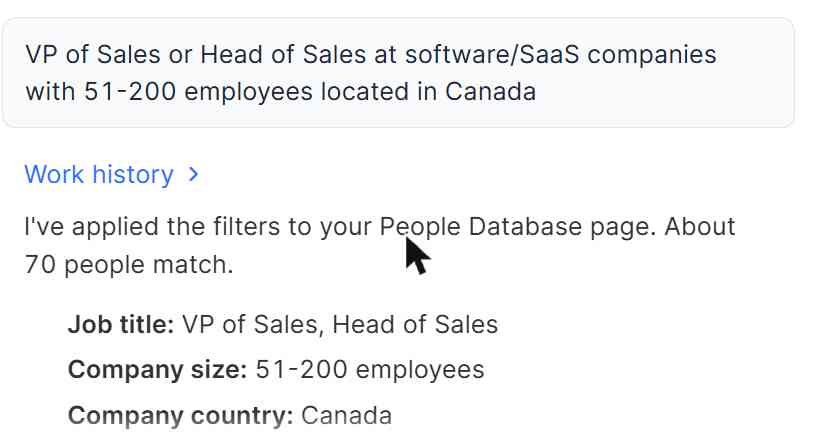
lemlist gave me 70 results. One thing to watch out though: it filtered on where the company is based, not where the person lives. It turned out only 41 of the 70 were actually located in Canada. The rest based elsewhere. A couple of titles were also a stretch (ie. a “Regional Head – India Sales” isn’t really a VP of Sales IMO).
I wanted to check how fresh the data was, so I looked up 4 of the people on LinkedIn. All 4 still had the job lemlist listed. So it looks like they do update their data regularly.
Where lemlist also shines is the advanced filters. There are around 60 of them, including ones I didn’t see anywhere else:
- Technologies a company uses (ie Hubspot or Workday), and technologies it recently started using (last 6 months)
- Headcount growth by department (e.g. “sales team grew in the last 6 months”)
- Job postings by keyword, title and date
- Last funding date
- LinkedIn post engagement
That’s closer to Apollo’s filter depth than any other tool here.
Limitations
- Trial credits are locked behind LinkedIn. You have to install their extension and connect your LinkedIn account, and the error message doesn’t tell you that.
- Expensive per contact. 5 credits per email and 20 per phone number add up fast.
- Slow. About 6 minutes for 20 people. Fine for a list, but a bit annoying for one-off lookups.
- “Company in Canada” is not “person in Canada”. Double-check location filters when you build lists.
Pricing (updated November 2026)
- Free trial: 14 days, no credit card, 200 credits (after you connect LinkedIn)
- Email plan: from about $69/month
- Multichannel plan: from about $109/user/month (adds LinkedIn, calls and more)
- Data: credits for email and phone finding are sold as monthly add-on plans on top
Finding an email costs 5 credits, and a phone number costs 20. lemlist changes its pricing often, so check lemlist’s pricing page for the latest.
2. Snov.io – Tied for the most accurate emails, but stingy on the free plan
Pros: It found a working email for 16 of my 20 people, tied with lemlist for the best score in this test. The free plan refills every month, and it only charges a credit when it actually finds an email.
Cons: No bulk upload or export on the free plan, so I had to look up all 20 people by hand, one by one. List building shows you only 20 results, and almost half of them weren’t actually in Canada.
Snov.io, like Apollo is an all-in-one sales tool. It has an email finder, an email verifier, a prospect database, cold email campaigns, LinkedIn automation and even email warm-up.
Signup was really easy, but you can’t skip the onboarding. Before it let me into the app, Snov made me answer two screens of questions about my company, team size, role and “main problem”.
Test 1: Finding emails for my 20 people
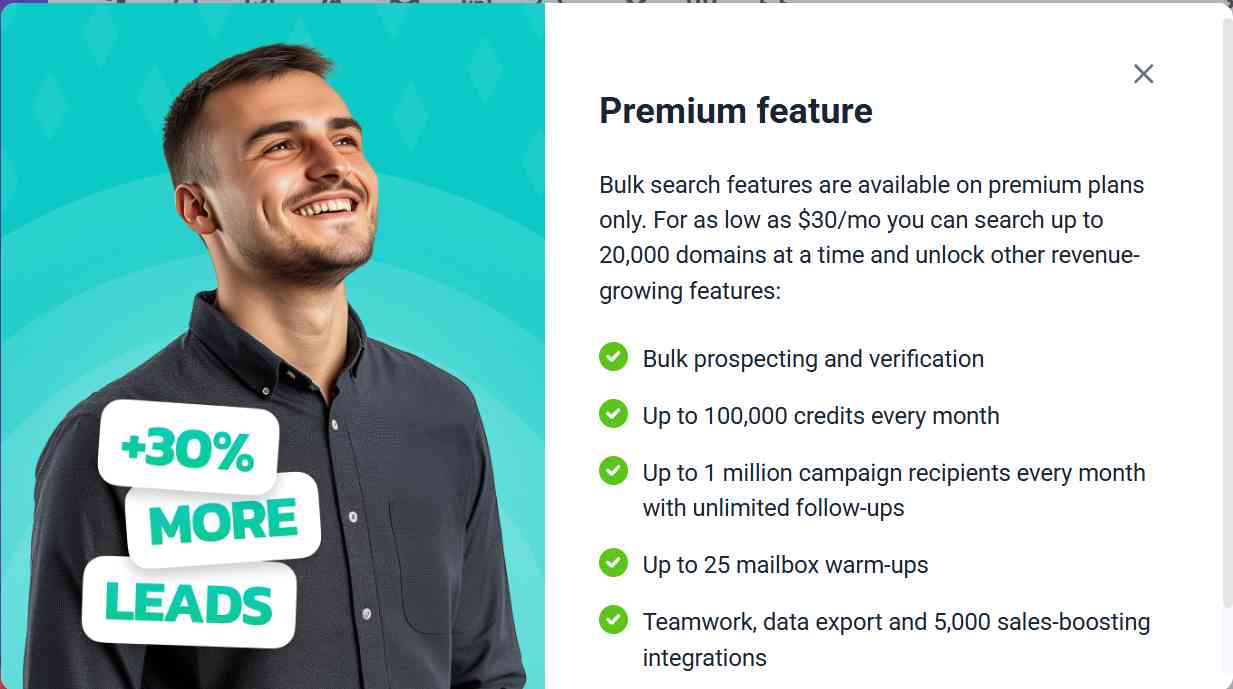
My first move was Snov’s “Bulk Email Search”, which takes a CSV of names and domains. As soon as I uploaded my file, I hit a wall:
So I used the regular Email Search instead: first name, last name, company domain, then hit “Find email”. Twenty times, which was a pain.
Here’s how it did:
- 📧 Returned an email: 16 of 20 (80%)
- ✅ Working email: 16 of 20 (80%)
- ❌ Wrong email (bounced): 0 of 20
- 🚫 No email: 4 of 20 (20%)
What I liked most is how Snov labels each email address. A green dot means it verified the address, and is 100% safe to send. A yellow dot means the company’s email server accepts every address (a “catch-all”), so Snov can’t be sure (and I wouldn’t send it if you care about your domain reputation). Hover over it and it tells you so:
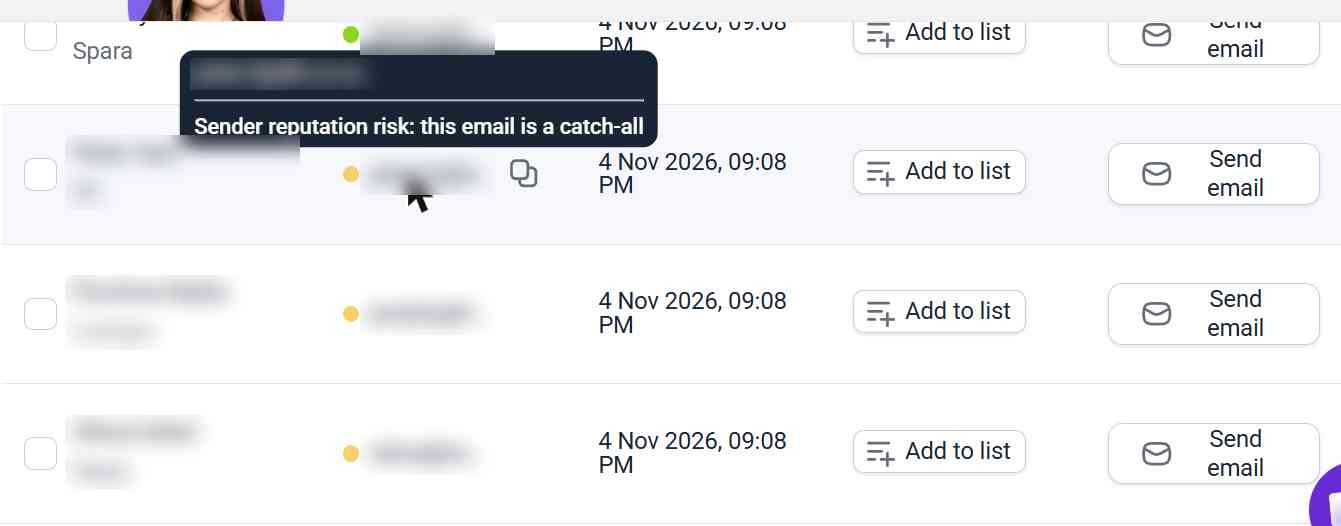
Every single email it returned worked. All 11 green ones were correct. And so were all 5 yellow ones, even though Snov wasn’t sure about them.
That puts Snov level with lemlist at 16 working emails, and it’s the only tool besides lemlist with zero bounces.
And on credits: the 20 searches used 16 of my 50 monthly credits. That’s one for each email found. The 4 people it couldn’t find cost me nothing.
Test 2: Building a list from scratch
For every tool, I ran the same search: VP or Head of Sales at software/SaaS companies with 51–200 employees in Canada.
Snov’s Database Search has an AI search box (10 AI searches a month on the free plan), so I typed it in. The filters it built were really good:
- 8 job titles, from “vp of sales” to “head of sales and business development”
- 8 software industries, like Computer Software and Data Infrastructure and Analytics
- Company location: Canada
- Company size: 51–200
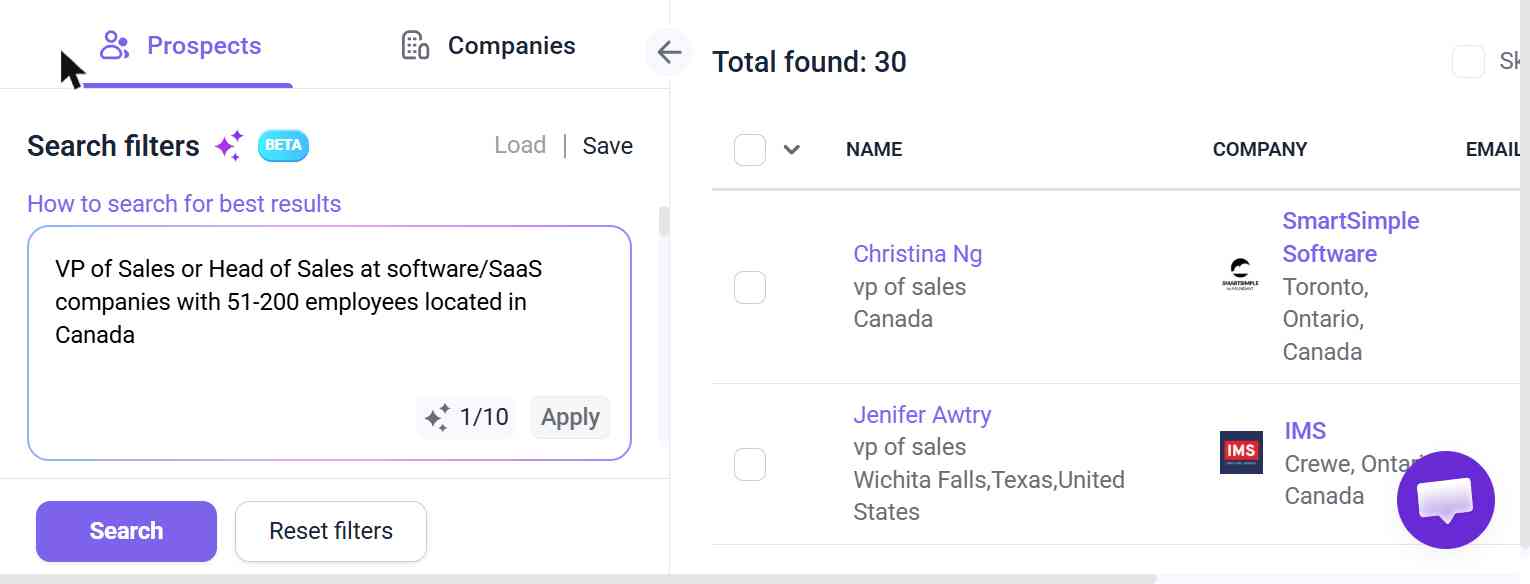
It found 30 people, but the free plan showed only 20 – which was much lower than the other tools in this list. And here’s the catch: Like lemlist, “Canada” was applied to the company, not the person. 9 of the 20 people I could see were based outside of Canada, working for Canadian companies.
The titles were accurate, though. There were no Directors or Managers mixed in.
I checked 4 of them on LinkedIn to see how up-to-date it was. All 4 were still in the role. One had only started 4 months ago, so Snov’s data is clearly being refreshed regularly.
The filter list is solid too: job title, seniority, department, location, industry, skills, company location, size, revenue, specialties and year founded.
Limitations
- No bulk anything on the free plan. No CSV upload, no bulk verification and no export. Everything is one at a time, which can be a pain.
- List search shows 20 results. You’ll need to upgrade to see the rest.
- Location means company location. Watch out if you need people in a specific country.
- Required onboarding. You can’t skip the questionnaire.
Pricing (updated November 2026)
- Trial: $0, 50 credits/month (refills every 30 days)
- Starter: $39/month ($29.25/month billed annually), 1,000 credits
- Pro S: $99/month ($74.25/month billed annually), 5,000 credits
- Pro M and up: from $189/month, 20,000+ credits
One credit gets you one email found. See Snov.io’s pricing page for the latest.
3. FullEnrich – Best for bulk-enriching a list on a free trial
Pros: CSV upload works on the free trial (most tools here lock it behind a paid plan), it found emails for 14 of my 20 people in a few minutes, and every single one worked. It labels every email so you know which ones to trust, and it doesn’t charge for emails that fail its own check.
Cons: The 50 free credits are a one-off, not monthly. It’s a data tool only, so there are no sequences or outreach.
FullEnrich is a “waterfall” enrichment tool. Instead of relying on one database, it checks several data providers one after another for each person, then verifies what it finds. It also has a people and company search, plus a reverse email lookup and CRM enrichment.
Test 1: Finding emails for my 20 people
This was the easiest test of the bunch. I picked “Work Email” (1 credit each), uploaded my CSV of names and company domains, and FullEnrich mapped the columns by itself. One click on “Start enrichment” and it was running.
It warned me it could take 10 to 20 minutes. It was done in about 4.
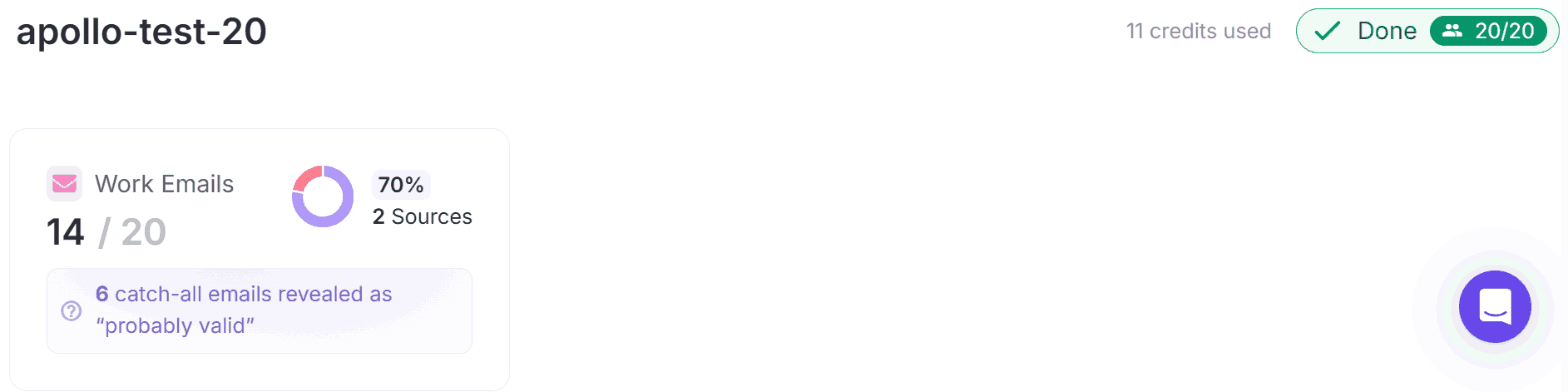
Here’s how it did:
- 📧 Returned an email: 14 of 20 (70%)
- ✅ Working email: 14 of 20 (70%)
- ❌ Wrong email: 0 of 20
- 🚫 No email: 6 of 20 (30%)
What I liked is how clearly it labels everything. A shield means the email is verified. A green tick means the company’s server accepts every address (a “catch-all”), so FullEnrich calls it “probably valid”. And if it finds an address but its own check says it’s bad, it shows “Invalid — free” and doesn’t charge you:
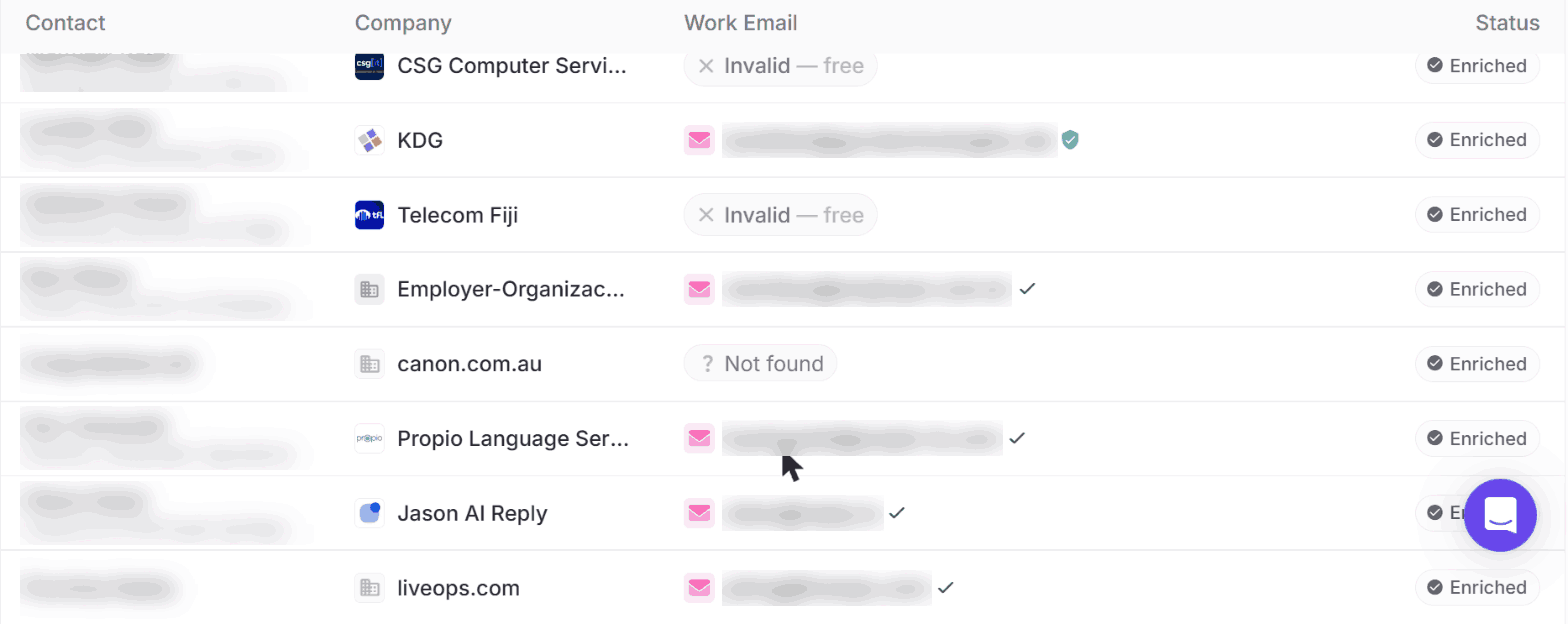
Every email it returned worked. All 6 “probably valid” ones were correct, which is a good sign that FullEnrich isn’t just guessing on catch-all domains. Two of the 14 were addresses I didn’t even have, one of them on a completely different domain. I emailed both, and neither bounced.
It also dodged the Canon trap that caught Hunter and Seamless. Instead of guessing a firstname.lastname@ address, it just said “Not found”.
Test 2: Building a list from scratch
For every tool, I ran the same search: VP or Head of Sales at software/SaaS companies with 51–200 employees in Canada.
FullEnrich doesn’t have an AI search box, so I built it by hand: three job titles, location Canada, headcount 51 to 200, and the industry “Software Development”. It shows the count as you go, so you can see where your list shrinks: 224,883 people with those titles, then 5,034 in Canada, 826 at the right company size, and 79 in software.
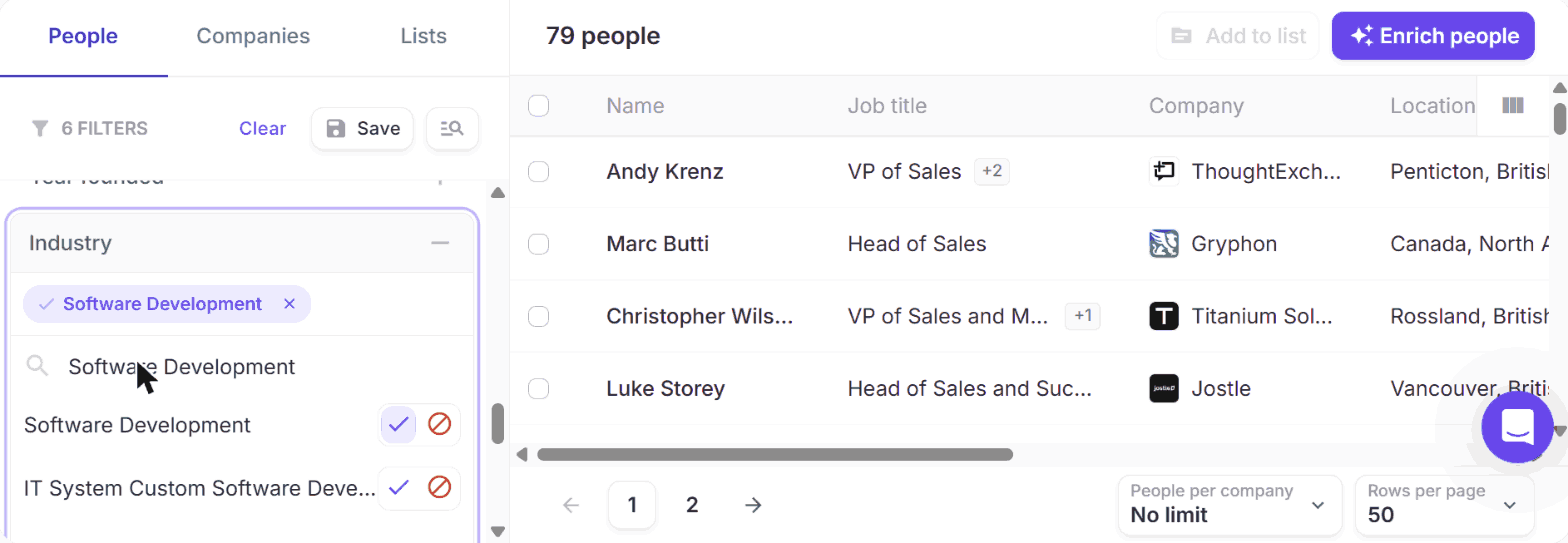
Here, “Canada” meant the person was in Canada. All 50 people on the first page were based there. A few titles were a stretch, though: 4 of those 50 were in sales engineering, sales enablement or sales operations, not running the sales team.
I tried to check 4 of them on LinkedIn, but LinkedIn’s search limit kicked in partway through. The one I could confirm, a VP of Sales at Rentsync, was still in the role.
Searching is free. You only spend credits when you enrich someone to get their email or phone number.
There are 22 filters, split between people (title, seniority, department, location, years in role, recent job changes, skills) and companies (headcount, industry, founded year, HQ, technologies used).
Limitations
- The free credits don’t refill. You get 50 credits once, so the trial is for testing, not ongoing use.
- No AI search. You build lists filter by filter.
- Some loose title matches. “Head of Sales” also pulled in Heads of Sales Engineering and Sales Operations.
- Data only. No sequences or outreach, so you’ll need another tool to actually send emails.
- Phone numbers are pricey. A mobile number costs 10 credits.
Pricing (updated November 2026)
- Free trial: $0, 50 credits (one-time), no credit card
- Pro: from about $55/month for 1,000 credits, with a lower price per credit as you buy more
- Enterprise: custom pricing
A work email costs 1 credit, a personal email 3 and a mobile number 10. See FullEnrich’s pricing page for the latest.
4. Prospeo – Best free plan for finding emails (including US contacts)
Pros: Every email it gave me worked, US contacts aren’t locked, the free plan is generous (100 credits a month, no card), and an email costs just 1 credit.
Cons: No bulk upload on the free plan, so you’re looking people up one by one again (painful).
If you hang out in Linkedin, you probably have heard of Prospeo. They’ve been doing a promoted posts lately (I’m not getting paid to write about them unfortunately!). They started out as a LinkedIn email finder and has grown into a full B2B database, with people search, filters, intent topics and a Chrome extension. It doesn’t do email sequences, but given how fast they’re innovating, I wouldn’t put it past them!
Signup was really smooth and quick: all they needed was my name, email, password. The only thing standing between me and the app was a “Where did you first hear about Prospeo?” survey, which kept popping up again until I closed it a few times.
First roadblock: no bulk upload on the free plan
I tried upload my 20 people as a CSV. Nope:
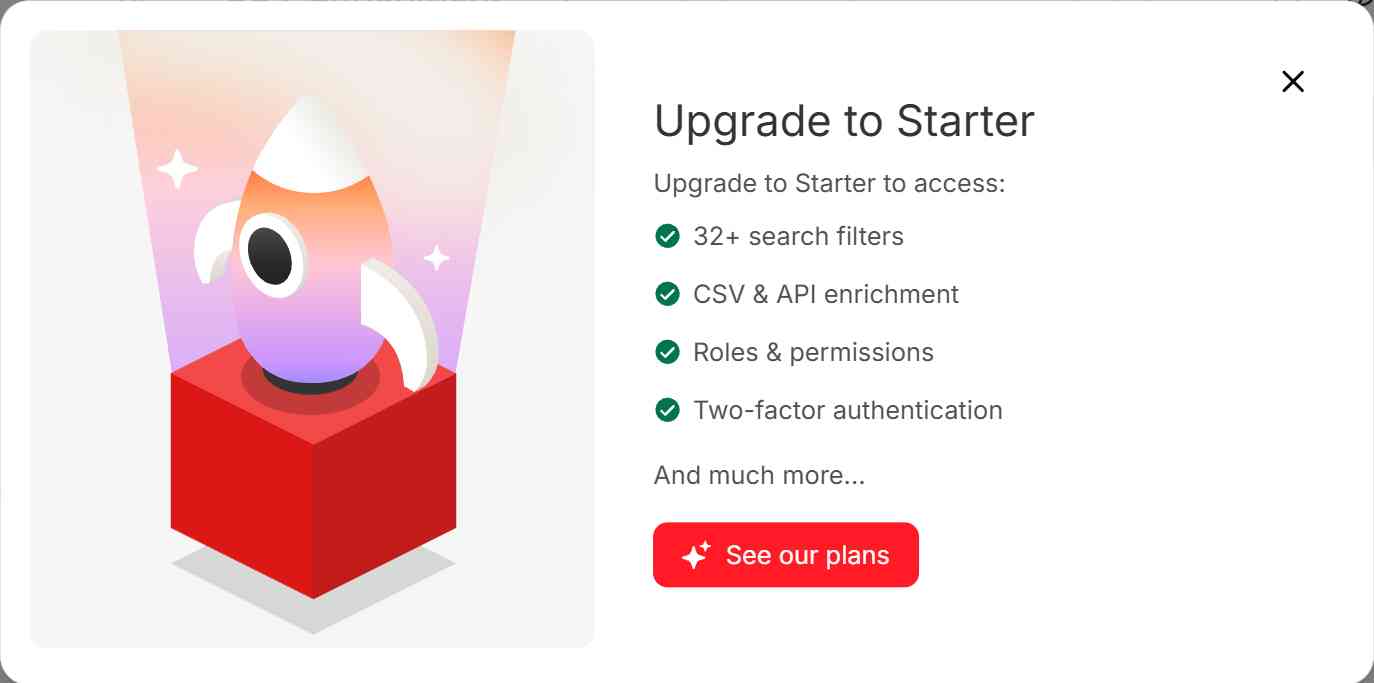
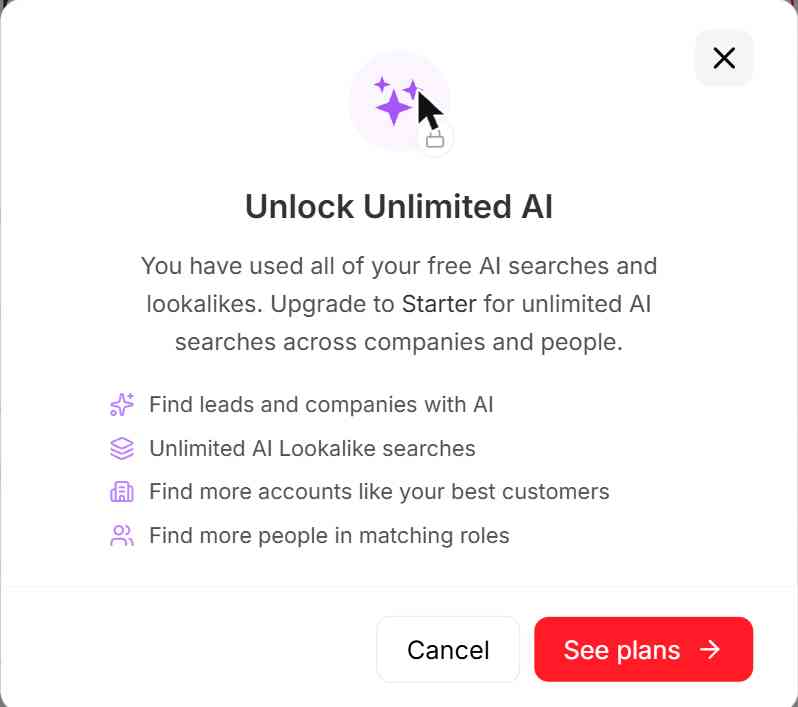
So I frustratingly looked everyone up by hand. Prospeo has an “AI search” where you can just type “Alecia Bell at elitemodels.com” and it builds the filters for you, which worked great… for about 5 searches. Then this:
After that, I used the regular search bar. Type a name, and a dropdown shows matching people with their title and company. Click the right one and you get their profile. It’s slower, but it works, and it’s free. Revealing a single email costs a credit.
My results
13 of my 20 people (65%) were in Prospeo’s database, slightly better than Lusha’s 12. The bigger difference was what happened next.
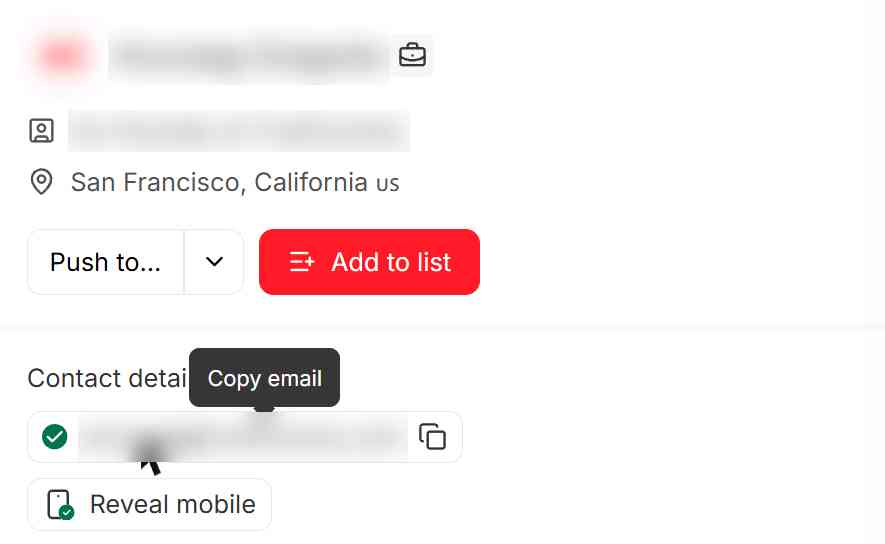
Here’s how all 20 came out:
- 👤 In Prospeo’s database: 13 of 20 (65%)
- ✅ Working email: 12 of 20 (60%)
- ❌ Wrong email: 0 of 20
- 🔀 Listed at a different company (possibly a job change, so I didn’t reveal it): 1 of 20 (5%)
- 🚫 Not in Prospeo at all: 7 of 20 (35%)
12 working emails. And every single email Prospeo gave me delivered.
Building a list from scratch
For every tool, I ran the same search: VP or Head of Sales at software/SaaS companies with 51–200 employees in Canada.
I’d already burned my free AI searches, so I built this one by hand with filters. Prospeo shows you the result count as you add each filter, which is a nice way to see where your list shrinks:
- Job title (VP of Sales, Vice President of Sales, Head of Sales): 72,000
- + Company HQ in Canada: 1,831
- + 51–200 employees: 410
- + Industry “Software Development”: 51
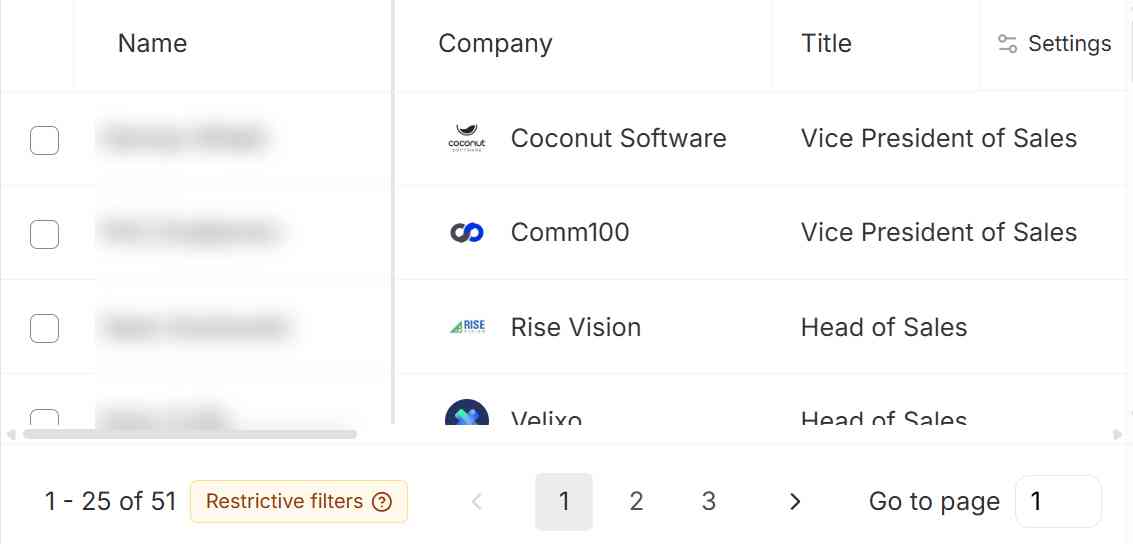
Prospeo only returns 51 results, the smallest list of the bunch. Prospeo’s industry labels are narrower than the others’, so a lot of SaaS companies just weren’t tagged “Software Development”.
I also checked 4 of them on LinkedIn. 2 were clearly still in the role. The other 2 were unclear: their LinkedIn headlines don’t mention the company Prospeo listed, and one of them reads like a different business entirely.
Two things I liked though: the location filter lets you choose between where the person is and where the company is headquartered (other tools like lemlist don’t make this clear), and the headcount filter shows how many results fall into each size bucket before you pick one.
On the free plan, you get 28 filters. The technologies filter is locked, and you can only select 25 rows at a time.
Limitations
- No CSV or API enrichment on the free plan. Fine for a handful of lookups, painful for a list.
- Only about 5 AI searches for free. After that you’re back to manual searching.
- It missed 7 of my 20 people entirely, all of them outside the US.
- Phone numbers are pricey. A mobile costs 10 credits, so the free plan covers 10 phone numbers at most.
- No sequences. You’ll need a separate tool to actually send emails.
Pricing (updated November 2026)
- Free: $0, 100 credits/month
- Starter: $49/month per user ($37/month billed yearly), 2,000 credits/month. Adds CSV and API enrichment.
- Growth: $99/month per user ($74/month billed yearly), 5,000 credits/month. Adds CRM enrichment and job change tracking.
- Pro: $249/month per user ($187/month billed yearly), 15,000 credits/month
One credit gets you one verified email, and a mobile number costs 10 credits. See Prospeo’s pricing page for the latest.
5. AI Ark – Precise list building, but email enrichment needs LinkedIn URLs
Pros: A real Apollo-style app with a 430M+ contact database and 30+ filters. Its list search was one of the most precise I ran: every person on the first page was actually in Canada. Every email it returned was right, and the free plan gives you 100 credits every month.
Cons: You can’t enrich a list of names and company domains yet. CSV enrichment only works from LinkedIn profile URLs, and the plain “Email Enrichment” option says “Coming Soon”.
AI Ark is one of the newest tools here. It’s a B2B contact database (people and companies) with advanced search filters, CSV enrichment, an API, and even a command-line tool. Of all the newer tools I tried, it feels the most like Apollo: you search, filter, save records and export.
Signup was a normal form with a CAPTCHA. After a welcome video (which you can close), I landed on a dashboard showing 72.9M companies and 431.2M contacts.
Test 1: Finding emails for my 20 people
I went to upload my usual CSV of names and company domains, and hit this:
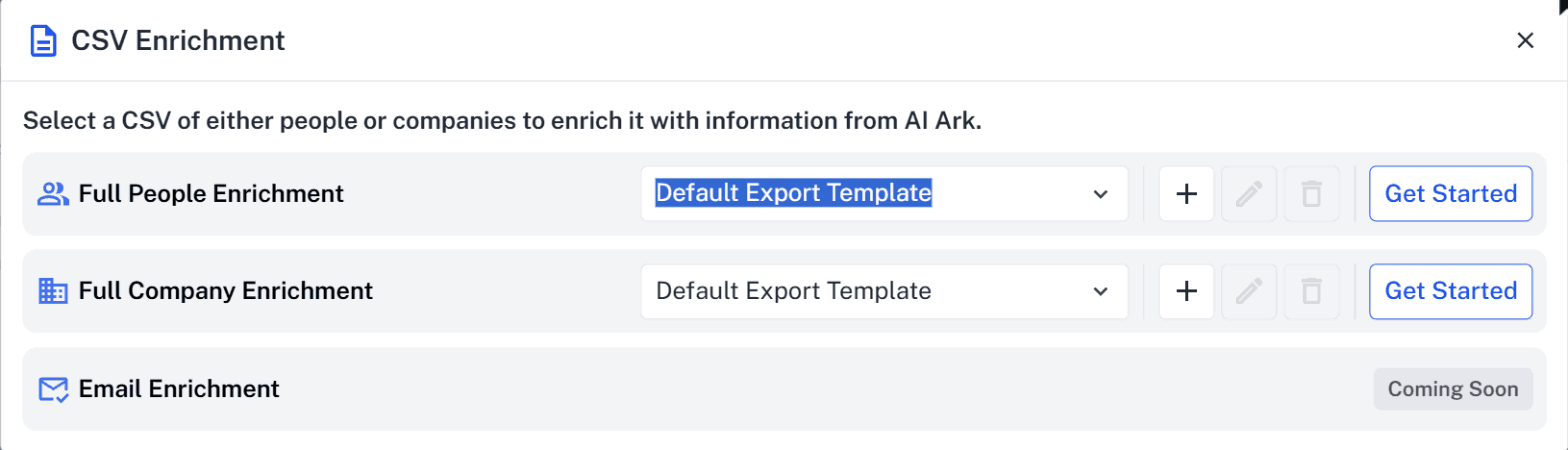
“Full People Enrichment” works, but it needs a LinkedIn profile URL for each person. So before I could test it, I had to find my 20 people on LinkedIn.
I found 17 of the 20. The other 3 had names too common (or profiles too thin) to be sure I had the right person, so AI Ark never got a shot at them. That’s a real cost of this workflow: if you start from a CRM full of names and domains, you’ll need another tool to get LinkedIn URLs first (such as Clay).
The pricing is clear before you start. A matched profile costs 0.5 credits, and adding a verified work email costs another 0.5. My 17 people reserved at most 17 of my 100 free credits.
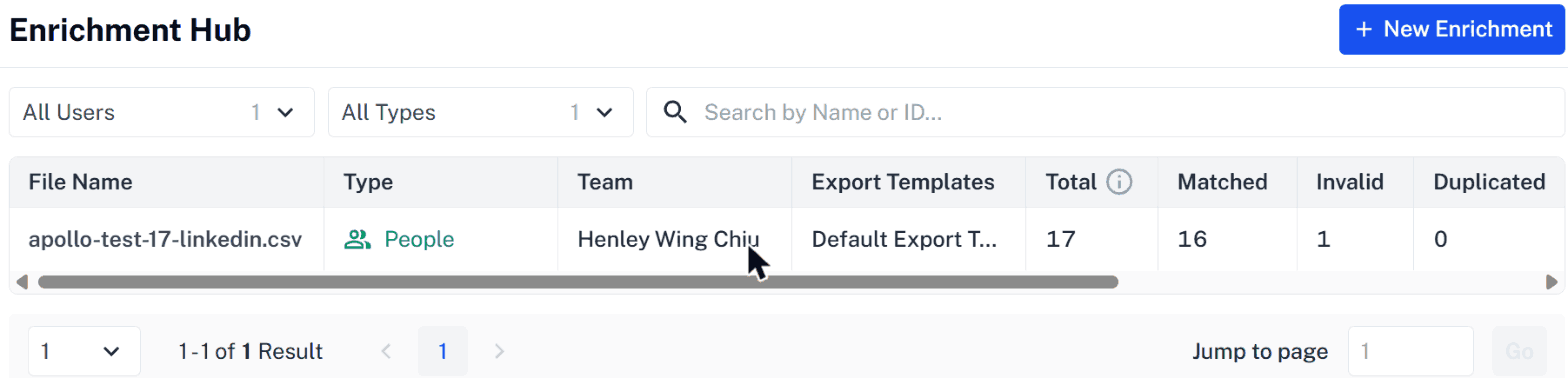
Here’s how it did:
- 📧 Returned an email: 13 of 20 (13 of the 17 I could give it)
- ✅ Working email: 12 of 20 (60%)
- ❌ Wrong email: 0 of 20
- ❔ Unconfirmed: 1 of 20 (5%)
- 🚫 No email: 4 of 20 (20%)
- 🔗 Couldn’t test (no LinkedIn URL): 3 of 20 (15%)
That’s 12 working emails from 17 profiles, two more than BlitzAPI got from the exact same 17. It also returned the Canon exec’s working address on Canon’s production printing domain, not the canon.com.au guess that bounced for Hunter and Seamless.
One annoyance: the emails don’t show up in the results table. You have to open each person’s profile page to see them (or download the file).
Test 2: Building a list from scratch
For every tool, I ran the same search: VP or Head of Sales at software/SaaS companies with 51–200 employees in Canada.
I built it with filters: three job titles (265,684 people), people located in Canada (5,379), employee size 51–100 and 101–200 (912), and the industry “Software Development”. That left 129 people.
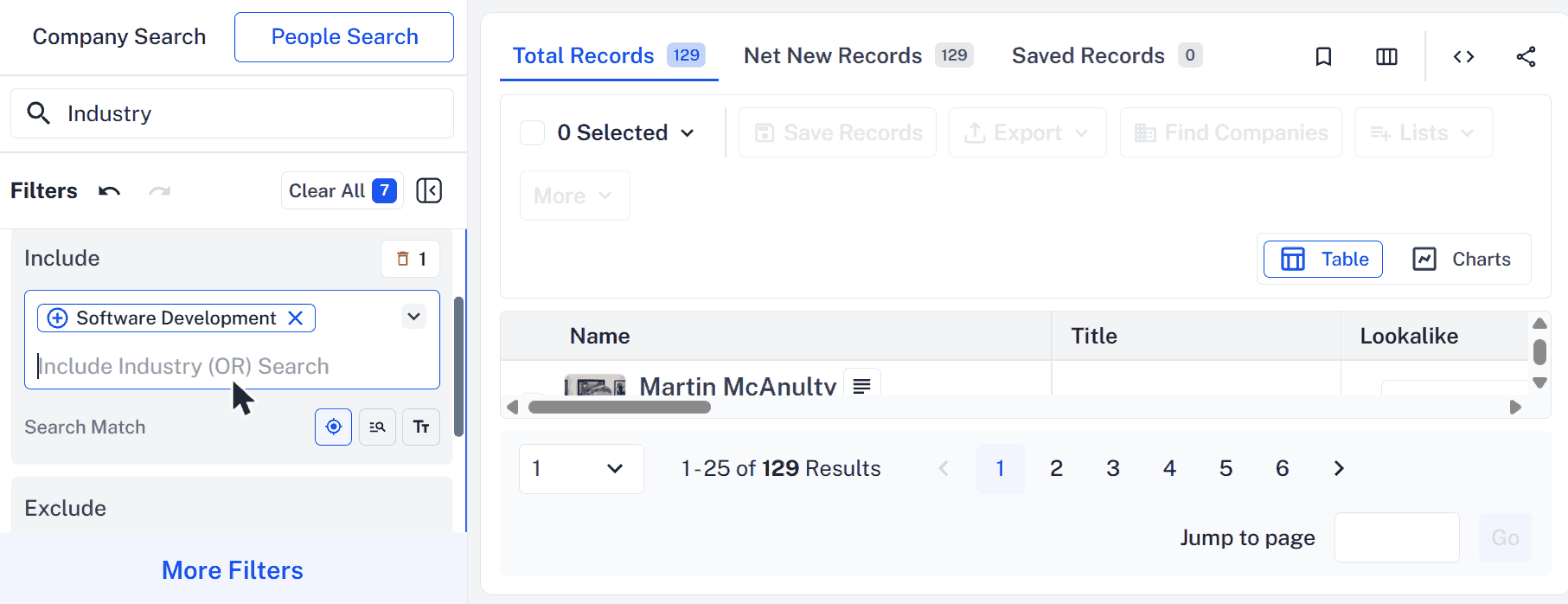
The location filter lets you choose between where the person is and where the company is headquartered, which a lot of tools here get wrong. I picked “People”, and all 25 people on the first page were based in Canada. The titles were tight too. Only 1 of the 25 was off-target (a Head of Sales Engineering).
LinkedIn’s search limit kicked in when I tried to check freshness, but 2 of the people on the list had already come up in other tools’ results that week. I’d checked both on LinkedIn, and both were still in the role.
The filter list is long: job role, seniority, location, employee size, industry, SIC and NAICS codes, technologies, headcount growth, funding, revenue, founded year and more. There’s also an AI lookalike company search, and a lookalike people search that’s marked “coming soon”.
Limitations
- No name + domain email finder yet. To enrich a list, you need LinkedIn URLs.
- Emails are hidden in the results table. You open each profile (or download the file) to see them.
- The free plan lets you select 25 records at a time.
- It’s very new. There are hardly any independent reviews yet, and some features are still marked “coming soon”.
Pricing (updated November 2026)
- Free: $0, 100 credits/month, no credit card
- Usage-Based: from $49/month for 5,000 credits (20% off billed annually)
- Agency & Enterprise: custom pricing
A verified email costs 0.5 credits and a mobile number costs 5. See AI Ark’s pricing page for the latest.
6. BlitzAPI – Clean, fresh data, but you need LinkedIn URLs first
Pros: Every email it returned was correct, with zero bounces. Its list-building search was precise, with the right titles, the right country and fresh job data, and it found an email for every person I picked from the list. The free trial is 1,000 records a month, not a one-off.
Cons: It can’t find an email from a name and company domain, only from a LinkedIn profile URL. There’s no app, so you use it through Claude, ChatGPT, Clay or code.
BlitzAPI calls itself “the B2B data layer for GTM builders”. It’s an API-first tool: people search, company search, work emails, US phone numbers and job postings, all behind one API. It’s one of the newer tools in this list, and quickly becoming very popular.
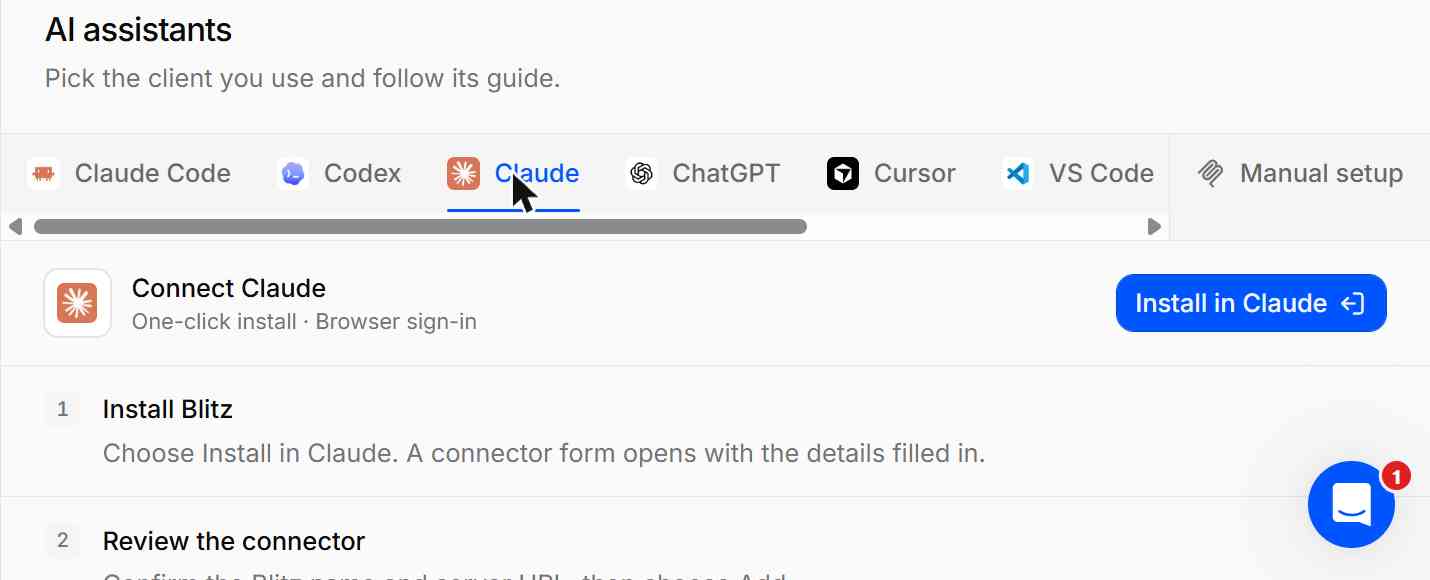
Signup was a code sent to my email, then four onboarding questions (two skippable) and a “create a workspace” step. One gotcha: I connected BlitzAPI to Claude before creating the workspace, and the connection silently didn’t work. Once the workspace existed, I reconnected and it worked straight away.
Test 1: Finding emails for my 20 people
Like AI Ark, BlitzAPI’s email finder *only* takes a LinkedIn profile URL, not a name and company. There’s no name search either. So I gave it the same 17 LinkedIn profiles I used for AI Ark.
Here’s how it did:
- 📧 Returned an email: 10 of 20 (10 of the 17 I could give it)
- ✅ Working email: 10 of 20 (50%)
- ❌ Wrong email: 0 of 20
- 🚫 No email: 7 of 20 (35%)
- 🔗 Couldn’t test (no LinkedIn URL): 3 of 20 (15%)
All 10 emails were correct. And it avoided both traps that caught other tools:
BlitzAPI also only charges when it finds something. The 7 people it couldn’t find cost me nothing (which I think is becoming standard in this space).
Test 2: Building a list from scratch
For every tool, I ran the same search: VP or Head of Sales at software/SaaS companies with 51–200 employees in Canada.
Through Claude, that became BlitzAPI filters: four job titles, people located in Canada, company size 51–200, and the LinkedIn industry “Software Development”.
It found 141 people, and every one I pulled was actually based in Canada: Toronto, Vancouver, Edmonton, Victoria, Quebec (an improvement over the other tools in this list). Each result came with their full LinkedIn-style profile and job history, including when they started the role. So company search is actually pretty decent in BlitzAPI
The results don’t include emails, though. That’s a separate lookup (one record each). I ran it on 4 people from the list and got an email for all 4.
Then I checked those same 4 on LinkedIn. All 4 were still in the role. So the data looks up-to-date!
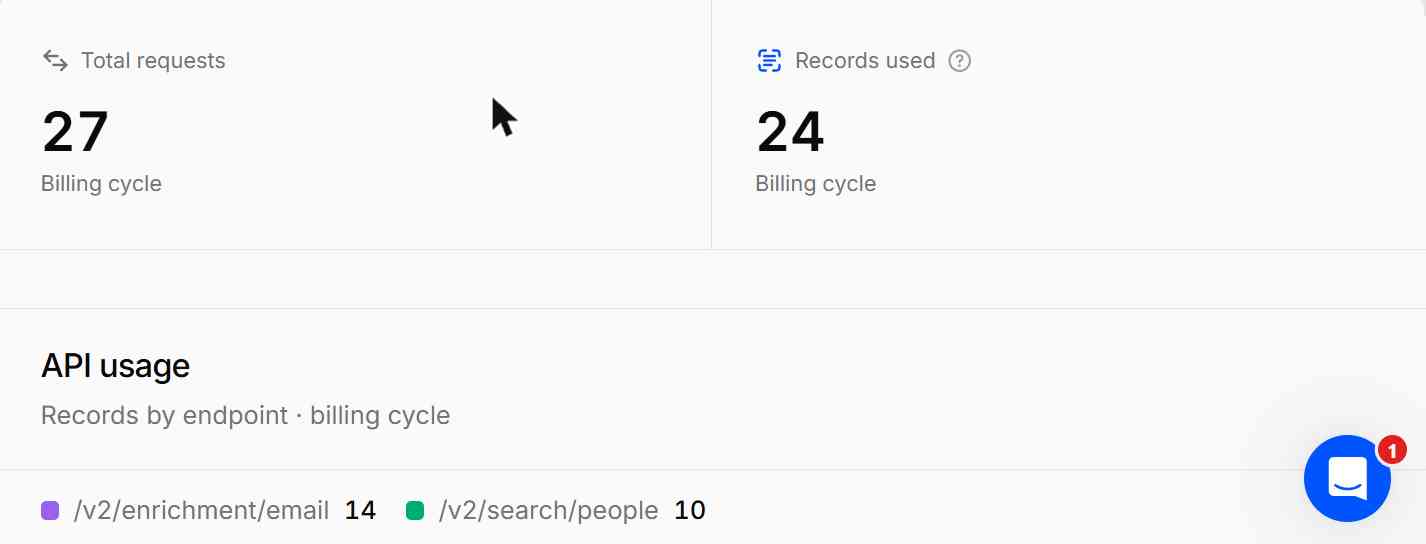
The filters go deep: job title (with exact matching), level, function, location, company size, industry, revenue, funding, founded year, headquarters, even which email provider the company uses. You can also flag “recent hires” (people who started in the last 90 days).
Limitations
- LinkedIn URLs only. No name + domain lookup, so you can’t just enrich a list of names.
- No app. You’ll need Claude, ChatGPT, Clay or code to use it.
- Emails are a separate step after list building, though it’s quick through Claude.
- Rate limits on the free trial. 5 requests per second. When I fired off 9 lookups at once, 4 were rejected and I had to retry them.
- Phone numbers aren’t in the free trial.
Pricing (updated November 2026)
- Free trial: $0, 1,000 records a month, no card (no phone numbers)
- Start: $99/month, 200,000 records/month
- Scale: $499/month, 5,000,000 records/month
- Build Your Infra: from $999/month, custom
Every plan includes every data type. Plans only differ in speed, volume and support. See BlitzAPI’s pricing page for the latest.
7. MoltSets – No app at all. You just ask Claude.
Pros: Every email it gave me was graded and dated, and 8 of the 9 were correct. Its list-building search found way more people than any other tool (1,001), and they were actually in Canada. You only pay when it finds something.
Cons: It only found emails for 9 of my 20 people, the fewest after Lusha. There’s no app, so you need Claude, an API or a spreadsheet tool to use it. The free plan caps list building at 100 results.
MoltSets is the other API-first tool on this list, like BlitzAPI. It’s founded by the late Adam Robinson, who unfortunately died in a plane crash this month.
MoltSets, as its core is a contact data provider (business emails, personal emails, mobile numbers, company data) with no user interface. You use it through its API, an MCP server, a CLI, or a Chrome extension for LinkedIn.
It sounds like a developer-only tool, right? But it isn’t really. The easiest way in is to connect it to Claude (or ChatGPT) and just ask for what you want in plain English.
Signup took 30 seconds. After a one-question onboarding (“how did you hear about us?”), I landed on a terminal-style dashboard with 1,000 free API calls. Then I went to the “connect” page:
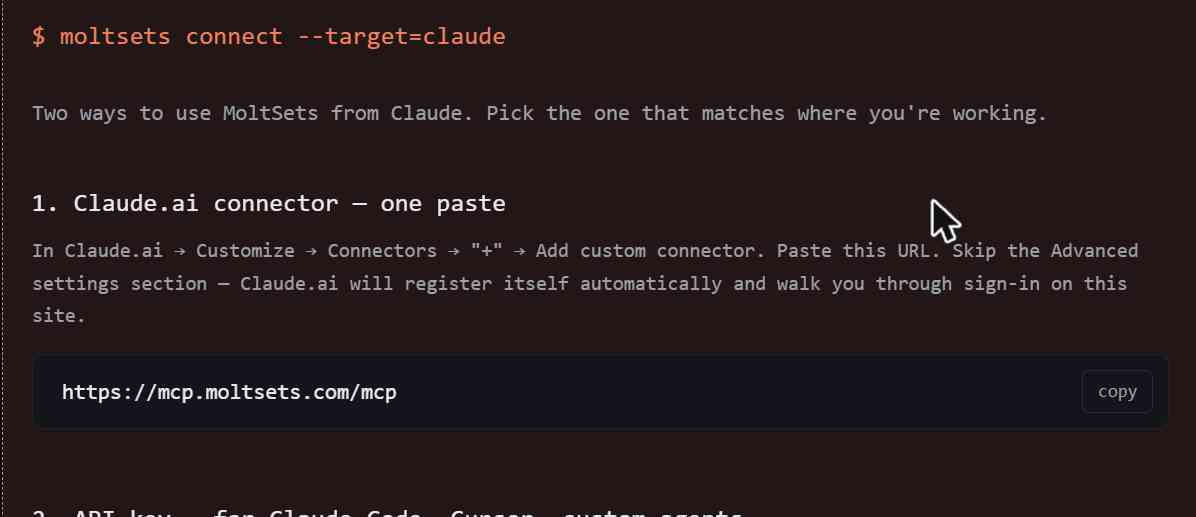
In Claude, I added it as a custom connector, signed in to MoltSets, and that was it. Claude could now look people up for me.
Test 1: Finding emails for my 20 people
MoltSets has a tool built for exactly this test: give it a name and company domain, and it finds the person’s LinkedIn profile and then their business email. I had Claude run all 20 people through it, which took about 30 seconds.
Here’s how it did:
- 📧 Returned an email: 9 of 20 (45%)
- ✅ Working email: 8 of 20 (40%)
- ❌ Wrong email (outdated): 1 of 20 (5%)
- 🚫 No email: 11 of 20 (55%)
The hit rate was disappointingly low. But what it did return was clean. Every email came with a grade (all 9 got an “A”, meaning validated deliverable) and the date it was last validated. All of those dates were within the last two weeks.
The one miss is a good lesson, though. For one person, MoltSets ignored the domain I gave it and returned an email at a different company, graded “A” and validated just days earlier. But when I checked LinkedIn, she’d left that company a while back. The inbox still accepts mail, so it passed validation. She just isn’t there to read it. (Prospeo listed her at the same old company too.)
So a deliverable email isn’t the same as the right email. That “validated” date tells you the inbox works, not that the person still works there. Something to keep in mind in your outreach campaigns!
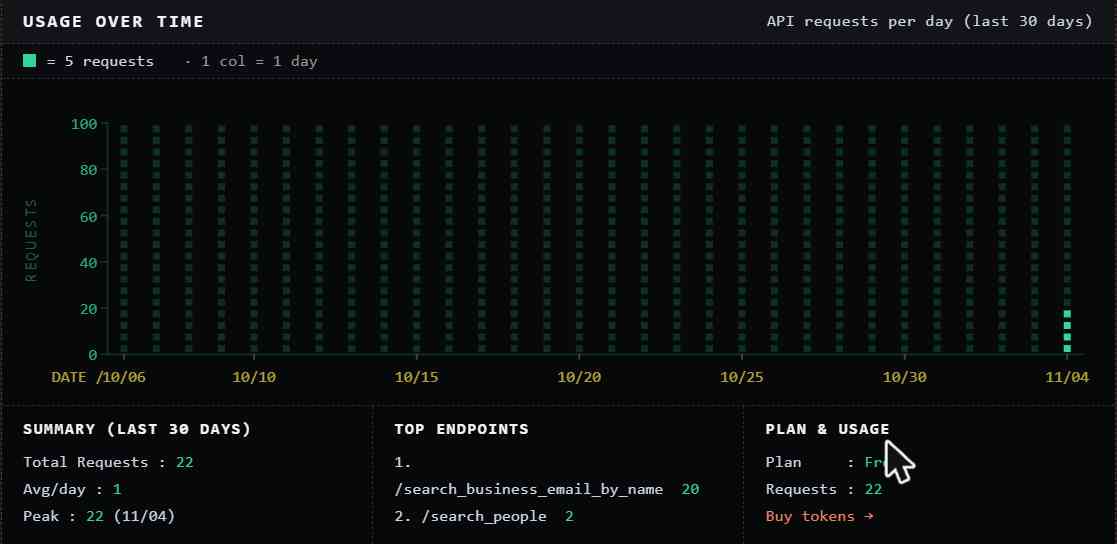
The other nice part: the 11 people it couldn’t find cost me nothing. The whole test used 9 tokens out of 1,000.
Test 2: Building a list from scratch
For every tool, I ran the same search: VP or Head of Sales at software/SaaS companies with 51–200 employees in Canada.
I asked Claude for it in plain English. It turned that into MoltSets’ search filters: three job titles, country Canada, company size 51–200, and the LinkedIn industry “Software Development”.
MoltSets found 1,001 people. That’s about 6 times more than Lusha (170), the next biggest, and way more than the 20–70 most other tools returned.
And unlike Snov.io, “Canada” meant the person was in Canada. All the people I pulled were based in Toronto, Vancouver, Edmonton and other Canadian cities. Every record also came with a business email already attached. Unlike email finding, the people search was definitely one of MoltSet’s strongest feature.
Then I checked 4 of them on LinkedIn. 3 of the 4 were still in the role. The fourth had left (his LinkedIn headline literally said he was off to “explore the world”). I also spotted one record where the email looked like it belonged to someone else entirely, though MoltSets did grade that one “C” (catch-all, unknown), not “A”.
The filters are the most detailed of any tool I tried: title, seniority, department, industry (broad buckets, LinkedIn’s own labels, or NAICS codes), company size, revenue, country, state and city. You can also exclude countries, industries or company domains, which is handy for leaving out your existing customers.
Limitations
- Low match rate on my list. 9 of 20 is the second-lowest in this test. It only returns emails it can verify, so it skips a lot.
- No app. If you don’t use Claude, ChatGPT, Clay or an API, you’ll struggle to use it at all.
- Free search is capped. 100 search results in total on the free plan, 10 per search.
- The 1,000 free enrichments are lifetime, not monthly.
Pricing (updated November 2026)
- Free: $0, 1,000 enrichments (lifetime) and 100 search results
- Solo: $27/month, “unlimited” data (500 search records per 5 hours)
- Pro: $97/month, 15,000 enrichments and 7,500 search records per 5 hours
- Team: $397/month, 150,000 enrichments and 75,000 search records per 5 hours
Mobile numbers are a separate add-on (about $0.15 each). See MoltSets’ website for the latest.
8. Hunter – Great if you already know who you’re looking for
Pros: Found a working email for 15 of my 20 people. And it’s honest about its confidence: when it wasn’t sure, it said so.
Cons: You need to know the person’s name and company domain up front. It’s an email finder first, not a big people database for building lists from scratch.
Hunter has been around forever as “the email finder”, and over the years it’s added a lead database (Discover), email sequences and a Chrome extension. So it’s actually becoming an all-in-one alternatives to Apollo.
I first tried importing my 20 people as a CSV through Hunter’s lead import. It wouldn’t accept my company domain column as the “company”, so I gave up and used the Email Finder, one name + domain at a time. It’s fast: type the name, type the domain, hit Find, and you have an answer in a few seconds.
How Hunter is different
Most of the tools in this list like Lusha and Prospeo look the person up in their database. If the person isn’t in there, you get nothing.
Hunter, on the other hand, works more like a detective. It figures out the email pattern a company uses (like firstname.lastname@), applies it to the name you gave it, then pings the company’s mail server to check the mailbox exists. That’s what the “Inferred” label means:
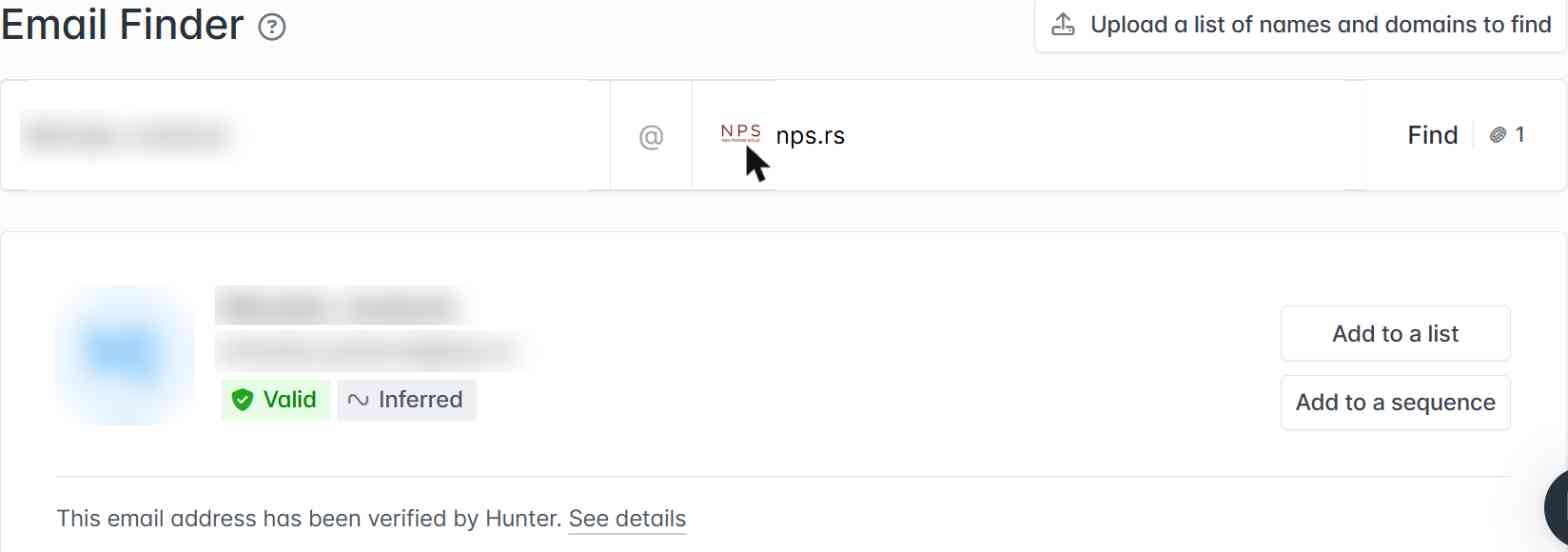
The upside of this approach is that it can find emails for people who aren’t in any database. Four people that Prospeo had nothing on came back with working emails on Hunter: a CEO in Serbia, a telecom exec in Fiji, someone at an IT company in Australia and someone at a brewery in New Zealand.
My results
- 📧 Returned an email: 16 of 20 (80%)
- ✅ Working email: 15 of 20 (75%)
- ❌ Wrong email (bounced): 1 of 20 (5%)
- 🚫 No email found: 4 of 20 (20%)
15 working emails. That beats Prospeo (12) and Lusha (5).
The confidence labels actually mean something
This is what impressed me most. Every result gets one of two labels:
- Valid: the mail server confirmed this mailbox exists.
- Accept all: the company’s mail server accepts every address, so Hunter can’t confirm it. It shows a confidence score (like 85%) instead.
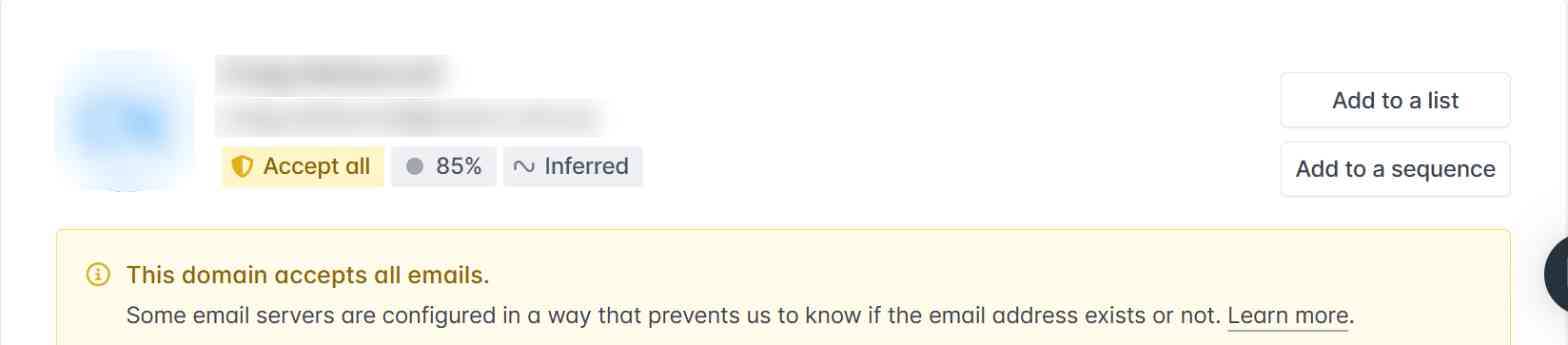
Here’s how those labels held up against my list:
- When Hunter said Valid, it was right 11 out of 11 times.
- When Hunter said Accept all, it was right 4 out of 5 times. The one that bounced was one of these.
So the practical rule is simple: trust “Valid”, and double-check “Accept all” before you send anything important.
And when Hunter can’t find someone, it just says so instead of guessing:
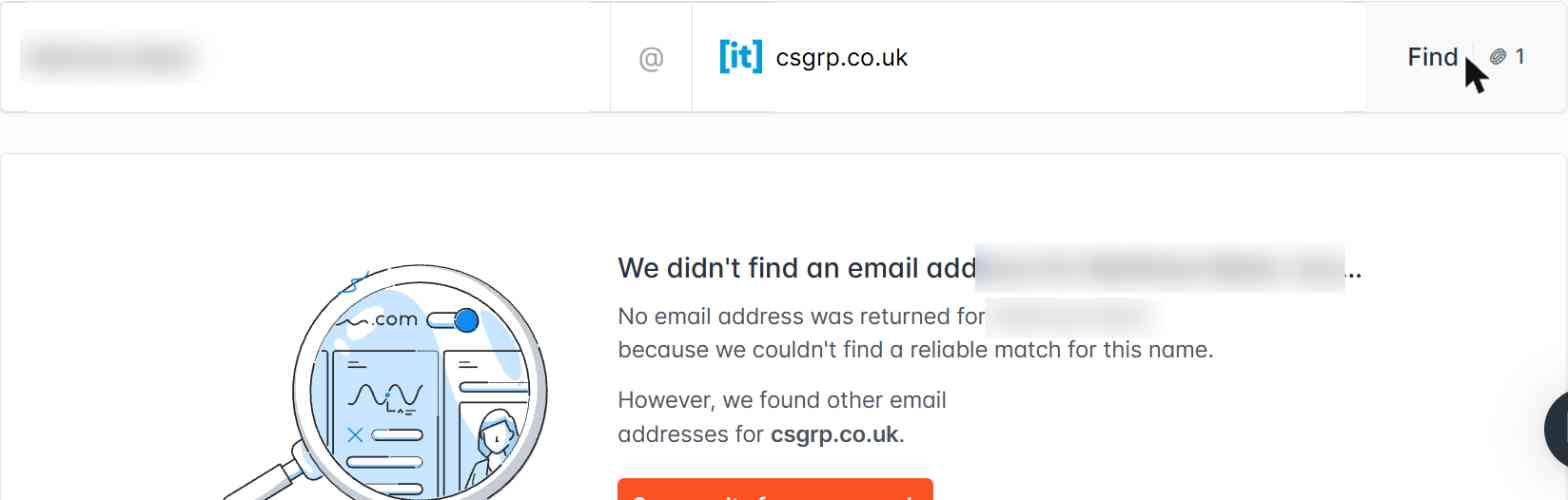
Building a list from scratch
For every tool, I ran the same search: VP or Head of Sales at software/SaaS companies with 51–200 employees in Canada.
Hunter’s Discover works differently from the others. It’s company-first: you find companies, then the people at them. I typed my search into its AI box, and it built the company filters (HQ in Canada, Software Development, keywords “SaaS”, 51–200 employees):
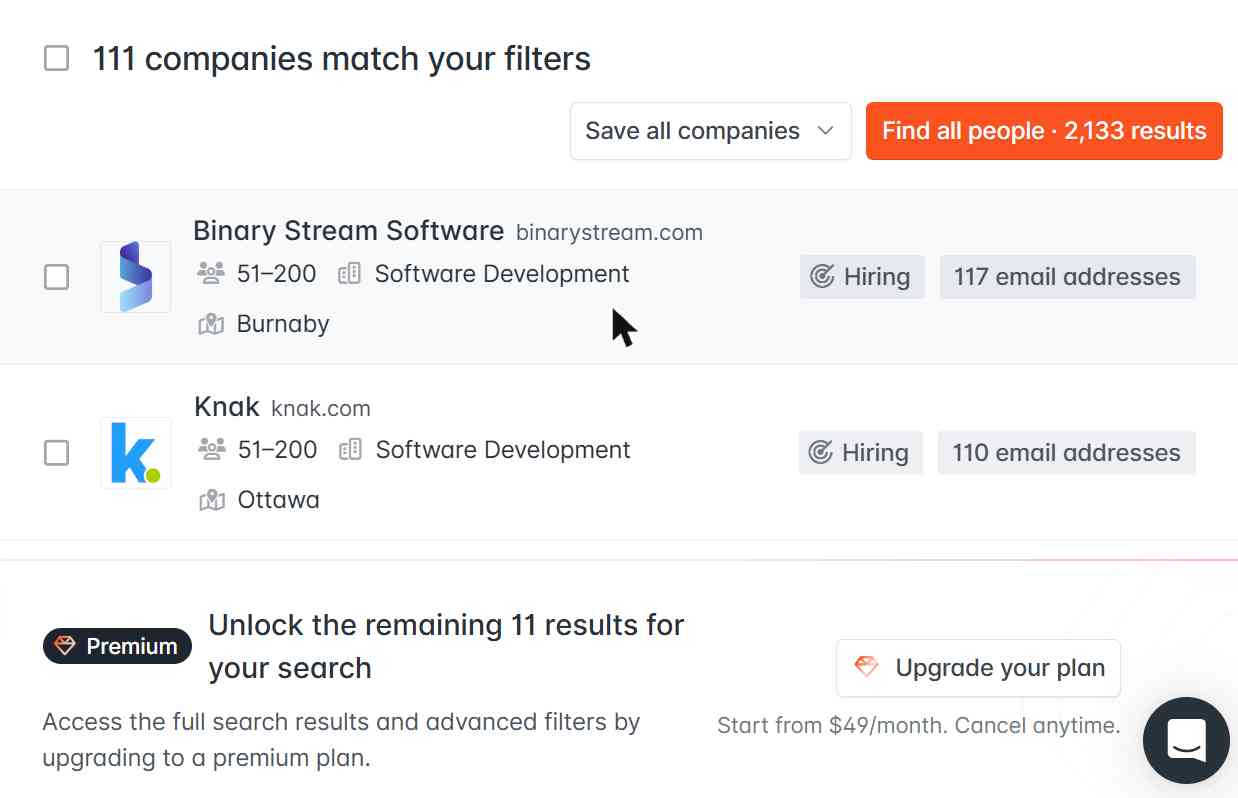
Then it offered to find the VPs and Heads of Sales at those companies. That came back with just 13 people:
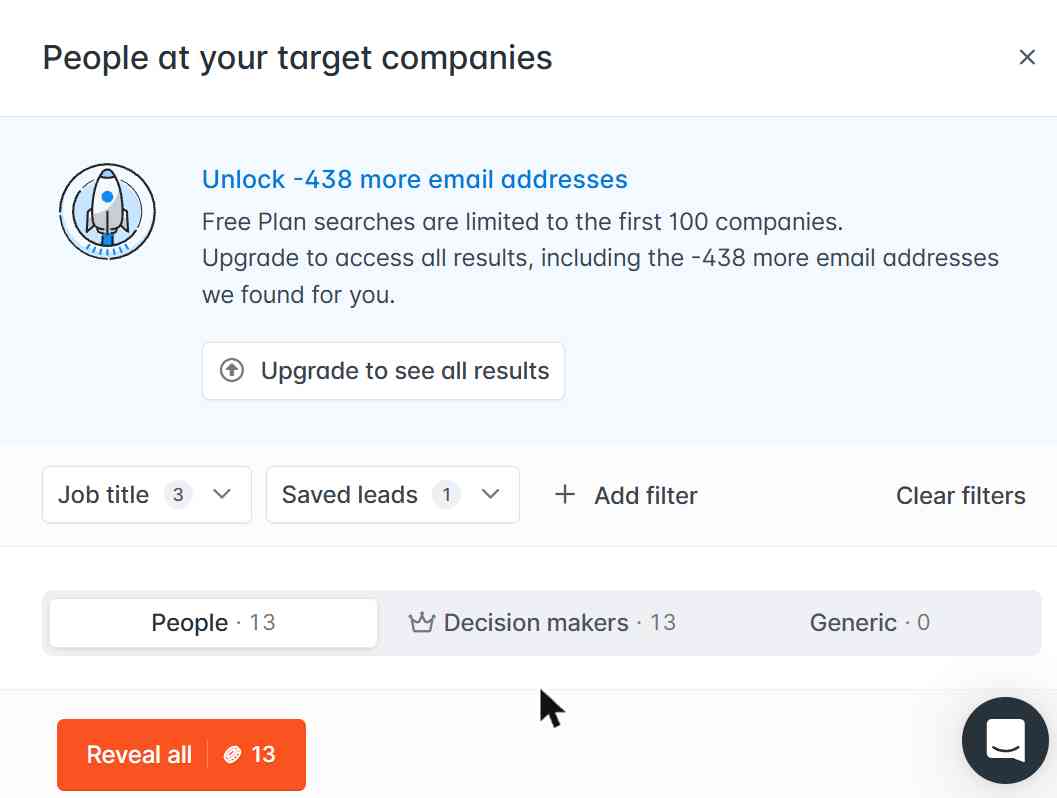
Two limits hit here. The free plan only searches the first 100 companies, and the people’s names are hidden until you pay a credit for each one. So you can’t preview the list before spending.
Because the names were hidden, I couldn’t check how current Hunter’s people data is.
The company filters are good, though: technologies, funding, year founded, “similar companies”, and a job openings filter where you can search by department, title keywords and posting date. If your strategy starts with “which companies should I target?”, Discover is handy. If it starts with “which people should I email?”, the other tools are better.
Limitations
- You need the name and the domain. Great for “I know who I want, get me their email”. Less great for “find me 500 VPs of Sales in fintech”. Hunter’s Discover database exists for that, but the filters are basic on the free plan.
- Pattern-based guesses can miss unusual formats. The email that bounced was a
firstname.lastname@guess for someone who actually uses just his first name. - “Accept all” domains are a guess. Lots of bigger companies set up their mail servers this way, and Hunter can’t verify anything there.
- No phone numbers. If you need mobiles, look elsewhere.
- Lead import was fiddly. It wouldn’t map my domain column, so bulk lookups took some workarounds.
Pricing (updated November 2026)
- Free: $0, 50 credits/month
- Starter: $49/month ($34/month billed yearly), 2,000 credits/month
- Growth: $149/month ($104/month billed yearly), 10,000 credits/month
- Scale: $299/month ($209/month billed yearly), 25,000 credits/month
- Enterprise: custom
Each email found costs 1 credit, and you’re not charged when Hunter comes up empty. The free plan also includes email sequences (1 connected inbox). See Hunter’s pricing page for the latest.
9. Seamless.AI – Surprisingly accurate emails, weakest list building
Pros: Found a working email for 16 of my 20 people, tied for the most in this test. Bulk upload works on the free plan, and it barely dented my credits.
Cons: The free plan is 50 credits for life, not per month. Its list-building search came back small and messy, and half the people I checked had already moved on.
Seamless.AI is one of the oldest tools in this list. It calls itself a “real-time search engine” for B2B contacts. Instead of only serving you what’s already in a database, it researches contacts on the fly when you ask for them. It also has other features like buyer intent data, job change alerts, a Chrome extension and an “Autopilot” feature for finding leads automatically.
Signup was the quickest of the bunch: put in a business email, then a couple of onboarding screens you can skip. Just know that by signing up, you agree to receive marketing calls and texts (it’s in the fine print under the sign-up button).
Test 1: Finding emails for my 20 people
Seamless lets you upload a CSV on the free plan, which Prospeo and Hunter didn’t. I uploaded my 20 people (name + company domain), and it started “researching” them. About a minute later, all 20 were done.
Here’s how it did:
- 📧 Returned an email: 17 of 20 (85%)
- ✅ Working email: 16 of 20 (80%)
- ❌ Wrong email (bounced): 1 of 20 (5%)
- 🚫 No email: 3 of 20 (15%)
That ties lemlist and Snov.io for the top score, though Seamless did have one bounce. It found emails for some of my hardest people too: someone only lemlist had found an email for at that point, the IT company in Australia, and the telecom exec in Fiji.
And despite the scary “50 lifetime credits” limit, the whole test only took my balance from 50 down to 44. Seamless seems to charge only for some lookups, though it never explained which (and the docs doesn’t make it very clear either).
Test 2: Building a list from scratch
For every tool, I ran the same search: VP or Head of Sales at software/SaaS companies with 51–200 employees in Canada.
Seamless has an AI search box, so I typed that in. It turned it into 8 filters: the two job titles, seniority, company in Canada, keyword “SaaS”, industry “Computer Software”, and 51–200 employees.
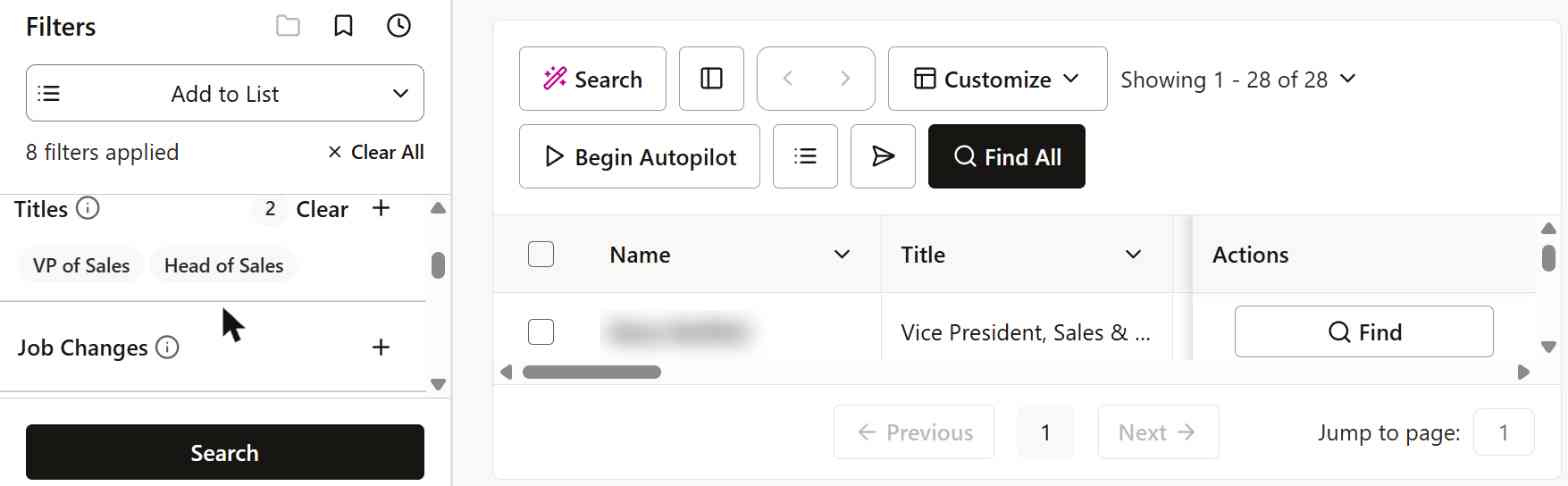
Only 28 results came back, and not all of them were what I asked for. The AI quietly added “Director” to the seniority filter, so the list included Directors of Sales and an “Enterprise Sales Director”, not just VPs and Heads of Sales.
Then I checked 4 of them on LinkedIn to see how accurate it was. Only 2 of the 4 were still in the role. One had left and is now a fractional CRO at a different company in the UK. Another I couldn’t find at all, and his company has since merged into another firm. So junk on top of more junk!
The filter list itself is solid: titles, seniority, department, job changes, past company, industry, revenue, technologies, funding, year founded and even “news & events”. The data behind it though, just didn’t feel as fresh as lemlist’s or Lusha’s.
Limitations
- 50 credits, once. The free plan doesn’t refill. When they’re gone, you’re paying.
- List building was the weakest in this test. Small results, loose titles, and the most outdated job info of the tools I checked.
- Pricing isn’t public. Paid plans mostly need a sales call.
- Expect follow-up. Signing up opts you into marketing calls and texts.
Pricing (updated November 2026)
- Free: $0, 50 credits total (not monthly), 1 user
- Basic: reported at around $147/user/month, billed annually
- Pro and Enterprise: custom pricing, talk to sales
One credit gets you one researched contact. See Seamless.AI’s pricing page for the latest.
10. Lead411 – Fresh, verified emails, but thin coverage outside North America
Pros: Every email it gave me worked, and each one shows the date it was last verified. The list search found plenty of people, and the ones I’d already checked on LinkedIn were still in the role.
Cons: Found an email for only 6 of my 20 people. CSV upload is paid-only, so on the trial you look people up one at a time.
Lead411 has been around for a long time and works a lot like Apollo: a database of companies and people, a Chrome extension, and “exports” you spend to unlock emails and phone numbers. It also has an AI search box, Bombora intent data, and filters for technologies, hiring and company news.
The free trial (“Pilot Light”) gives you 7 days and 50 exports, with no credit card required. Signup was quick, and the app drops you straight into search.
Test 1: Finding emails for my 20 people
My first plan was to upload my 20 people as a CSV. Lead411 calls that “Data Append”, and clicking it on the trial just sends you to the pricing page.
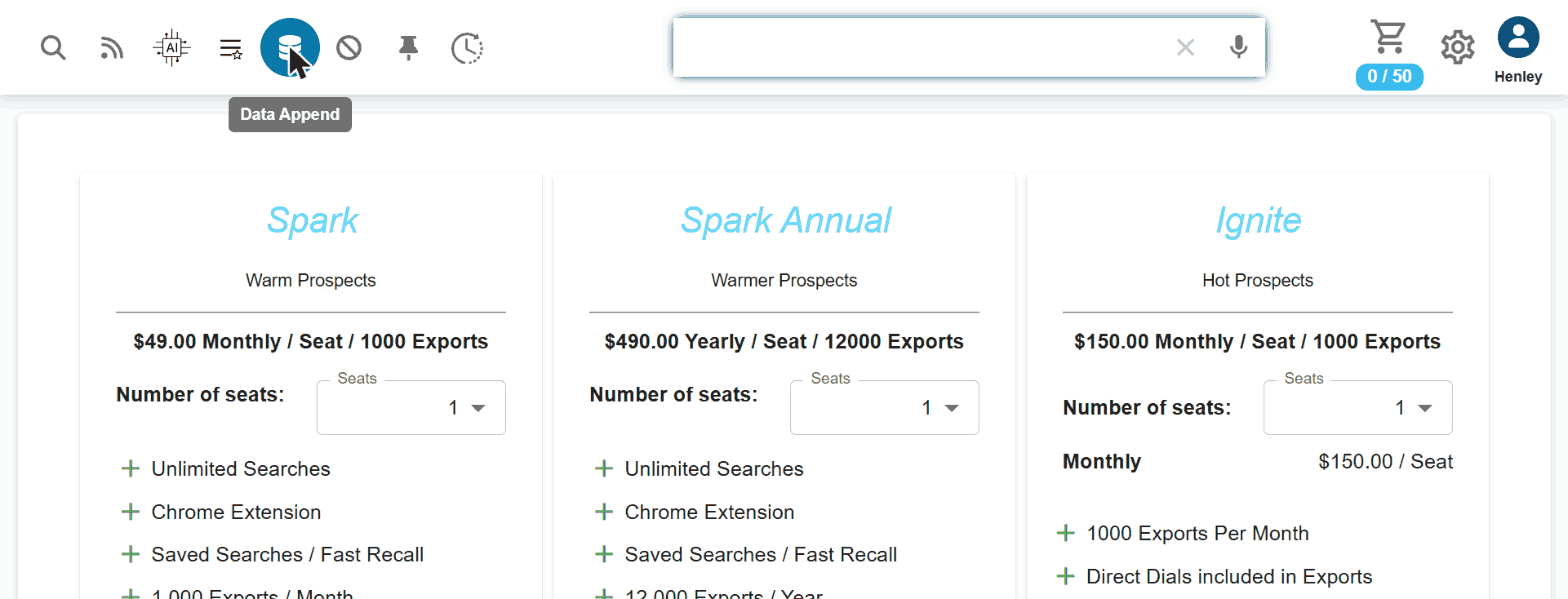
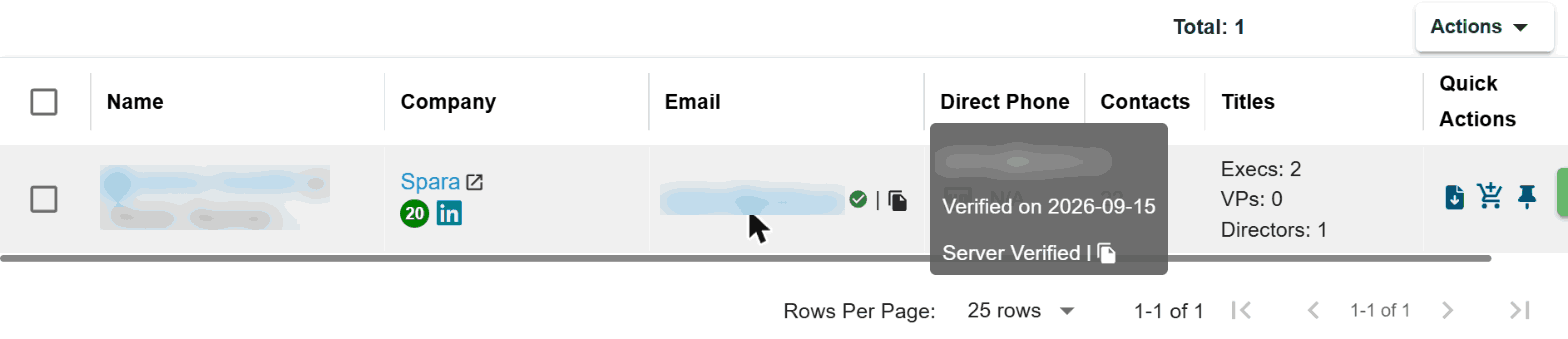
So I searched each person by name, found the row at the right company, and clicked “Unlock To View”. Each unlock costs 1 export. What I liked: every unlocked email shows when Lead411 last verified it (one of mine had been checked about 7 weeks earlier).
My results
- ✅ Working email: 6 of 20 (30%)
- ❌ Wrong email: 0 of 20
- ➖ In the database, but no email: 2 of 20 (10%). One of these still cost me an export to find out.
- 🕰️ Only listed at an old company: 2 of 20 (10%)
- 🚫 Not found: 10 of 20 (50%)
Like Lusha, it’s accurate, but coverage is the problem. Most of the people it missed were outside North America (Serbia, India, Australia, Brazil, New Zealand, Ukraine).
One near-miss worth mentioning: one person on my list now goes by a different last name. Lead411 had her under that name with the correct email, but I’m not counting it, since the other tools only got the name on my list.
Searching by name also gets painful with common names. “Peter Hart” returned 115 people, and the name search doesn’t let you add a company. You have to scroll, or use the header search bar’s company suggestions.
Test 2: Building a list from scratch
For every tool, I ran the same search: VP or Head of Sales at software/SaaS companies with 51–200 employees in Canada.
I used the filter panel, with 4 job titles (“VP of Sales”, “Vice President of Sales”, “Head of Sales” and “VP Sales”), the “Software Development” industry, and Canada for both company and person location.
Company size was the awkward part. Lead411 only has fixed size buckets, so 51–200 isn’t an option. The closest I could get was “20–99” plus “100–249”, which is a wider range than what I used in the other tools.
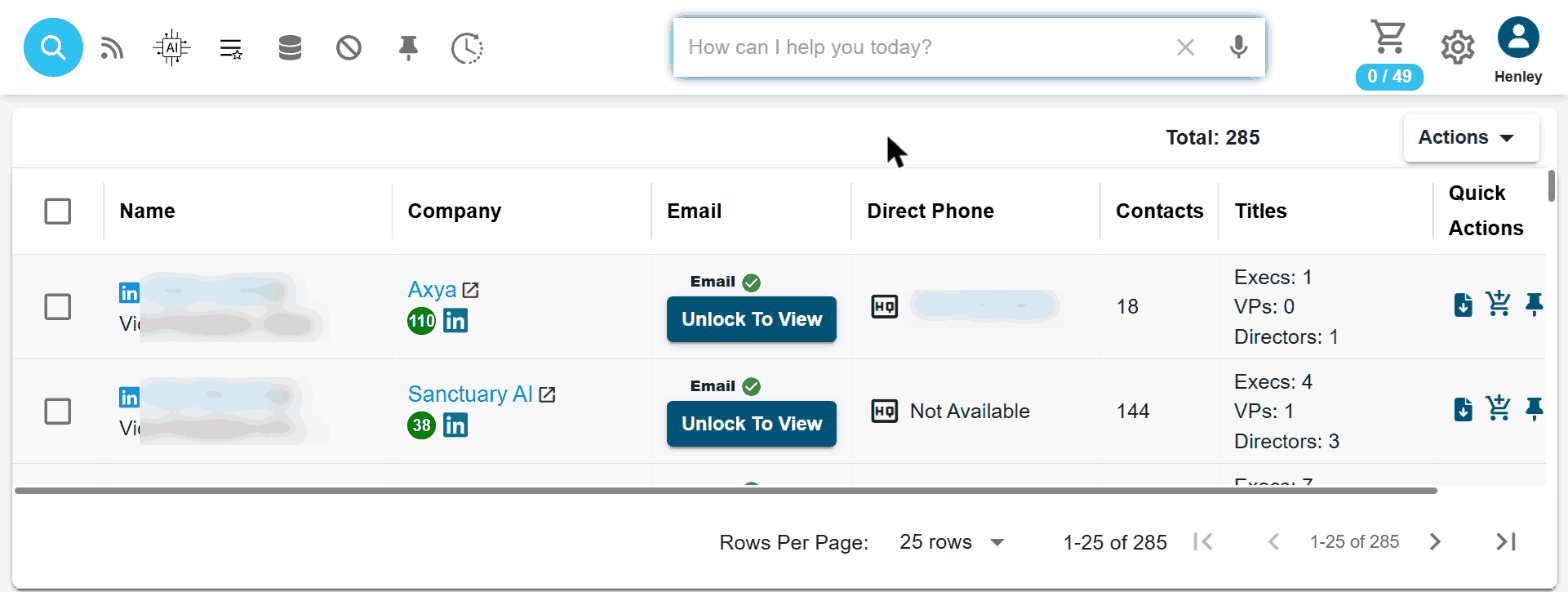
285 people came back. The first page was mostly solid: real VPs and Heads of Sales at Canadian software companies. A few titles were a bit off, like “Head of Sales Engineering” and a “Partner, Head of Sales & Real Estate”.
For freshness, 2 people on the first page were ones I had already confirmed on LinkedIn earlier in the week. Both were still in the role, at the company Lead411 listed.
Limitations
- No CSV upload on the trial. Data Append is paid-only, so testing a list means one search per person.
- Weak outside North America. Half my list wasn’t in Lead411 at all, mostly the international people.
- You can pay for nothing. One unlock used an export and came back with “Research Email” instead of an address.
- Coarse company-size buckets. You can’t search for a range like 51–200.
- Short trial. 7 days and 50 exports, then you need a paid plan.
Pricing (updated November 2026)
- Free trial: 7 days, 50 exports, no credit card
- Spark: $49/month per seat, 1,000 exports/month
- Spark Annual: $490/year per seat, 12,000 exports/year
- Ignite: $150/month per seat, 1,000 exports/month, with direct dials included
Every plan includes unlimited searches, and 1 export unlocks one contact. See Lead411’s pricing page for the latest.
11. Lusha – Accurate when it has the person, but the free plan hides a lot
Pros: Genuinely useful free plan, and every email it gave me worked. You can also reveal just an email instead of burning credits on a phone number you don’t need.
Cons: Found an email for only 5 of my 20 people. On the free plan, a lot of US contacts are locked behind a “state privacy” upgrade wall.
Lusha is probably the most direct Apollo alternative on this list. Same idea: a big database of people, a Chrome extension for LinkedIn, and credits you spend to reveal emails and phone numbers. It’s also one of the few that still gives you a free plan you can keep using every month.
Signup took about a minute. Enter your work email, name, phone number, and you’re in. There’s a short onboarding quiz (“What do you do at your company?”), which I skipped of course.
Test 1: Bulk enrichment (upload my 20 people)
The fastest way to test my list was Lusha’s CSV enrichment. I uploaded a file with just first name, last name and company domain, picked “Emails” (so it wouldn’t spend credits on phones), and hit Enrich.
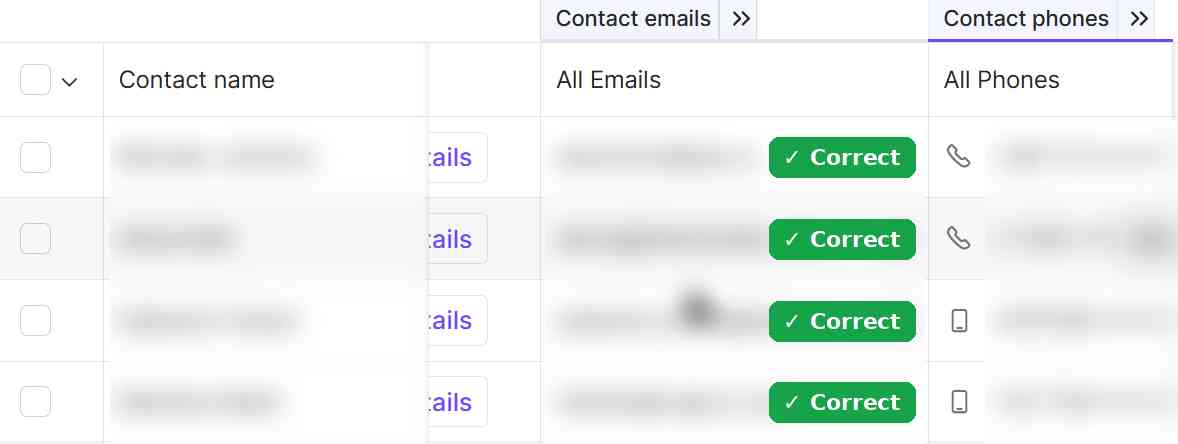
It came back in a few seconds. But here’s the disappointing part: Only 4 of my 20 people were matched.

The good news though: every email it found worked.
Test 2: Searching for the people it missed
16 misses felt like a lot for a database this size, so I searched for each missing person by name in Lusha’s regular search to see if it actually had that person in its database. This is where it got interesting. Search found 8 of the 16 people the CSV upload had missed. The bulk matcher just didn’t connect them.
Add those to the 4 the CSV matched, and 12 of my 20 people (60%) were in Lusha’s database. The other 8 (40%) weren’t in Lusha at all, under any company.
But being in the database isn’t the same as getting an email. Of the 8 people search found:
- 5 people were locked. All US-based. Lusha shows only their first name and last initial, and hovering over the little info icon says their data is restricted by state privacy regulations, and you need to upgrade your plan to see it.
- 2 people had a profile but no email. One showed “Unavailable details”, the other had only a mobile number.
- 1 person came back with a working email. Lusha had him at a different Canon business unit than the one I knew him from, but its email for him delivered fine.

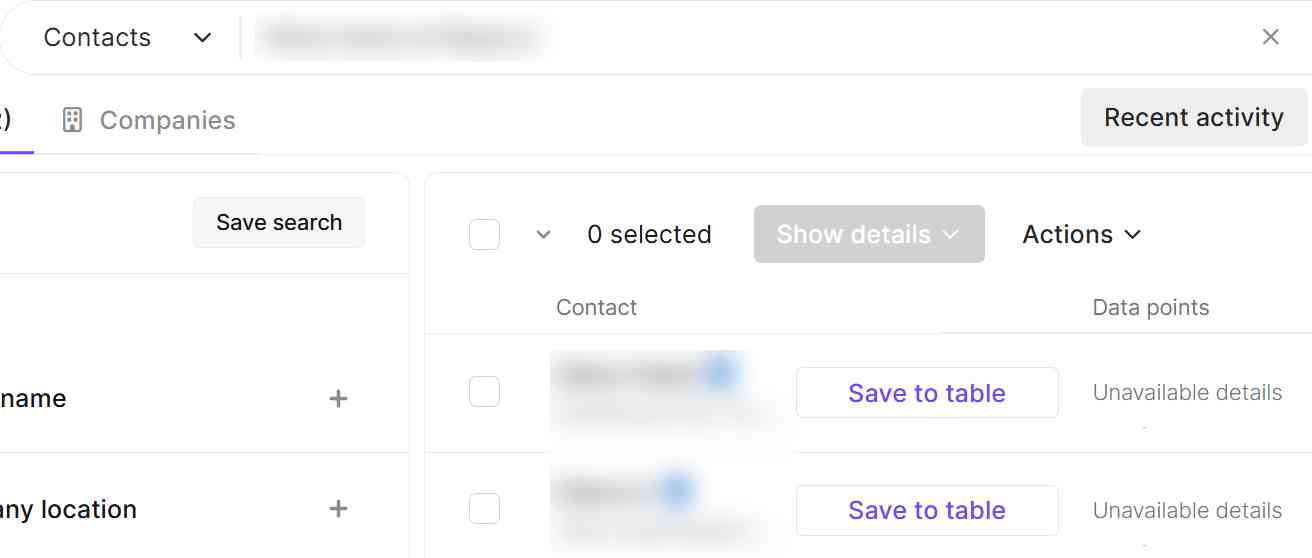
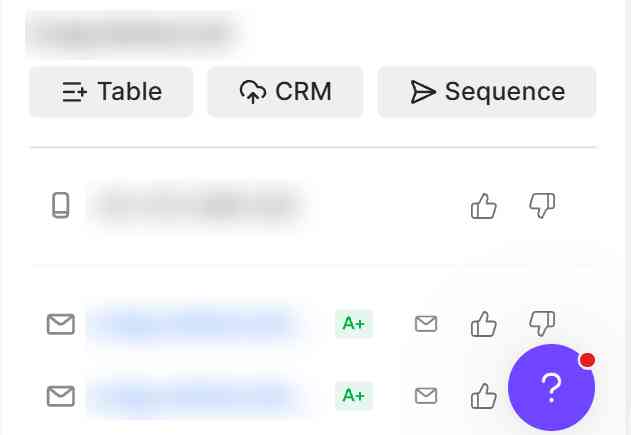
One small thing to watch out for: the big purple “Show details” button reveals everything Lusha has, including the mobile number. Clicking on that cost me 6 credits (1 for the email, 5 for the phone). If you only want the email, hover over the little envelope icon in the “Data points” column instead and click “Show” next to the email instead. That only costs 1 credit!
My results
- 👤 In Lusha’s database: 12 of 20 (60%)
- ✅ Working email: 5 of 20 (25%)
- ❌ Wrong email: 0 of 20
- 🔒 Locked on the free plan (US privacy): 5 of 20 (25%)
- ➖ In the database, but no email: 2 of 20 (10%)
- 🚫 Not in Lusha at all: 8 of 20 (40%)
So Lusha is fairly accurate. It never gave me a single bad email. The problem though is coverage, especially on the free plan: a quarter of my list was hidden behind an upgrade, and the CSV upload missed people that a manual search could find.
Test 3: Building a list from scratch
For every tool, I ran the same search: VP or Head of Sales at software/SaaS companies with 51–200 employees in Canada.
Lusha’s search bar accepts plain English, so I just typed that in:
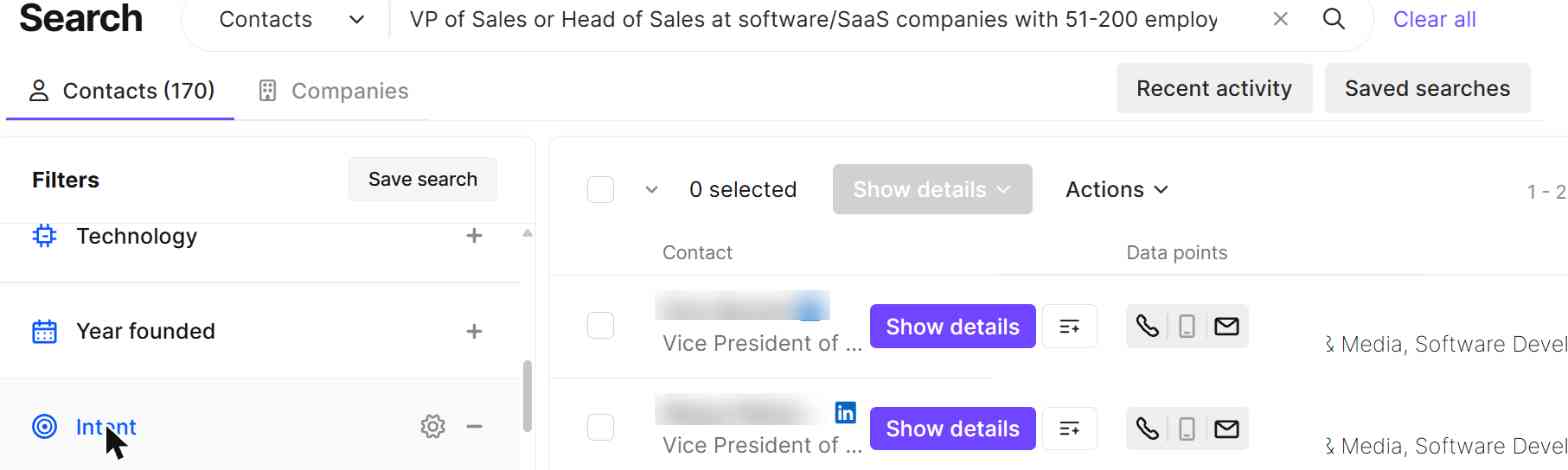
170 results came back, more than double lemlist’s 70. The titles were really really accurate and clean (all “Vice President of Sales”), and most companies were Canadian software companies I recognized. A few US companies slipped in. But overall, a robust company search!
To check freshness, I looked up 4 of them on LinkedIn. 3 of the 4 were still in the role. The fourth had moved on and is now a business development manager at a different company. So freshness wasn’t as strong as the other tools
The catch: Lusha doesn’t show you which filters it applied. It’s a black box. You can’t see whether it filtered on “company in Canada” or “person in Canada”, or how it decided what counts as SaaS.
The filter list itself is fairly standard: around 16 filters, including company size, revenue, funding, technologies, intent topics, job changes and seniority. Intent only works when you search for companies, not people.
Limitations
- The CSV matcher misses people the database actually has. If you enrich in bulk, you’ll lose contacts that a manual search would find.
- US contacts are restricted on the free plan. If you sell to US companies, the free plan won’t tell you much about Lusha’s real coverage.
- Phones are expensive. A phone number costs 5 credits, so 40 free credits is 8 phone numbers a month, or fewer if you click “Show details” by habit.
Pricing (updated November 2026)
- Free: $0, 40 credits/month, 1 user
- Starter: $49.90/month, 400 credits
- Pro: $69.90/month, 600 credits
- Premium: $399.90/month, 3,400 credits
- Scale: custom pricing
An email costs 1 credit and a phone number costs 5. Paying yearly is about 25% cheaper. See Lusha’s pricing page for the latest.
12. LinkedIn Sales Navigator – The freshest data, but no emails at all
Pros: The most up-to-date data of any tool here, because it is LinkedIn. Every person in my list search was actually in Canada, and every result shows exactly how long they’ve been in their role.
Cons: It doesn’t give you a single email address or phone number. You also can’t export your search, and it costs more than most tools on this list.
LinkedIn Sales Navigator isn’t really an Apollo replacement. But it’s the tool a lot of sales teams use alongside Apollo for finding the right people, so I wanted to see how it stacks up against everything else in this list.
Test 1: Finding emails for my 20 people
I couldn’t run this test at all, and that’s the biggest limitation of Sales Navigator. It doesn’t find emails.
Open someone’s lead page and the “Contact information” box only shows what the person chose to put on their own profile. For this VP of Sales, that’s a link to a website, plus an “Add contact info” button (where you type in their email yourself) and a “Search on Bing” link:
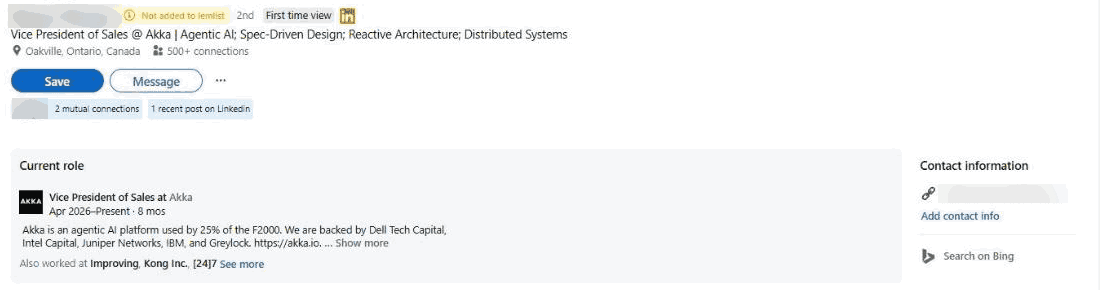
The actions menu on each search result doesn’t help either. It’s Connect, View profile and Add to map:

So the way you reach people is LinkedIn itself: connection requests and InMail (50 credits a month on every plan). If you want to email them, you’ll need one of the other tools in this list on top.
Test 2: Building a list from scratch
For every tool, I ran the same search: VP or Head of Sales at software/SaaS companies with 51–200 employees in Canada.
This is where Sales Navigator shines. I used 4 filters: the job titles (“VP of Sales”, “Vice President of Sales”, “Head of Sales” and “VP Sales”), company headcount 51–200, the “Software Development” industry, and geography Canada.
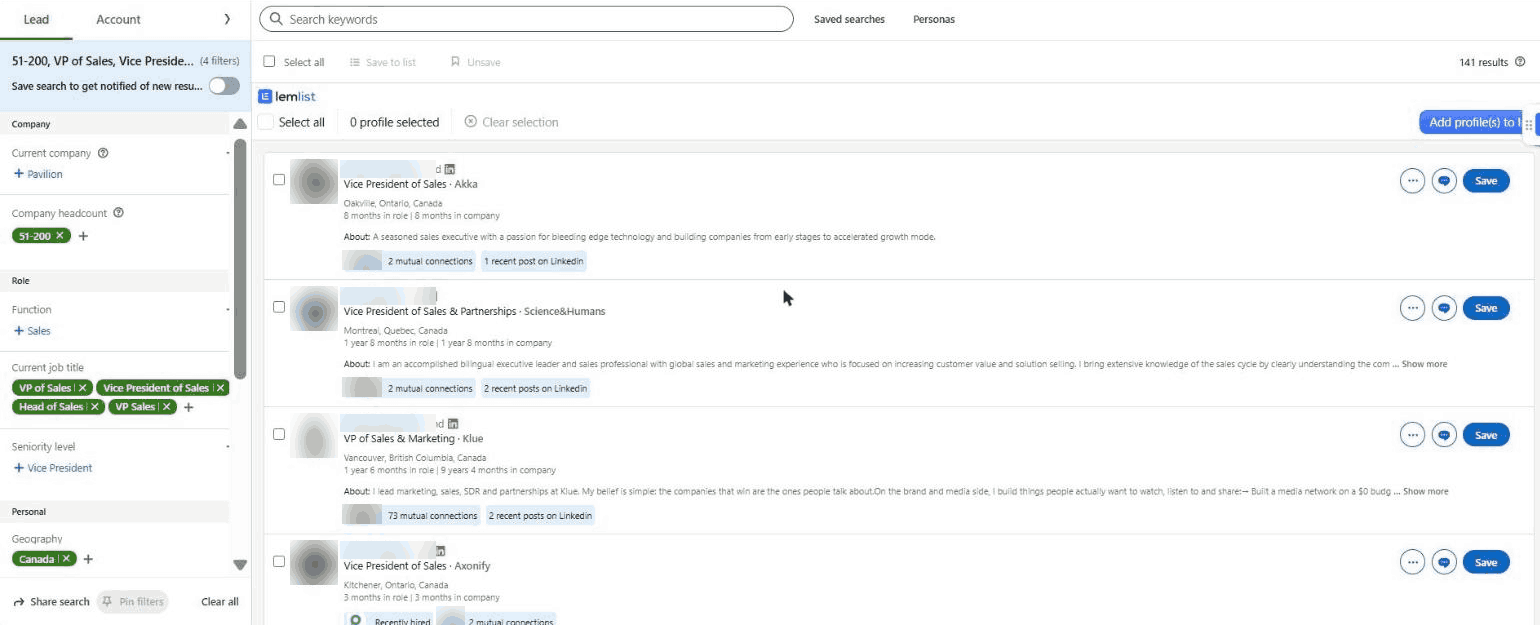
141 people came back, and here “Canada” meant the person was in Canada (unlike lemlist and Snov.io). The titles were clean too, with no Directors mixed in.
I didn’t need to check freshness on LinkedIn, because this is LinkedIn. Every result shows how long the person has been in their role and at the company (for example, “8 months in role | 8 months in company”). People update their own profiles when they change jobs, so no database can really beat that.
You can even filter for it. When I turned on the “Changed jobs” filter (people who started a new role in the last 90 days), 8 of my 141 people showed up, each with a “Recently hired” or “Recently promoted” badge:
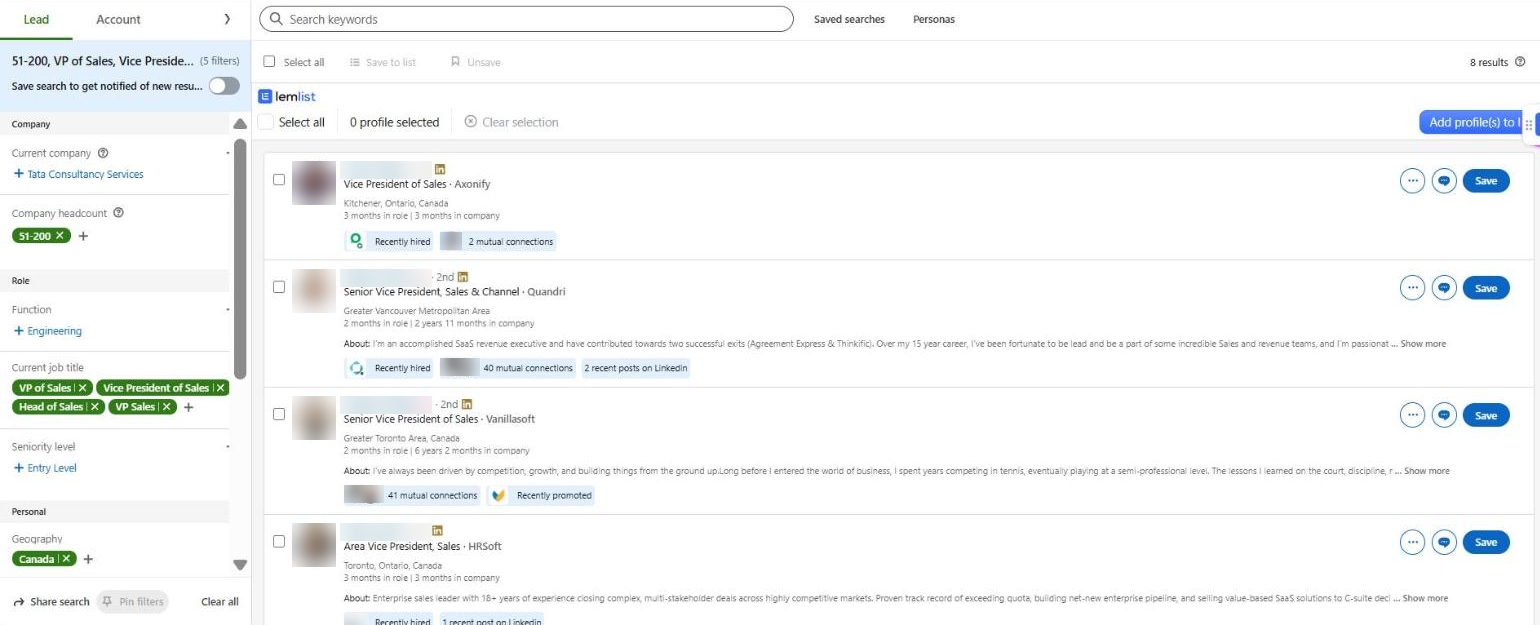
That’s about 6% of the list in just 3 months, which tells you how quickly data goes stale in the other tools.
But you can’t export your list
Once you’ve built a great list, there’s no way to download it. When I selected all the results on the page, the only options were “Save to list” and “Unsave”. There’s no CSV export on any plan:

The workaround is a Chrome extension from another tool. In my screenshots you can see lemlist’s bar sitting on top of the results, with an “Add profile(s) to lemlist” button. That’s how a lot of teams get people out of Sales Navigator and find their emails.
Limitations
- No emails or phone numbers. You only get what people put on their own profile, which is usually nothing.
- No export. Your lists stay inside LinkedIn unless you use a third-party extension.
- Outreach is LinkedIn-only. Connection requests and 50 InMails a month, with no email sequences.
- It’s pricey for what you get. Core costs more per month than most of the tools on this list, and you’ll still need one of them for emails.
Pricing (updated November 2026)
- Free trial: 30 days (credit card required)
- Core: $119.99/month ($89.99/month billed yearly)
- Advanced: $159.99/month ($149.99/month billed yearly), adds team features
- Advanced Plus: custom pricing
Every plan includes 50 InMail credits a month. See LinkedIn’s plan comparison page for the latest.
Results at a glance
| Tool | Working emails (of 20) | Bounced | List-building search | Still in role (LinkedIn check) | Free plan |
|---|---|---|---|---|---|
| lemlist | 16 marked “Deliverable”, all correct | 0 | 70 people | 4 of 4 | 14-day trial, 200 credits |
| Snov.io | 16 (every email returned worked) | 0 | 30 people (20 visible on free plan) | 4 of 4 | 50 credits/month |
| FullEnrich | 14 (every email returned worked) | 0 | 79 people | 1 of 1 (LinkedIn limit hit) | 50 credits (one-time) |
| Prospeo | 12 | 0 | 51 people | 2 of 4 (2 unclear) | 100 credits/month |
| AI Ark | 12 (of the 17 I had LinkedIn URLs for, 1 unconfirmed) | 0 | 129 people | 2 of 2 | 100 credits/month |
| BlitzAPI | 10 (of the 17 I had LinkedIn URLs for) | 0 | 141 people | 4 of 4 | 1,000 records/month |
| MoltSets | 8 | 0 (1 outdated) | 1,001 people | 3 of 4 | 1,000 enrichments + 100 search results (lifetime) |
| Hunter | 15 | 1 | 111 companies, 13 people | Not checked (names hidden) | 50 credits/month |
| Seamless.AI | 16 | 1 | 28 people (Directors mixed in) | 2 of 4 | 50 credits total |
| Lead411 | 6 | 0 | 285 people (size filter only goes 20–249) | 2 of 2 | 7-day trial, 50 exports |
| Lusha | 5 | 0 | 170 people | 3 of 4 | 40 credits/month |
| LinkedIn Sales Navigator | n/a (no emails) | n/a | 141 people | n/a (it is LinkedIn) | 30-day trial (card required) |
So which one should you use?
There’s no single winner, because “find this person’s email” and “build me a list” turned out to be pretty different jobs. Here’s how I’d pick:
- If you already have a list of names and need their emails: Snov.io or lemlist. Both found 16 of my 20 with zero bounces. Snov is simpler. lemlist does more, but takes some setup.
- If you want the best free plan: Prospeo. 100 credits a month, 1 credit per email, US contacts unlocked, and every email it gave me worked.
- If you want to enrich a whole list without paying first: FullEnrich. CSV upload works on the free trial, it found 14 of my 20 in about 4 minutes, and every email it gave me worked.
- If you already have LinkedIn URLs: AI Ark or BlitzAPI. Neither gave me a single wrong email. AI Ark found a couple more and comes with a full search app and a free monthly plan; BlitzAPI is the pick if you live in Claude or code.
- If you live in Claude or ChatGPT and want big, fresh lists: MoltSets. It found 1,001 people for my search (most tools found under 200), they were actually in Canada, and every record came with a graded email. Just don’t expect it to find everyone on a list of names.
- If fresh data matters most: LinkedIn Sales Navigator. Nothing beats LinkedIn on who’s in what role right now. But it doesn’t give you emails or let you export, so pair it with one of the tools above (lemlist’s Chrome extension works right inside it).
And whatever you pick, look at the label the tool puts on each email before sending out emails. Trust me, your deliverability rates and domain reputation will thank you for it 🙂