


Last Updated: November 6, 2026
Ask an account exec or SDR where to get European B2B data, and you’ll pretty much always hear the same name: Cognism. Phone-verified mobiles. GDPR-friendly. That’s their elevator pitch.
The catch is that it ain’t self-serve. There’s no pricing page, they only do annual contracts, and according to Vendr, the median buyer pays around $36,000 a year. That’s a lot of money to commit before you even know if the data works in the countries you actually sell into.
So I went ahead and tested 9 alternatives. I formally benchmarked them with 2 formal tests. And because I actually had to use these things, you’re getting my take on the signup and the UI too, not just the benchmark numbers. There are screenshots of everything I tried (receipts, baby!)
- FullEnrich: best accuracy, with 18 of 20 emails right and zero wrong (Free Trial)
- Seamless.AI: best free plan if you want mobiles too (Free To Try)
- Wiza: best value at volume, with unlimited emails at a public price (Free To Try)
- Prospeo: best free plan to keep using, plus the cleanest German list (Free To Try)
- Hunter: accurate email finder, but weak at building lists (Free To Try)
- BlitzAPI: zero wrong emails and the freshest data, but you need LinkedIn URLs first (Free Trial)
- Apollo: better in Europe than I expected, and the cheapest paid plan (Free To Try)
- MoltSets: great email grades (via Claude or ChatGPT), but thin in Germany (Free To Try)
- Lusha: the biggest German list, but the fewest correct emails (Free To Try)
How I tested them
Same two tests on every tool.
Test 1: Can it find emails for 20 Europeans I actually know?
I went through my inbox and picked 20 people in Europe I’ve emailed recently. That way I know which addresses actually work.
They’re spread across 13 countries (UK, Germany, Italy, the Netherlands, Belgium, France, Spain, Serbia, Norway, Denmark, Sweden, Malta and Ukraine), at companies ranging from Sage and TeamViewer down to a 12-person IT shop in the Netherlands. A few have non-traditional formats like mbater@ and lsaracino@, which is exactly the kind of thing that trips these tools up.
Every tool got the first name, last name and company domain of each person. If a tool insisted on a LinkedIn URL, I looked it up.
Scoring: ✅ correct, ❌ wrong, ⚠️ a different address I couldn’t confirm, 🚫 not found.
Test 2: Can it build a list in Germany?
Same search in every tool: VP Sales, VP of Sales, Head of Sales or Vice President of Sales, at software companies with 51–200 employees, in Germany. I noted how many people came back and whether the titles were actually right.
What I didn’t test
- Mobiles. Yes, I know. That’s the other half of Cognism’s value proposition. I tried to put together a set of verified European mobile numbers from email signatures and came up empty. Turns out nobody puts their mobile in their signature anymore.
- To be transparent: 20 people and 4 LinkedIn checks per tool is a small sample. But due to time constraints, I could not test more than 4 Linkedin profiles per tool
1. FullEnrich: The most accurate emails
Pros: 18 of 20 emails right and zero wrong, you only pay for what it finds, CSV upload works on the free credits, and it’s honest about catch-all emails.
Cons: Slow, loose title matching in list search, and the free trial is tied to your phone number.
FullEnrich is a waterfall enrichment tool. That means, instead of relying on one database, it runs each person through a chain of data providers (20+, according to them), one after another, until one of them finds a valid email. You only pay if something comes back.
Signup: zero credits, then fifty
The onboarding is fairly standard: it asks for your name, company website, role, invite your teammates (50 bonus credits per invite, if you’re into that), use case, and where you heard about them.
Then I landed in the app with 0 credits and a message telling me the free trial for my phone number had already been used. No idea when that happened. So I made a fresh account, with a 2nd phone number I had, got 50 free credits, and FullEnrich went on to win the whole test.

The app itself is clean and simple. Search and Enrichments along the top, plus a couple of newer tabs like Reverse Email Lookup and CRM Enrichment. For a single lookup you can paste a LinkedIn URL or a name and company domain. For a list, upload a CSV. No tour, no fuss, which I appreciated.
Test 1: Finding emails for my 20 Europeans
I uploaded my CSV (first name, last name, domain), picked Work Email only, and hit go.
Then I watched. This is genuinely my favorite part of FullEnrich: the results page shows the waterfall happening live. Each row tells you which provider it’s currently checking and how far down the list it is (“Email Provider 1 … 2/11”). Kind of hypnotic.
At the same time, it’s also kind of slow. Most results showed up within a few minutes, but the last three (Andy, Alisa and Giancarlo) trickled in at the very end. So grab a coffee or have a sword fight while you wait 🙂
When it finished:
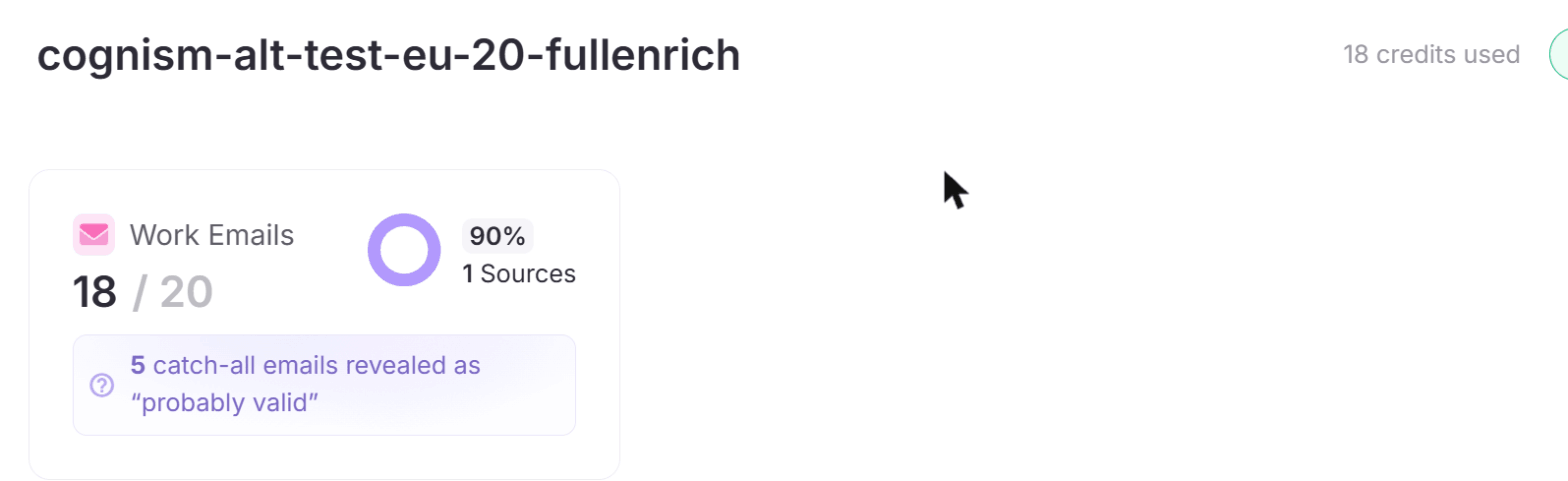
- ✅ 18 correct. Including all the tricky ones:
lsaracino@,ricardo@fracttal.com,olena@reply.ioandthierry.dreessen@arvato.com(two other tools sent Thierry toarvato-scs.com). - ❌ 0 wrong.
- 🚫 2 not found. Tore Steen (nobody found Tore, more on him later) and Matthew Bater, which came back “Invalid.” No email, and no credit charged.
20 rows cost me 18 credits.
One detail I really liked: 5 of those emails were on catch-all servers, where you can’t fully verify an address. Instead of slapping a green “verified” badge on them, FullEnrich labelled them “probably valid.” And all 5 were right.
Test 2: Building a list in Germany
FullEnrich has a people search too, included in the plans. As mentioned I did the same search for each alternative: the four job titles, Germany, 51–200 employees, Software Development.
FullEnrich returned 189 people. That’s more than Seamless, BlitzAPI or Prospeo, and part of the reason is that the title search is a “contains” match. So “Head of Sales” also pulled in titles like “Head of Sales – Partner…” and “VP of Sales and Marketing.” Not wrong exactly, but not as tight as the exact-match tools.
Searching is free, by the way. You only spend credits when you enrich people from the list.
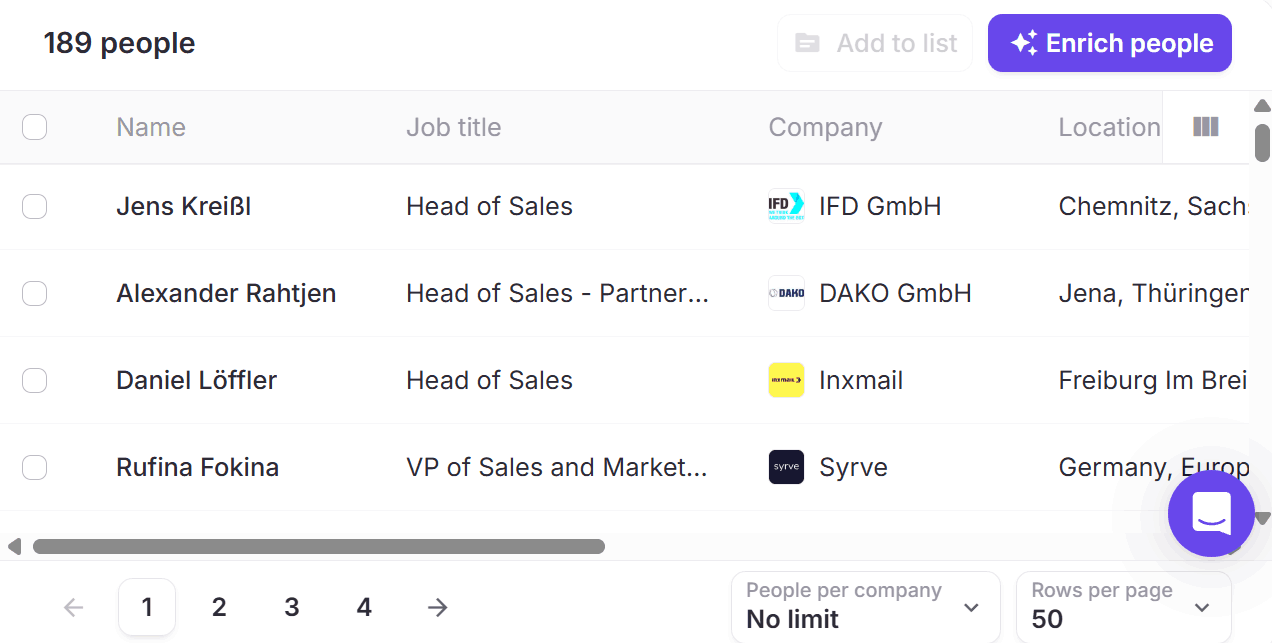
But was the data accurate and up to date? I hand checked 4 of the Linkedin profiles returned to see.
- ✅ Head of Sales at IFD in Chemnitz: still there
- ✅ Head of Sales at casavi: still there, and only promoted to the role in October 2025. FullEnrich already had the new title.
- ✅ Head of Sales at vioma: still there, after more than 11 years
- ❌ The sales leader listed at Inxmail: had moved to a manufacturing company
3 of 4. Same as Lusha, one behind the 4-of-4 tools.
Limitations
- Slow. Minutes, not seconds. Fine for a list, annoying for a quick lookup.
- Loose title matching in list search.
- Free trial tied to your phone number. If someone already used it, you’re out of luck.
- I didn’t test mobiles. I ran email only. Mobiles cost 10 credits each.
Pricing (updated November 2026)
- Free: 50 credits for a new account
- Monthly plan: $79.50 for 1,500 credits (about 5 cents per email), 10% off yearly
- A work email costs 1 credit, a personal email 3, a mobile 10 (about 53 cents)
- Unused credits roll over for 3 months
2. Seamless.AI: Accurate emails plus mobiles, for free
Pros: 17 of 20 emails right, bulk upload on the free plan, phone numbers for 11 people, results in about 10 seconds, and “time in role” on every list result.
Cons: No public pricing, it charges a credit for every row you upload (not just the ones it finds), and the results table hides extra emails.
Seamless was also in my Apollo alternatives test, where it found 16 working emails on my global sample. In Europe it did even better.
Signup: incredibly easy. The CSV format: very picky.
I already had a free account with 44 credits. And the free plan lets you do basically everything: list search, CSV upload and reveals. That’s rarer than it should be.
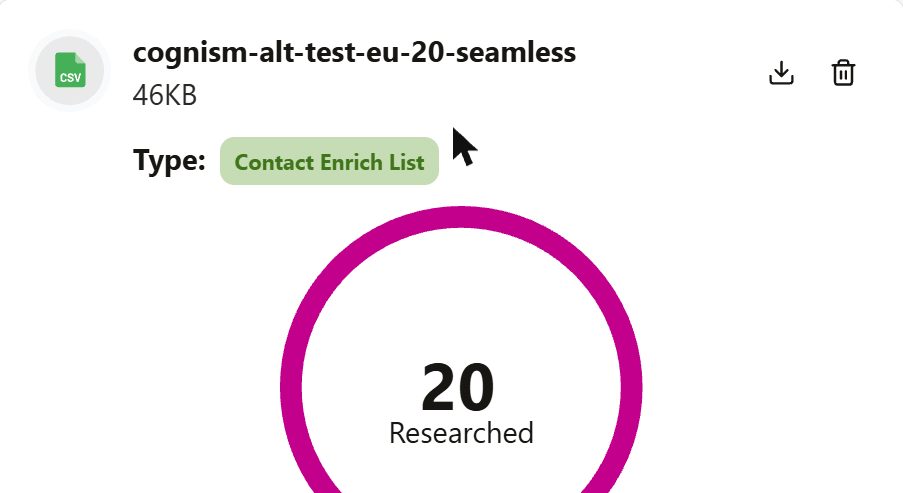
Bulk enrichment lives under Enrich, then “Enrich my Contact List.” It’s incredibly picky about the format of the CSV, though. The file needs a Contact Name column plus a company name or Domain column (or a LinkedIn URL). My CSV had first and last names in separate columns, so I had to merge them before it would take it.
Test 1: Finding emails for my 20 Europeans
After waiting minutes on FullEnrich, this felt like teleportation. It too just 10 seconds and it was done!
Credits went 44 → 24 → 25. So it charged one per row, then refunded the one it couldn’t find.
- ✅ 17 correct. Including all the annoying ones:
mbater@,lsaracino@,ricardo@fracttal.com,thierry.dreessen@arvato.comandfrancesco.ferraro@acs.it. - ⚠️ 2 different. Alisa’s top result was
alisa@3dbear.fi(I email her at.io), with “+2” more emails hiding behind it. Olena came back aso.sokol@reply.io: right company, but not a format I’ve used. - 🚫 1 not found. Tore. Of course.
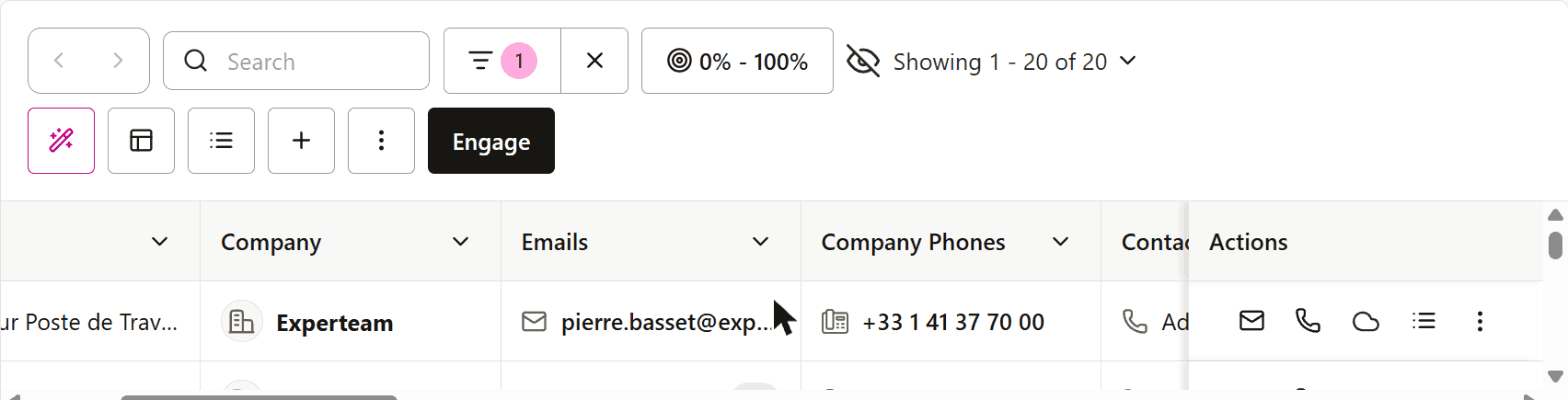
It also showed phone numbers. 11 of them looked like mobiles, from the UK, Germany, Italy, the Netherlands, Belgium, Sweden, Finland and Chile. Plus one Singapore number for Lucia, who’s in Malta. I didn’t call anyone to confirm if any of this was accurate though.
The results table is where it gets a bit annoying. It only shows the first email per person, with a “+2” hiding the rest, so you end up clicking into people to see everything.
Test 2: Building a list in Germany
I did the same contacts search, with the four titles and “Use exact match” ticked, Germany, Software Development, 51–200 employees.
One gotcha: the industry dropdown is easy to misclick. I accidentally added “Energy & Utilities,” had to clear the filter and start over. Seamless also still has LinkedIn’s old “Computer Software” label alongside the new one, so companies tagged the old way may not match.
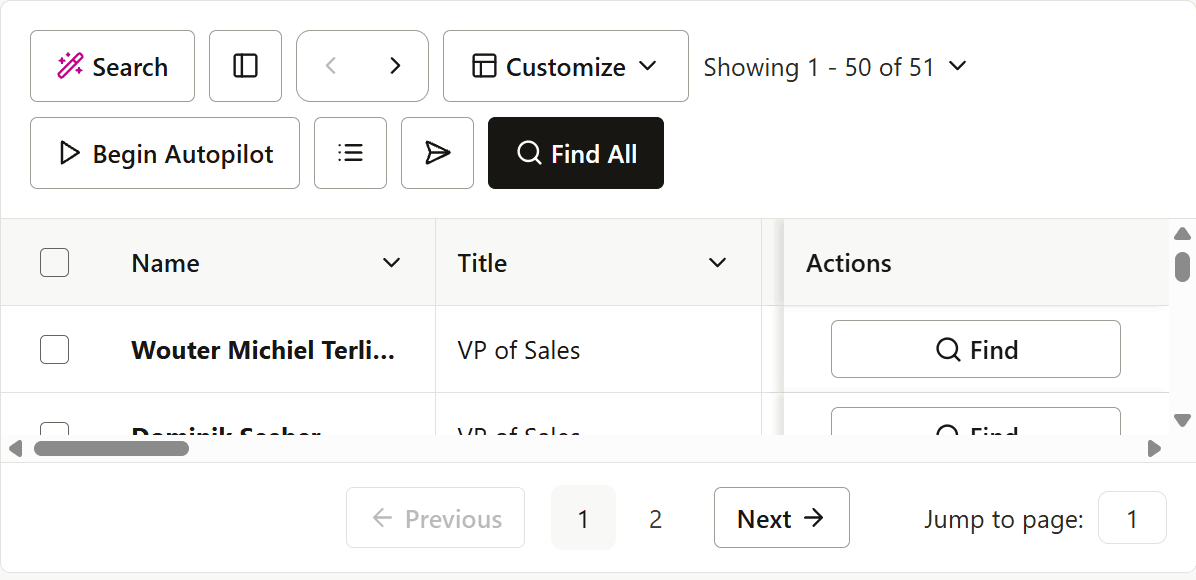
It returned 51 people. All in Germany, all with the exact titles.
Viewing results is free. Emails and phones stay hidden until you click Find, which costs a credit.
My favorite thing here: every row shows the person’s Time in Role, Time at Company and previous job. So you can spot someone who’s probably about to leave (or already has) before you spend anything.
LinkedIn check:
- ✅ Head of Sales at Hitex, Karlsruhe
- ✅ Head of Sales at Tanso
- ✅ VP of Sales at happyhotel
- ✅ Head of Sales at Lumiform, Berlin
4 of 4.
Limitations
- No public pricing. The pricing page is a demo form. Always a fun surprise.
- A credit per uploaded row, not per email found (it did refund the miss, though).
- Extra emails hidden behind “+2” in the table.
- Picky upload format.
Pricing (updated November 2026)
- Free: a one-time pack of credits (I had 44), not a monthly refill
- Paid: not public. You’ll have to talk to sales.
3. Wiza: Tied for second, with public pricing
Pros: 17 of 20 emails right (tied with Seamless), public pricing with unlimited emails on paid plans, emails shown right in the app, and every list result links to the person’s LinkedIn.
Cons: A tiny free plan, an AI search that put my Germany filter on the wrong thing, and it charged me for two emails I couldn’t confirm.
Wiza is a prospecting tool: a contact database you can search in plain English or with filters, plus CSV enrichment for lists you already have.
Onboarding: a checklist for 100 credits
I already had a Wiza account, so I just logged in. A “Let’s get started” checklist popped up straight away: finish 8 steps (about 9 minutes, according to Wiza) and get 100 free credits.
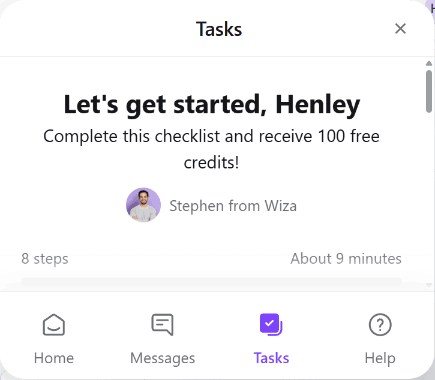
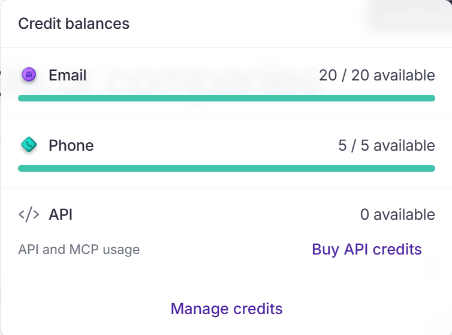
The free plan itself is small: 20 email credits and 5 phone credits. That’s pitiful, in my opinion but it was exactly enough for my 20-person test, with zero room for mistakes.
The home screen is basically one big search box (“Find the right people or companies”) with Contact filters, Company filters and Upload CSV underneath. Fairly clean and simple.
Test 1: Finding emails for my 20 Europeans
Upload CSV takes LinkedIn URLs, emails, or names with a company name or domain, up to 10,000 rows. It auto-mapped my first name, last name and domain columns without me touching anything.
Then the Configure step, with the same trap as Lusha. The enrichment level was pre-selected to “Profile, Email + Phone Data.” With only 5 phone credits, I’d have burned through them on the first five people. I switched it to “Profile + Email Data” and left the accepted email types on Work only.
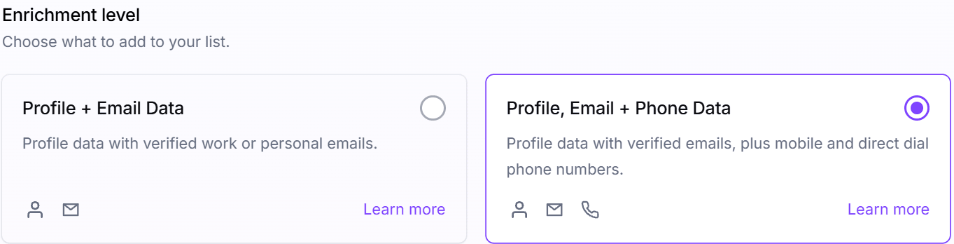
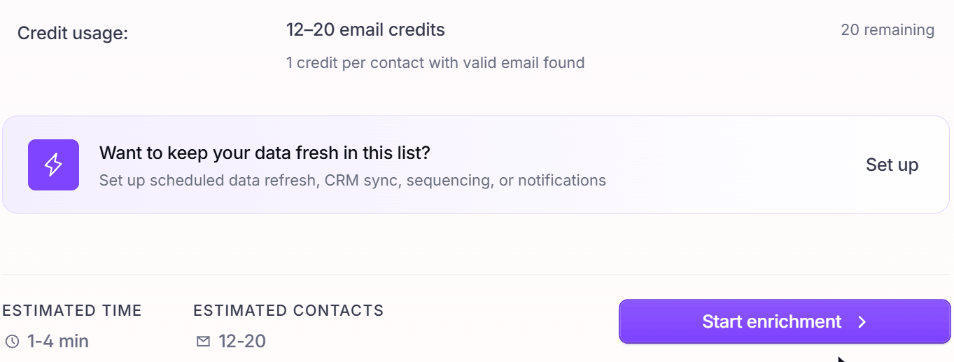
The launch screen gave me an honest estimate before I spent anything: 12–20 email credits, 1 credit per contact with a valid email found, 1–4 minutes. Good so you can make sure you don’t overspend your credits.
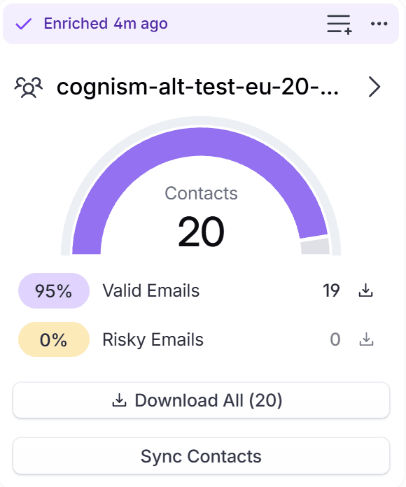
It took about 3 minutes. The result card said 20 contacts, 19 valid emails (95%), 0 risky. 19 credits used.
And unlike Apollo, the emails were right there in the list. The table even has a Previous Role column with the date each person changed jobs, which is a nice way to spot recent movers.
Checked against the addresses I know work:
- ✅ 17 correct. Including
mbater@,lsaracino@,thierry.dreessen@arvato.com,alisa@3dbear.ioandfrancesco.ferraro@acs.it. - ⚠️ 2 different. Ricardo came back as
ricardo.roman@fracttal.com(the same guess as Lusha), and Olena aso.sokol@reply.io(the same as Seamless). Wiza labelled both “valid,” but I couldn’t confirm either. - 🚫 1 not found. Tore. Naturally.
17 correct ties Seamless for second place. The one difference: Wiza charged a credit for each of those two unconfirmed emails, since it considered them valid.
Test 2: Building a list in Germany
Wiza markets their AI search a lot, so I tried that first. I typed: “VP Sales, VP of Sales, Head of Sales or Vice President of Sales at software development companies with 51–200 employees in Germany.”
It turned that into filters: my four titles, 51–200 employees, the industry “computer software” (LinkedIn’s old label again, same as Apollo), and… HQ Location: Germany. So it filtered on where the company is headquartered, not where the person is. The result was 242 people, including sales leaders in Boston, Paris, Copenhagen and New York.
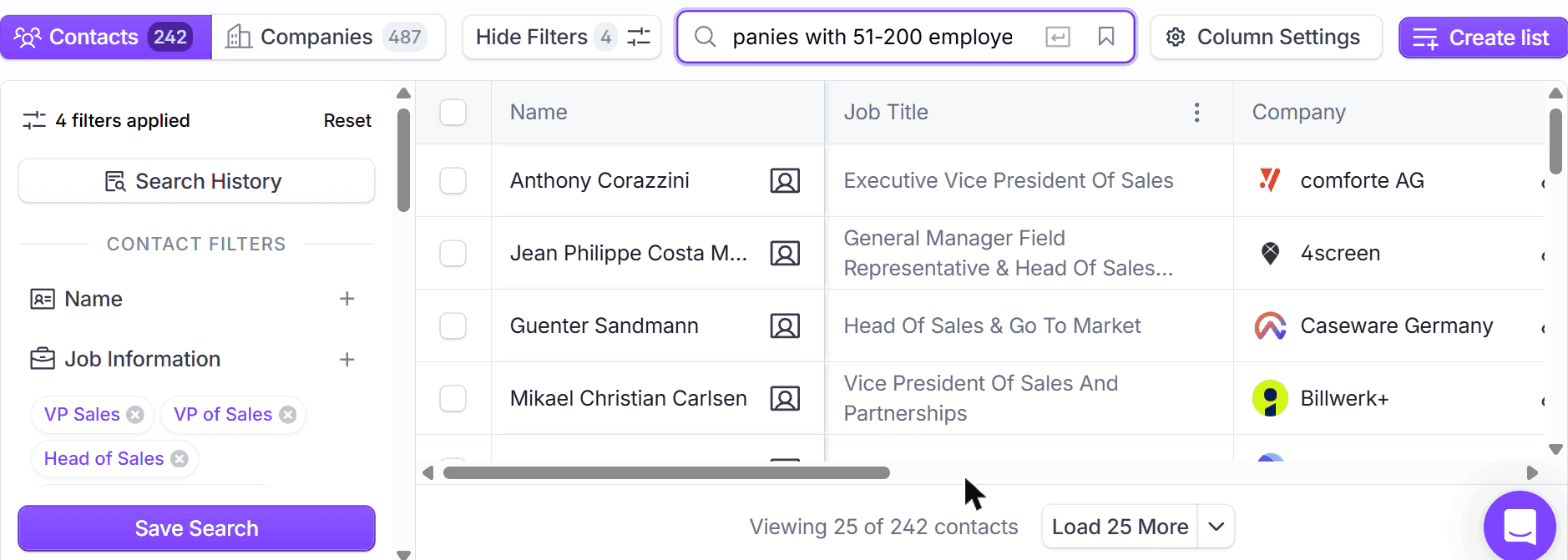
Easy enough to fix. I added Germany under the contact Location filter and removed the HQ one. (Small gotcha: both chips just say “Germany,” and of course the first one I removed was the wrong one.)
That gave me 229 people, all actually located in Germany.
Title matching is a “contains” match, so alongside the real VPs and Heads of Sales I got a “Head of Sales Engineering,” a couple of “Deputy Head of Sales” and some “Head of Sales & Operations.” Not bad, but not as tight as Prospeo or BlitzAPI. There was plenty of overlap with the other tools too: the same VP Sales at Mercanis that Lusha and Apollo found, Apollo’s VP of Sales at Fluid Topics, and Seamless’s VP of Sales at happyhotel.
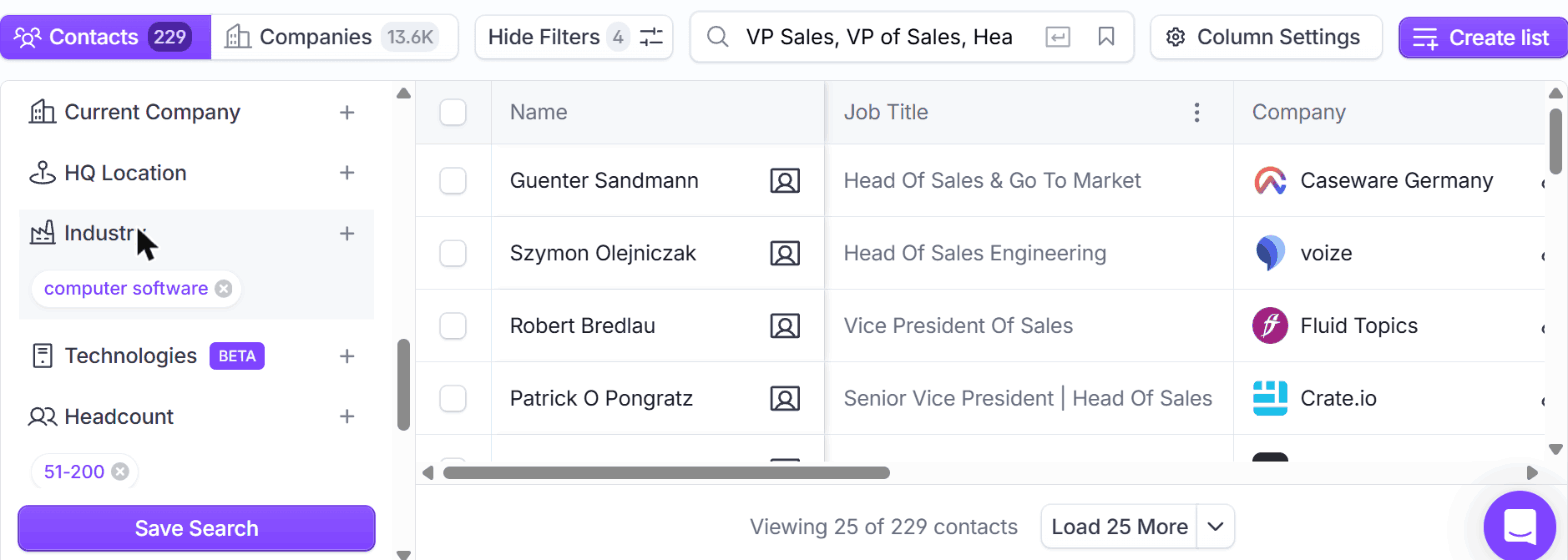
Then the LinkedIn check. Bonus: every Wiza result links straight to the person’s LinkedIn profile, so I could check if these people were still at that company currently.
- ✅ Head of Sales & Go to Market at Caseware Germany (started April 2026)
- ✅ SVP & Head of Sales at CrateDB
- ✅ Head of Sales EMEA at Peec AI (started September 2026, two months ago!)
- ✅ Head of Sales Channel at Enreach Germany
4 of 4, and two of them have been in their roles for less than eight months. That’s fresh data.
Limitations
- Tiny free plan. 20 emails and 5 phones, total.
- The AI search can pick the wrong location filter. Always check what it applied.
- Phone data is pre-selected in CSV enrichment.
- Loose title matching.
- Old industry labels (“computer software”).
Pricing (updated November 2026)
- Free: 20 valid emails and 5 phone numbers
- Email: $83/month per user, billed annually ($990/year), with unlimited email reveals and phones at $0.35 each
- Email + Phone: $166/month per user, billed annually ($1,990/year), with unlimited emails and phones
- You’re only charged for valid emails found
4. Hunter: A great email finder, a weak list builder
Pros: 17 of 20 emails right with zero wrong, bulk email finding on the free plan, you only pay for emails it finds, and it’s cheap once you pay.
Cons: Results are locked until you spend credits, there’s no people search by title or location, and the free plan’s list building stops at the first 100 companies.
Hunter is the email finder a lot of people already know: give it a name and a company website, and it guesses and verifies the address. These days it also has a company search (Discover), leads, sequences and signals. It’s quickly becoming a all-in-one platform.
Signup: already had one
I already had a free Hunter account, so I just logged in. The dashboard greets you (“Good morning, Henley!”), with your lead stats and a feed of “signals” from your saved leads, like companies that just posted a job.
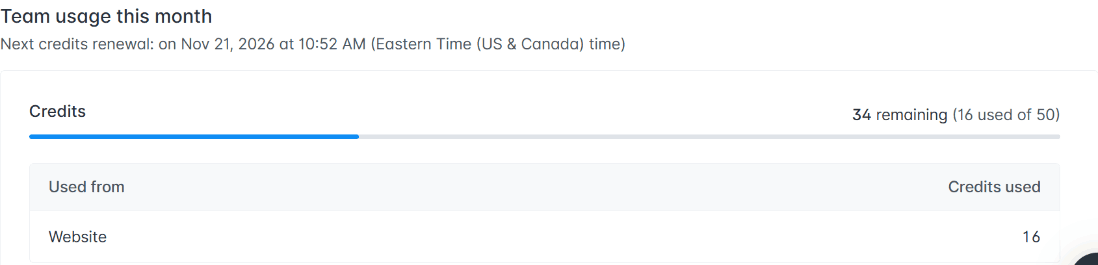
The free plan gives you 50 credits a month, which reset on a fixed date and don’t roll over. I had 34 left, enough for my 20 people.
The app is simple, with a slim icon sidebar on the left. Once you hover over things it’s easy to find your way around.
Test 1: Finding emails for my 20 Europeans
Bulk email finding is under Bulks, then Email Finder. Your file needs a first name, a last name (or a full name), and ideally the company website. Mine went straight in and the columns mapped themselves.
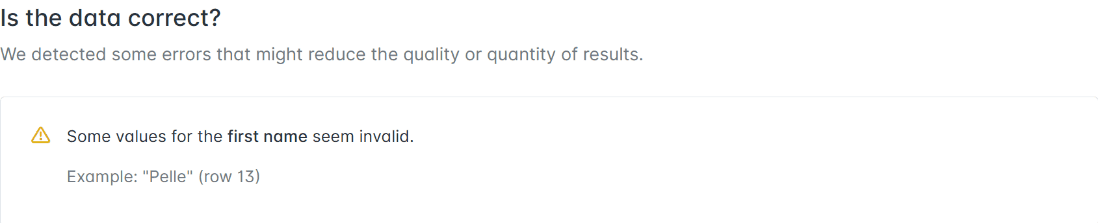
Then Hunter ran a quick data check and flagged a problem: “Some values for the first name seem invalid. Example: ‘Pelle’.” Pelle is a perfectly normal Dutch and Scandinavian first name. Not a great sign for a tool you’re using on Europeans. I clicked Ignore and launch.
It was quick: done in about a minute. Hunter found 18 emails: 13 “valid” and 5 “accept all” (catch-all servers it couldn’t fully verify). 2 people came back with nothing.
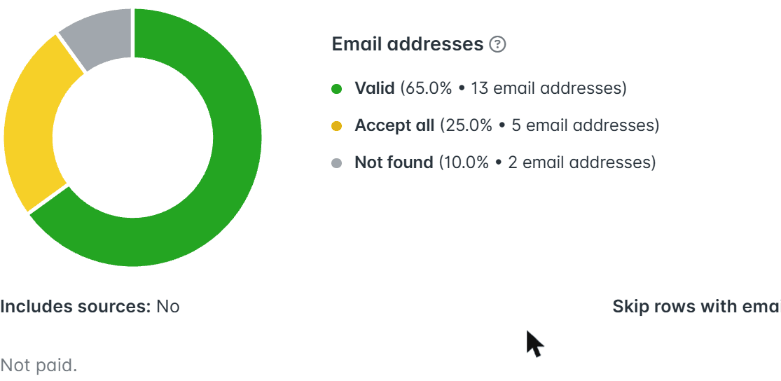
Here’s the catch. The results say “Not paid,” and you can’t see a single email until you spend credits. You can unlock just the valid ones (13 credits) or the full list (18 credits). I went for the full list, so I could score the catch-alls too.
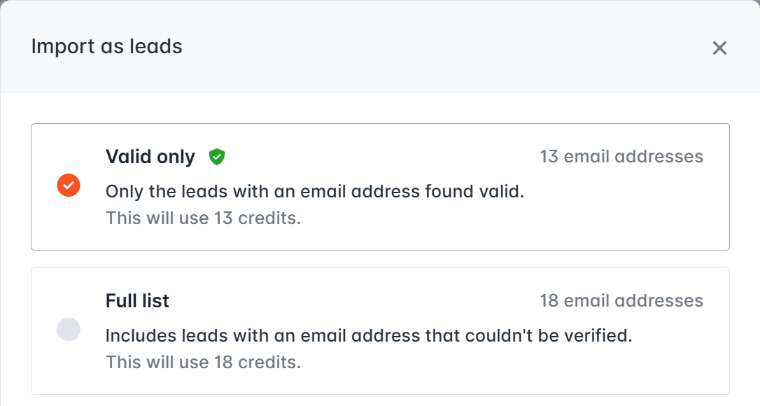
There’s also no results table on the bulk page. You either download a CSV or import the emails into your Leads. I imported them.
- ✅ 17 correct. Including
lsaracino@,thierry.dreessen@arvato.com,alisa@3dbear.io, andolena@reply.io, a working address for Olena that only FullEnrich had found before. - ⚠️ 1 different. Ricardo came back as
ricardo.santurio@fracttal.com. That’s a third different guess for Ricardo across these tools. The one I know works is plainricardo@. - 🚫 2 not found. Tore (of course) and Matthew.
Zero wrong. And the catch-alls were better than their label suggests: 4 of the 5 “accept all” emails were correct.
Test 2: Building a list in Germany
This is where Hunter shows it’s an email finder first. Discover, its search, is a company search. You can’t search for people by title and location the way you can in Apollo, Prospeo or Seamless.
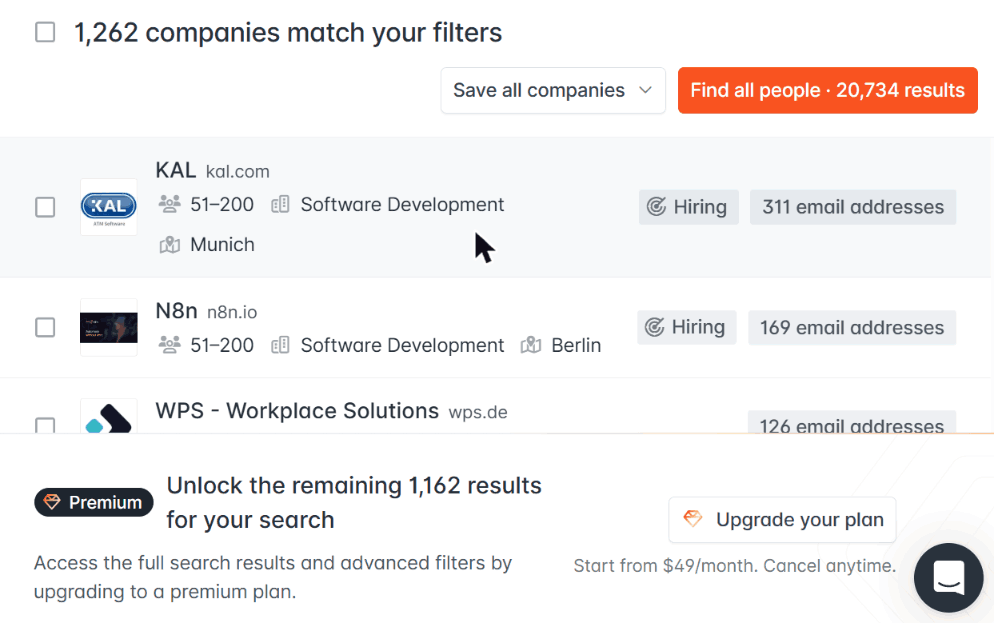
So I did what I could. I typed “Software development companies with 51–200 employees headquartered in Germany” into the AI search box, and it set the filters correctly: HQ in Germany, Software Development, 51–200 employees. That matched 1,262 companies. On the free plan you only see the first 100.
Then there’s a “Find all people” button, which opens a list of everyone Hunter has at those companies. On the free plan that’s limited to the first 100 companies too: 7,218 people.
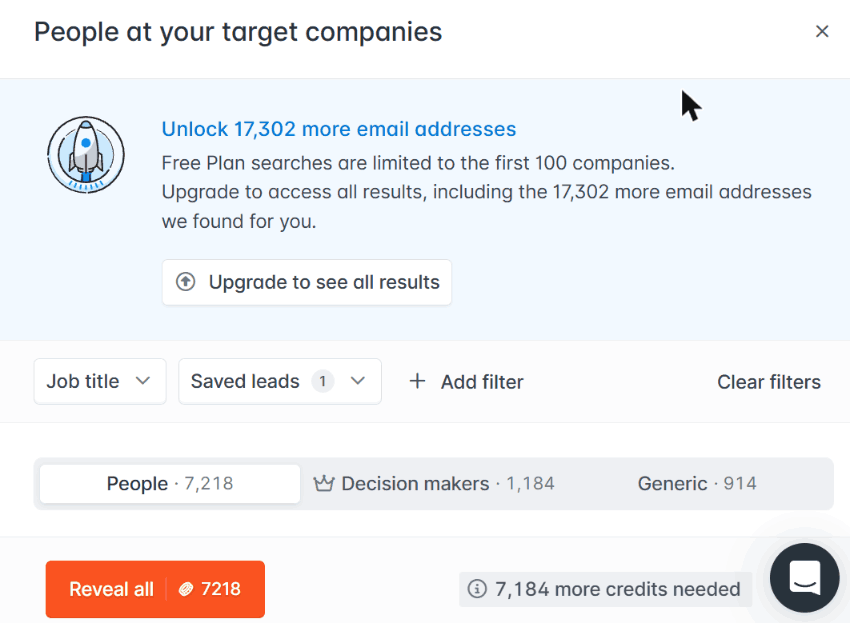
That panel has a job title filter, and its title list showed 9 “Vice President of Sales,” 7 “VP of Sales” and 6 “Head of Sales” at those 100 companies. So about 22 sales leaders. But there’s no filter for where the person is, only where the company is headquartered. And the title filter wouldn’t actually apply for me: the count stayed at 7,218 however I tried it. So I never got to see names, and couldn’t run my LinkedIn check.
If you’re building lists, I would recommend using something else. If you already know who you want to email, Hunter’s fine.
Limitations
- Results are locked until you pay credits. You can’t see what you got before you spend.
- No people search by title or person location. Discover is company-first.
- Free list building stops at 100 companies.
- It flagged a normal European first name as invalid.
- No results table on bulk tasks. Download or import into Leads.
Pricing (updated November 2026)
- Free: 50 credits a month
- Starter: $49/month, or $34/month billed yearly, for 2,000 credits a month
- Growth: $149/month, or $104/month billed yearly, for 10,000 credits a month
- 1 credit per email found, nothing if it can’t find one. Credits don’t roll over.
5. BlitzAPI: Zero wrong emails, but LinkedIn URLs required
Pros: 15 emails right and zero wrong, the freshest list data in the test, and it only charges when it finds something.
Cons: Email lookups need a LinkedIn URL, there’s no app, and it starts at $399 a month.
BlitzAPI is a B2B data API: people, companies and job postings. It has no UI and There’s no dashboard for searching. You call it from code or, in my case, from Claude.
There’s no app (and I kind of liked that)
I connected it to Claude on the startup trial, which came with 976 records. Then I just asked for what I wanted in plain English. “Find this person’s work email.” “Find VPs of Sales in Germany at software companies with 51–200 people.”
Though there was no UI, I actually found it easy to use. There’s no filters to click, and no dropdowns to fight with. And when I asked for exact titles, I got exact titles. After wrestling with Apollo’s industry dropdown and Seamless’s misclicks, that was refreshing.
The obvious catch: if you’re not technical and don’t use an AI assistant, there’s nothing here for you to click on.
Test 1: Finding emails for my 20 Europeans
Here’s the annoying part. BlitzAPI’s email finder doesn’t take a name and domain. It wants a LinkedIn profile URL.
So, LinkedIn scavenger hunt time! I already had 12 profile URLs from the MoltSets results, and searched LinkedIn by hand for the other 7. That got me 19. Tore Steen: no results. (Starting to see a pattern with Tore.)
Then 19 lookups, in batches of 5 to stay under the rate limit (5 requests a second). Nothing failed.
- ✅ 15 correct out of 19 lookups
- ❌ 0 wrong
- 🚫 4 not found. Olena, Lucia, Niklas and Francesco.
A few standouts. For Matthew it returned both of his working addresses, mbater@ and matthew.bater@. It gave Thierry the right arvato.com domain. And it got Ricardo’s exact ricardo@fracttal.com, where Lusha guessed ricardo.roman@.
It only charged for the 15 it found. Instead of a deliverability grade, each email comes with the company’s mail provider (its MX record). Useful-ish, but not the same thing.
Test 2: Building a list in Germany
Exact titles, Germany, 51–200 employees, Software Development.
It returned 69 people. (nice!) It charges one record per person you pull, so I pulled the first 10.
All 10 were in Germany with an exact title. And every result comes with the date the person started their current job, which is how I could tell the data is fresh. Several had started in 2026, including one at octonomy in September, one at Rencore in August, and one at Sereact in February. That’s the freshest list data in this test.
Search results don’t include emails, though. That’s a separate lookup per person.
LinkedIn check:
- ✅ Head of Sales at Dash0
- ✅ Head of Sales at PeakAvenue
- ✅ Head of Sales at Predium, Munich
- ✅ Head of Sales at remberg, Munich
4 of 4.
Limitations
- LinkedIn URLs required for email lookups.
- No deliverability grade. You get the mail server instead.
- No app. API or AI assistant only.
- Price. $399 a month is a lot if you’re a small team.
Pricing (updated November 2026)
- Trial: about 1,000 records a month
- Paid (flat rate): Core $399/month, Plus $499, Full $599
6. Apollo: Better in Europe than I expected
Pros: The cheapest paid plan here, 15 emails right, CSV enrichment on the free plan, and the most polished app in the test.
Cons: You can’t see your enriched emails in the app, one result was a generic company inbox, and the export doesn’t tell you if an email is verified.
Including Apollo in a Cognism alternatives article right after writing a whole article about Apollo alternatives feels a little funny. But it’s the default tool for a lot of people, so I had to know how it holds up in Europe.
Onboarding: Apollo really wants you to stick around
I signed up with a fresh account. The onboarding has an AI “Personalizing your workspace” step, an Apollo Assistant chat, and a fair amount of nudging to install the Chrome extension.
I landed with 75 credits and a banner offering up to 750 more if I completed a checklist of tasks in my first 14 days. Gamified onboarding. Sure, why not, I had time to waste.
Test 1: Finding emails for my 20 Europeans
CSV enrichment lives under Data enrichment, then CSV, then Enrich people. I uploaded my file and it auto-mapped first name, last name and website without me touching anything. Nice. I turned off mobiles and ran email only.
Apollo said it matched all 20 people and found emails for 17.
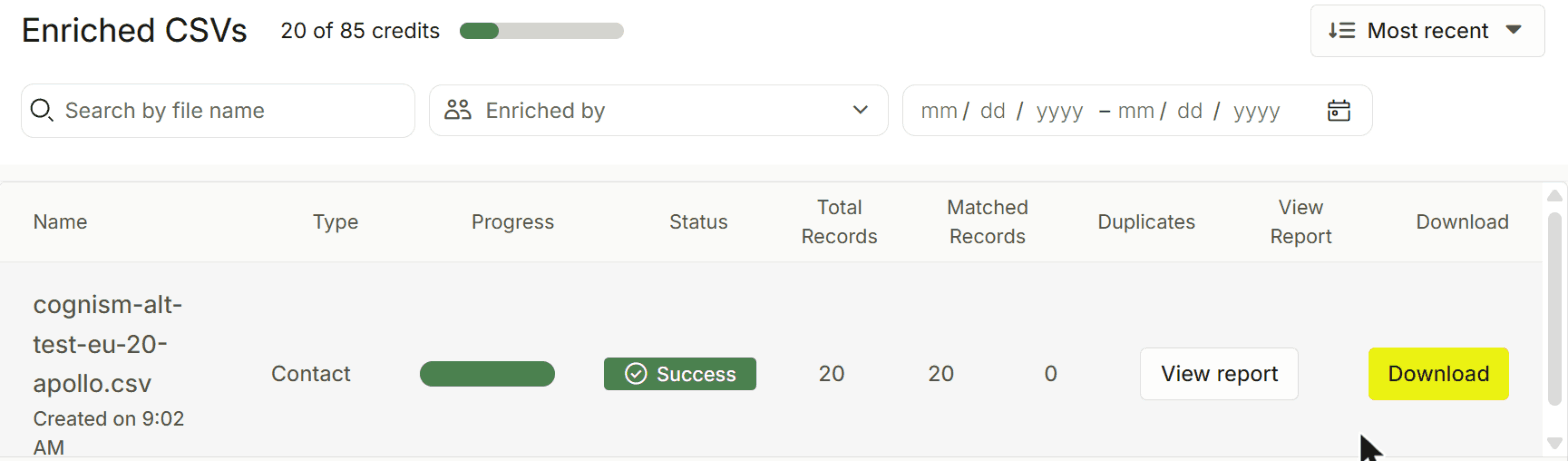
Then… nothing. No emails on screen. The results come as a CSV you have to download. It’s a nitpick but why can’t I just see them?!! (any Apollo product managers here?)
So I downloaded it:
- ✅ 15 correct. Including
olena.s@reply.io. Apollo and FullEnrich were the only tools to get a Reply address I know works for Olena. - ⚠️ 1 different domain. Thierry at
arvato-scs.com. - ❌ 1 wrong. Tore got
post@technet.no, the company’s generic inbox. To be fair, Apollo marked that match “low” confidence. - 🚫 3 blank. Miroslav, Matthew and Robert all matched with high confidence, but came back with no email. Weird combo.
It used 10 credits.
One thing to know: the export has a Match Confidence column, but nothing that tells you whether the email itself has been verified. So “high confidence” means “we found the right person,” not “this email works.”
Test 2: Building a list in Germany
First problem: Apollo doesn’t have “Software Development” as an industry. It still uses LinkedIn’s old label, “computer software.” Second problem: my first click on that filter silently did nothing. I only noticed because the result count didn’t change.
Once it actually applied, Apollo returned 505 people. Without the industry filter, 3,096.
The titles on page 1 were all genuine VP Sales and Head of Sales variants. And there was plenty of overlap with the Lusha and Seamless lists, which is reassuring. Emails and mobiles sit behind “Access email” and “Access Mobile” buttons that cost credits.
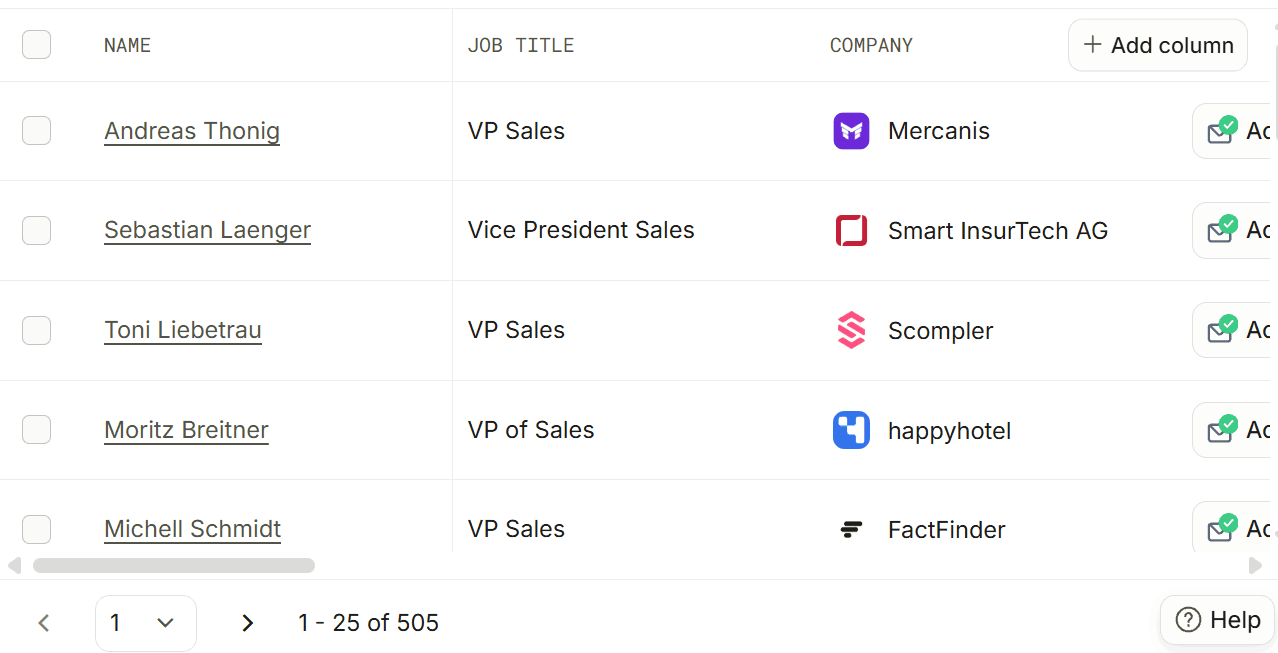
LinkedIn check:
- ✅ VP Sales at Smart InsurTech, Berlin
- ✅ VP Sales at FactFinder, Berlin
- ✅ VP Sales at PROLOGA, Freiburg
- ✅ VP of Sales at FluidTopics, Frankfurt
4 of 4.
Limitations
- Enriched emails aren’t visible in the app. Download required.
- No email verification status in the export.
- Old industry labels.
- Finicky filters. Check the count every time you add one.
Pricing (updated November 2026)
- Free: 900 credits a year, handed out monthly
- Basic: $49 per seat per month, billed annually, with 30,000 credits a year
- New accounts can earn up to 750 bonus credits in the first 14 days
7. Prospeo: The best free plan
Pros: Zero wrong emails, 100 free credits every month, the cleanest German list in the test, and it shows you whether there’s an email and a mobile before you pay.
Cons: No bulk upload on the free plan, a survey popup that would not leave me alone, and common names need extra filtering.
Prospeo is a pretty new data provider that I’ve heard lots about (they are spending BIG on Linkedin and Reddit marketing!). So I was eager to try them out to see if the product lived up to the hype.
Signup: easy. The free plan: tedious.
I already had an account, with 100 free credits a month (12 already used).
Prospeo has my favorite list-building UI of this whole bunch. Filters on the left, results on the right, and for every person the table tells you up front whether it has an email (“Reveal email” or “No email”) and whether it has a mobile (“Reveal mobile” or “No mobile”). So you never burn a credit on a dead end. Every tool should do this.
Two things drove me nuts, though. A survey popup appeared on almost every page load. And the filter panel has a habit of collapsing on you, so I spent a lot of time reopening it.
Test 1: Finding emails for my 20 Europeans
Here’s the catch. CSV enrichment is locked on the free plan (“Upgrade to Starter”). So I did all 20 by hand: search by name, add a company filter if needed, click Reveal email. Twenty times.
Common names are a pain. “Cameron May” returned 176 people before I added the company. Olena Sokol had 21 namesakes, none of them at Reply.
The results:
- ✅ 14 correct. Including
lsaracino@,mbater@,pelle@andalisa@. - ⚠️ 1 different domain. Thierry came back at
arvato-scs.com. FullEnrich, Seamless and BlitzAPI all gavearvato.com, which is the one I know works. - 🚫 5 not found. Miroslav (not in their database at all), Tore, Olena, Ricardo and Francesco. Ricardo’s LinkedIn name is “Ricardo Román Santurio,” and the closest Prospeo had was a different Ricardo in Uruguay.
Zero wrong. And for 9 of the 15 people it found, it said a mobile was available. I didn’t pay to reveal those.
Test 2: Building a list in Germany
Exact titles (VP Sales, VP of Sales, Head of Sales, Vice President of Sales), people located in Germany, Software Development. There’s no 51–200 headcount option, so I ticked 51–100 and 101–200.
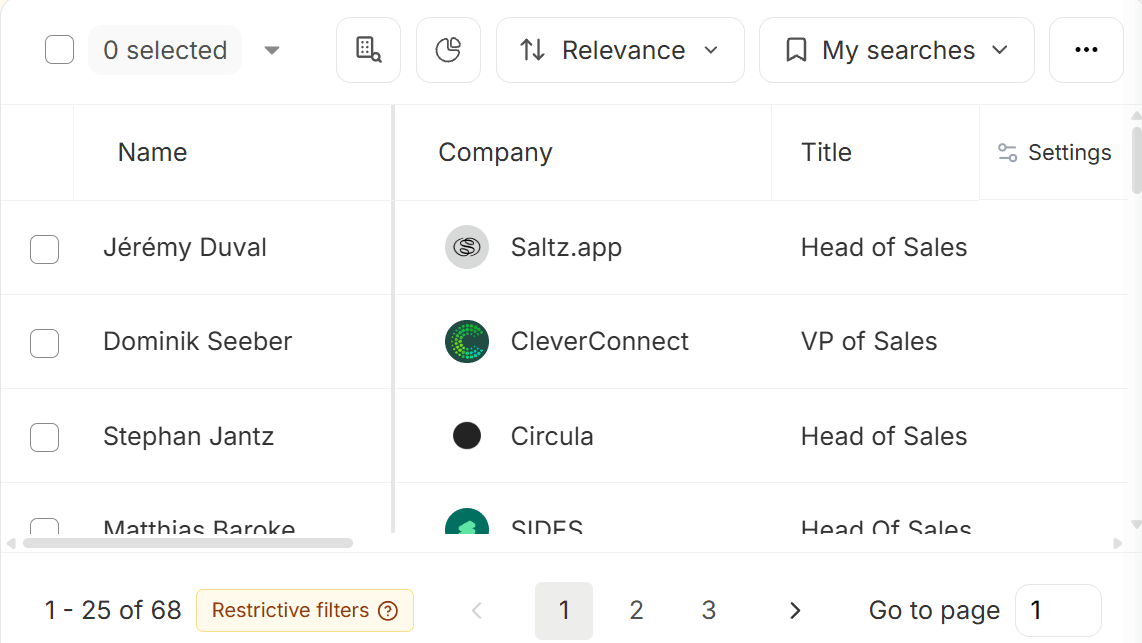
The result? 68 people, with a little “Restrictive filters” warning. For context, the titles plus Germany alone gave 3,337.
Page 1 was spotless. Every single person was in Germany, had one of my exact titles, and worked at a software company with between 52 and 148 employees. No manufacturing companies sneaking in, no “Head of Product.”
Then the LinkedIn check:
- ✅ VP Sales at CleverConnect, Munich
- ✅ Head of Sales at Circula, Berlin
- ✅ Head of Sales at VESTIGAS, Munich
- ✅ Head of Sales at a restaurant software company in Hamburg
4 of 4. Small list, but a clean one.
Limitations
- No CSV upload on free. Fine for a few lookups, painful for 20, impossible for 500.
- Survey popups. Constantly.
- Name search is literal. Extra surnames or different spellings won’t match.
- No 51–200 bucket. Minor, but you have to remember to tick two boxes.
Pricing (updated November 2026)
- Free: 100 credits a month
- Starter: $49/month ($37 billed yearly), 2,000 credits a month, CSV enrichment included
- An email costs 1 credit, a mobile costs 10
8. MoltSets: Great email labels, thin European data
Pros: Every email comes with an A–F grade and a “last confirmed” date, zero bounces, and it only charges when it finds something.
Cons: A small European database (especially Germany) and a job-title search so loose it’s almost decorative.
MoltSets, like BlitzAPI is a data API built for AI agents. There’s no dashboard. You plug it into Claude or ChatGPT (or call the API) and just ask. It’s a very new tool created by the late founder of RB2B (Adam Robinson)
Another one with no app
Setup was fairly easy. All I had to do was connect it to Claude. The free account came with 980 tokens to play with.
The thing I liked most about MoltSets has nothing to do with a UI. Every email comes back with a grade:
- A = validated, send it
- B = recent opens or clicks, no bounces, probably fine
- C = catch-all server, impossible to know
- D = bounced or invalid, don’t send
- F = no info either way
Plus the date it was last confirmed working. That’s so much more actionable than a green checkmark that could mean anything.
The downside of the no-app approach: you can’t see what the filters are actually doing. You ask for “Heads of Sales in Germany” and have to trust the black box. You’ll see why that’s a problem in Test 2.
Test 1: Finding emails for my 20 Europeans
MoltSets has a one-step lookup: give it a name and a domain, and it finds the LinkedIn profile and the email together. It only charges when it finds one, so my 20 lookups cost 12 tokens.
- ✅ 11 correct. 10 graded A, most of them confirmed in the past couple of weeks. Soroush got a B (last confirmed in May). Still correct.
- ⚠️ 1 at a different company. Olena came back as
osokol@salescaptain.ai, graded A and confirmed a week earlier. My working address for her is at Reply. Did she change jobs? Is it wrong? I couldn’t tell, so it doesn’t count as correct. - 🚫 8 not found. Tore, Lucia, Niklas, Thierry, Kai, Ricardo, Alisa and Francesco.
Zero bounces is great. But 8 misses out of 20 is a lot.
Test 2: Building a list in Germany
Same search per usual: the four titles, Germany, 51–200 employees, Software Development.
The result: 21 people. Small, but okay, Germany’s a tough market. Then I actually read the titles. Only 3 were sales leaders. The rest were Heads of Product, Heads of Engineering and so on.
Turns out MoltSets’ title search only needs about 75% of the words to match. So “Head of Sales” happily matches “Head of Product.” Two out of three words.
I tightened it up (“VP Sales,” “Head Sales,” “Vice President Sales”) and got 6. Which still included a VP People and a VP Finance.
In fairness, MoltSets is upfront about Germany. Its own docs say German coverage is small, about 800,000 people, because a lot of Germans opt out. But since this article is about Cognism alternatives, and Cognism has lots of data on Germany, this does negatively impact MoltSet’s score.
LinkedIn check on the 3 real sales leaders:
- ✅ Head of Sales at Uniserv, Pforzheim
- ❓ The other two didn’t show a current employer on LinkedIn, so I couldn’t confirm either way
1 confirmed out of 3.
Limitations
- Thin European coverage. 8 of 20 not found, and a tiny German list.
- Loose title matching. Read every result before you use it.
- No app. If you don’t use Claude, ChatGPT or code, this isn’t for you.
Pricing (updated November 2026)
- Free: 1,000 lifetime enrichments, plus 100 search results (max 10 per search)
- Paid: not listed publicly
9. Lusha: The biggest list, the fewest emails
Pros: Clean app, bulk upload on the free plan, tells you whether a phone is a mobile or a landline before you pay, and the biggest German list by far.
Cons: Fewest correct emails of the nine, one at an old company, and the list matching is fuzzy.
Lusha was in my Apollo alternatives test too, and it didn’t do great: just 5 emails on my global sample. So I was curious whether European data would be a different story. It was. Just not different enough.
Back for round two
I already had a Lusha account, so no signup this time. I logged in with 30 free credits sitting there.
The app is clean and easy to get around, and bulk enrichment is right there on the free plan: upload a CSV, map your columns, pick what you want back.
That last step is where it gets sneaky. The upload screen pre-selects “Emails and phones.” Sounds like the obvious choice, right? Except it only returns people who have both. Someone with an email but no phone just doesn’t show up. I switched it to “Emails” to get the most matches. Easy to miss, and it quietly costs you results, so watch out.
Test 1: Finding emails for my 20 Europeans
Lusha matched 12 of my 20 people and reported 14 emails (a couple of people got more than one).

Checked against the addresses I know work:
- ✅ 10 correct. Double what it found on my global sample, including the awkward
mbater@andmjovkovic@formats. - ❌ 1 wrong. Mark Senten came back as
mark@1ub.be. That’s a different company, not the one he’s at now. - ⚠️ 1 different. Ricardo came back as
ricardo.roman@fracttal.com. The one I know works is plainricardo@fracttal.com. - 🚫 8 not found. Olena, Lucia, Niklas, Kai, Francesco, Giancarlo, Pierre and Tore.
12 of the 20 had a phone number. Lusha keeps them masked until you pay, but it labels each one, and about 7 looked like mobiles. The rest were office lines. I didn’t reveal or call any of them.
Test 2: Building a list in Germany
Contacts search: located in Germany, VP Sales and Head of Sales titles, Software Development, 51–200 employees.
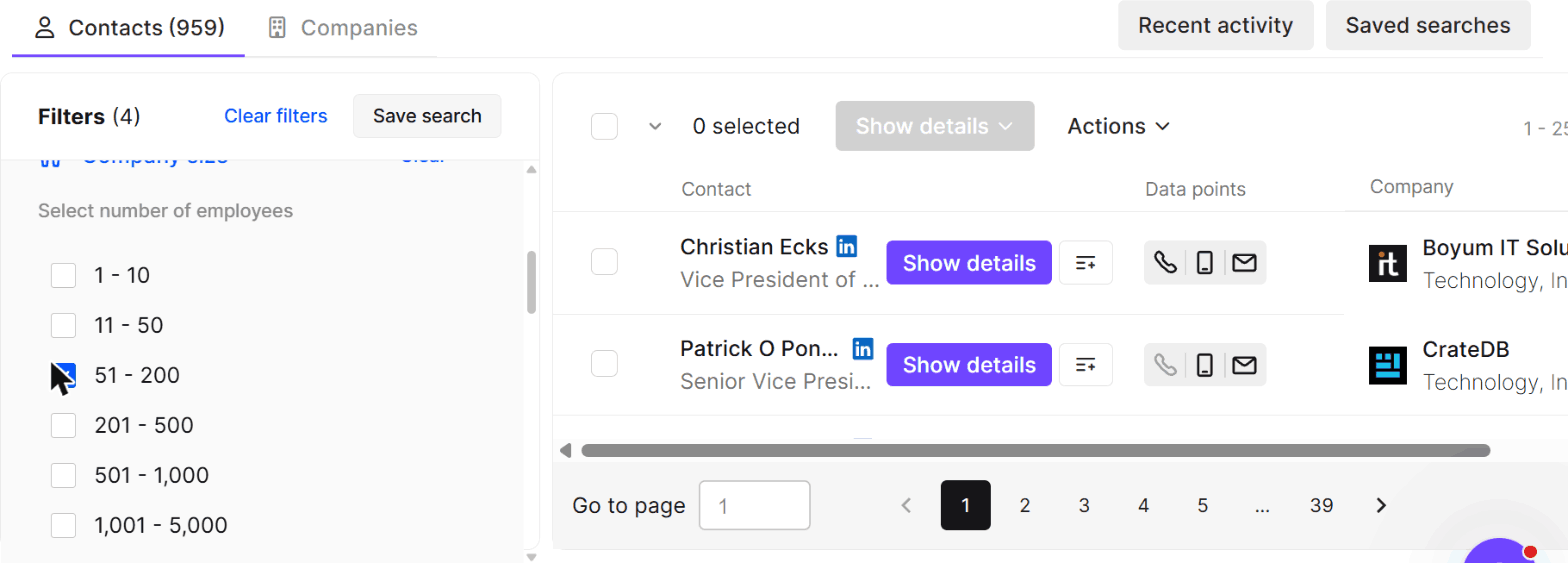
The result? 959 people. Thirty-nine pages! By far the biggest list in the test. (Next biggest was Apollo at 505.)
Page 1 looked great. Every title was a real sales leadership role, all the way up to a “Senior Vice President and Head of Sales.” Each row has little icons showing whether there’s a landline, a mobile or an email before you reveal anything, which I liked.
But the industry filter is generous. In Lusha a company can carry several industries, so 5 of the first 25 people worked at companies that are really manufacturing or insurance. A few more were at IT consulting firms. So that 959 is inflated.
LinkedIn check:
- ✅ VP Sales at Kiwigrid, Dresden
- ✅ VP Sales at Mercanis, Munich
- ✅ VP Sales at Scompler, Munich
- ❌ The sales director listed at Nextcloud had moved on. Still in Germany, just not there.
3 of 4.
Limitations
- Fewest correct emails of the nine. 8 people got nothing.
- The “Emails and phones” default quietly drops anyone who only has one of the two.
- Fuzzy industry matching inflates the list.
- Small free plan. 40 credits a month doesn’t go far when a phone costs 5.
Pricing (updated November 2026)
- Free: 40 credits a month
- An email costs 1 credit, a phone costs 5
- Paid: a credit slider, and you don’t see a price until you pick an amount
Results at a glance
| Tool | Emails right (of 20) | Wrong or unconfirmed | Germany list | Still in role | Paid from |
|---|---|---|---|---|---|
| FullEnrich | 18 | 0 | 189 | 3 of 4 | $79.50/mo |
| Seamless.AI | 17 | 2 | 51 | 4 of 4 | Not public |
| Wiza | 17 | 2 | 229 | 4 of 4 | $83/mo* |
| Hunter | 17 | 1 | ~22† | n/a | $34/mo* |
| BlitzAPI | 15 | 0 | 69 | 4 of 4 | $399/mo |
| Apollo | 15 | 2 | 505 | 4 of 4 | $49/mo* |
| Prospeo | 14 | 1 | 68 | 4 of 4 | $49/mo |
| MoltSets | 11 | 1 | 21‡ | 1 of 3 | Not listed |
| Lusha | 10 | 2 | 959 | 3 of 4 | Not listed |
* Billed yearly. † Hunter only searches the first 100 companies on the free plan, and I couldn’t check freshness. ‡ Only 3 of MoltSets’ 21 were actually sales leaders.
And a special shoutout to Tore Steen, chairman of a 21-person Norwegian firm, who is apparently invisible to all nine tools. The only thing anyone returned for him was Apollo’s generic post@ inbox. Tore, if you’re reading this: respect.
So which one should you use?
- If you just need European emails: FullEnrich. Most correct, none wrong, and you only pay for what it finds. Build your lists somewhere else.
- If you want mobiles and bulk upload on a free plan: Seamless.AI. Just be ready to talk to sales when you want to pay.
- If you want unlimited emails at a published price: Wiza. $83 a month (billed yearly) for unlimited email reveals, and 17 of 20 right in my test.
- If you already know exactly who you want to email: Hunter. 17 of 20 right, zero wrong, from $34 a month billed yearly. Just don’t use it to build lists.
- If you already have LinkedIn URLs: BlitzAPI. No wrong emails, the freshest data, and flat-rate pricing that makes sense at volume.
- If you want cheap and decent at everything: Apollo. $49 a month buys a lot of credits. Just filter out the low-confidence matches.
- If you want a free plan you’ll actually keep using: Prospeo. 100 credits a month, no wrong emails, and it tells you what it has before you pay.
- If you live inside Claude or ChatGPT: MoltSets. The A–F grades are great. Just don’t count on it for Germany.
- If you want the biggest list and don’t mind cleaning it: Lusha.
One more thing. If mobiles are the reason you were looking at Cognism in the first place, test the numbers yourself before you sign anything. I couldn’t verify mobiles, so none of these tools proved theirs in my test.
Happy prospecting! 🇪🇺