Bloomberry vs Wappalyzer
Looking for a Wappalyzer alternative? This guide covers the key differences between Bloomberry and Wappalyzer, with concrete examples, so you can pick the right technographic data provider.
Summary
Choose Wappalyzer if you need to identify which frontend technologies a website runs, especially for one-off lookups. Choose Bloomberry if you need to identify companies using enterprise and non-frontend software - CRMs, ERPs, security tools, devops platforms, AI products - plus alerts when they adopt, churn, or approach renewal.
The short version: Wappalyzer answers what is this website built with. Bloomberry answers which companies just started or stopped paying for this software.
Put another way: BuiltWith and Wappalyzer read websites. TheirStack reads job postings. Bloomberry reads infrastructure signals - what a company sets up when it buys software.
Feature Comparison
| Bloomberry | Wappalyzer | |
|---|---|---|
| 📊 Technology Coverage | Web technologies + 1,700+ B2B products across 190 categories (CRMs, ERPs, cybersecurity, devops, AI tools, etc.) | Frontend web technologies only (CMSs, JavaScript frameworks, analytics, ecommerce) |
| 🎯 What You Get | Events with dates: subscribed, churned, renewal approaching | A snapshot of what's currently detectable on the page |
| ⏱️ Data Refresh Speed | Purchase signals typically within 3 days; churn within 1-2 weeks after validation | Periodic crawls with varying refresh rates |
| 🔔 Automated Alerts | Email and Slack notifications for new customers, churn events and upcoming renewals | No alerting capabilities |
| 🔧 Newer Technologies | Tracks emerging B2B tools, typically shortly after launch | Slower to add newer technologies to their detection library |
| 🔍 Churn Detection | Verifies the endpoint is genuinely dead, so a dormant tag isn't counted as active | Detects script removal only, so cancelled accounts with tags left behind still read as active |
| 🔌 Access Method | Web app + REST API + Slack/email alerts | Browser extension + API + web dashboard |
| 💼 Best For | Sales and GTM teams targeting companies based on tech stack changes and timing; platforms embedding signals in their own products | Developers and marketers researching individual website tech stacks |
Key Differences Explained
1. Technology Coverage: Web vs. Non-Web
Wappalyzer specializes in frontend web technologies. It's very good at spotting React, WordPress or Google Analytics on a site. But if you need data on backend systems, ERPs or other software that never touches a public page, it can't help. Search for Acumatica, a widely used cloud ERP, and you'll find nothing - enterprise backend systems simply aren't in scope.
Bloomberry has data on over 1,000 companies using Acumatica, along with those that recently churned and those approaching renewal.
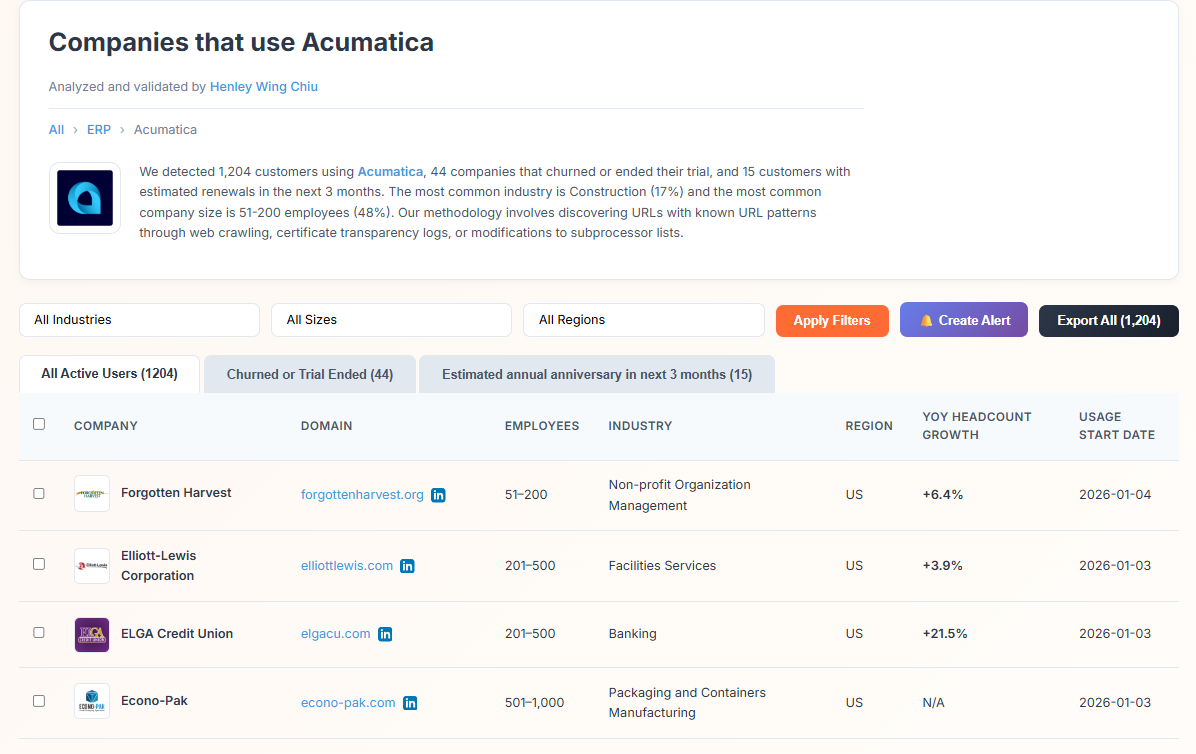
We cover 1,700+ products across 190 categories, including software that never appears on a website: Zoom, Microsoft Dynamics, Slack and many other B2B tools.
2. How Each Product Detects Adoption
Wappalyzer can only see what's on the public webpage. Most backend products never touch the frontend, and even products that do eventually get embedded often go live internally weeks or months before any script appears on the site.
Bloomberry reads infrastructure signals - what a company sets up when it buys software. Concretely: new subdomains, DNS records, certificate transparency logs, and signals specific to how each individual product gets deployed. We crawl websites too, but we go further than checking whether a tag exists - we read the configuration inside script files and check whether they still return a working response. We've built a separate detector for each of the 1,700+ products we cover, so we know what that product looks like when it's set up, and we can confirm when it's gone.
Some of those traces only appear on a genuine rollout. Deploying an AI assistant or an ERP across an organization usually means verifying a domain for single sign-on or updating email records - public changes that a single seat or a free trial never produces. So an adoption we report generally reflects a real organizational deployment, not one employee signing up.
The practical effect: we typically see adoption 2-3 months before a tracking script would reveal it, and we catch companies a script-based approach never sees at all. As one example checked in October 2025, Eightfold began using Gainsight in September 2025 - Bloomberry recorded the adoption on September 18th, while nothing had changed on their website for Wappalyzer to detect.
3. Automated Alerts for Sales Triggers
Knowing that a company uses a technology is useful. Knowing the moment they adopt it, leave it, or approach renewal is what creates a reason to reach out.
Bloomberry's Alerts feature sends notifications to your inbox or Slack channel whenever:
- A new customer signs up for a product you're tracking (useful for competitive displacement or partner outreach)
- A company churns from a product (timing to offer your alternative)
- A renewal is approaching (reach out before the auto-renew locks the budget)
Wappalyzer has no alerting system. You'd need to check domains manually and repeatedly, hoping to catch changes.
Example Bloomberry Alert
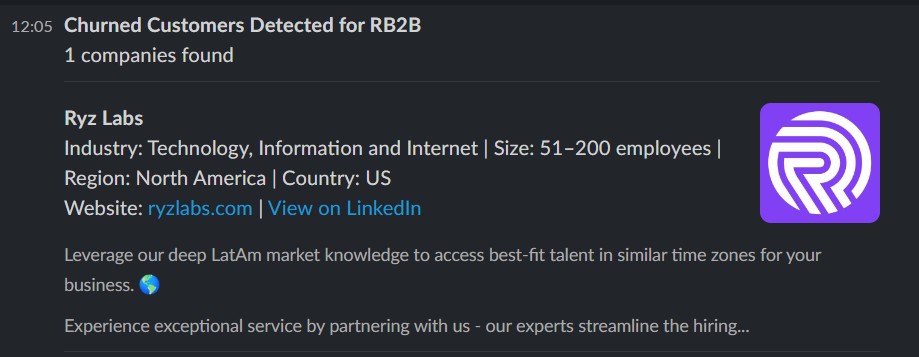
4. Churn Detection Accuracy
Wappalyzer, like most script-based tools, determines usage by scanning for JavaScript snippets or tags. The problem is that companies routinely cancel a subscription and never remove the code. The tag sits there, dormant, returning errors instead of data - and the account still reads as an active customer.
Bloomberry verifies whether the integration is actually functional, not merely present, before reporting churn. That also means the reverse mistake doesn't happen: a site redesign that strips a tag isn't reported as a lost customer. It's why our churn signals take 1-2 weeks rather than appearing instantly - we'd rather be slightly slower than send a false churn event.
The screenshots below show a case checked in October 2025: a company whose Intercom tag was still on the page but returning errors, with no widget rendering anywhere on the site. Script-based tools listed them as an active Intercom user. Bloomberry had recorded the churn on October 1, 2025.
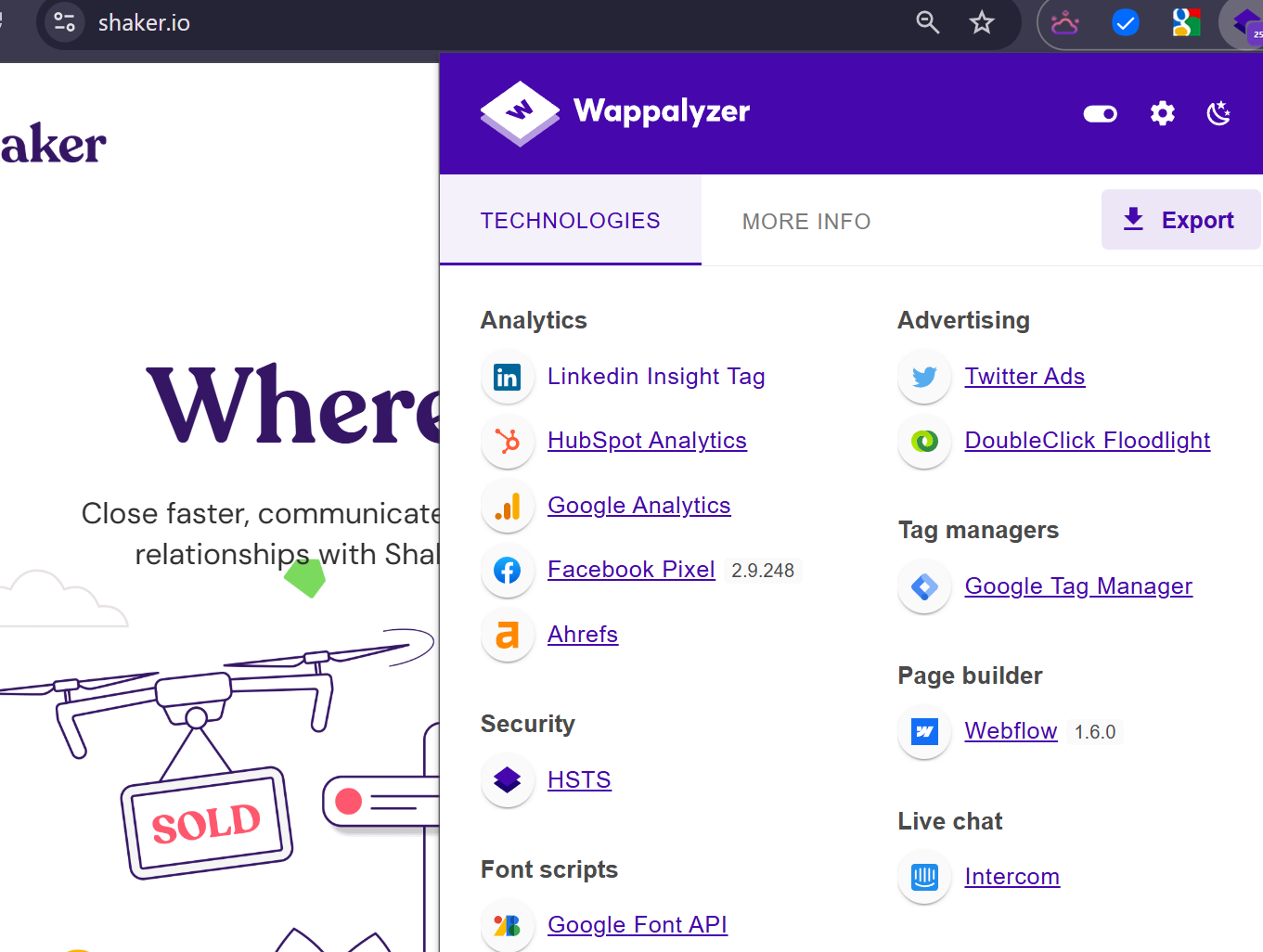
A stale tag: the script is present but returns errors and renders nothing

For comparison, a genuinely active install that loads correctly
5. Coverage of Emerging Technologies
Detection libraries built around a single generic method are slow to pick up new vendors. Unify, for example, has raised venture funding and serves hundreds of customers, and at the time of writing returned zero results on Wappalyzer. Because each Bloomberry product gets its own detector, we can cover a tool shortly after it launches - we track 20-30 new Unify sign-ups per month, and cover other recent GTM tools such as RB2B and Warmly on the same basis.
6. Where Wappalyzer Wins
Wappalyzer's browser extension is genuinely useful and we don't offer anything like it. If you want to open a site and immediately see its framework, CMS and analytics stack, that's the right tool and Bloomberry isn't a substitute. Their frontend detection library is also broader than ours for web-specific technologies like JavaScript libraries and CMS platforms.
We also have gaps worth knowing about. Our coverage is thinner in some niches, edtech most notably. We provide company-level signals only, with no contact data for the individuals behind a purchase. And our churn signals intentionally lag adoption signals by 1-2 weeks because we validate them first.
When to Choose Each Platform
Choose Bloomberry if you:
- ✓ Need data on non-web B2B software like ERPs, CRMs and security tools
- ✓ Want purchase and churn events with dates, not a snapshot
- ✓ Want alerts when companies adopt, churn or approach renewal
- ✓ Track emerging B2B tools that detection libraries miss
- ✓ Are a platform embedding technographic signals into your own product
Choose Wappalyzer if you:
- ✓ Only need frontend web technology data
- ✓ Are researching individual websites one at a time
- ✓ Want a browser extension for quick lookups
- ✓ Don't need change detection, timing or alerts
A fair warning about pages like this one, including ours: vendor comparisons are written by the vendor. Both products have free tiers, so the honest test is to take 20-30 accounts whose stack you already know and see which one gets them right.
Ready to Try Bloomberry?
Real-time signals across 1,700+ B2B products in 190 categories. Track purchases, churn and renewals with alerts to your inbox or Slack - in the app or through our API.
Start a Free Trial →Or browse our coverage, see pricing, or read the API docs.
Frequently Asked Questions
Can Bloomberry replace Wappalyzer?
It depends on your use case. If you want to quickly check what CMS or JavaScript framework a single website runs, Wappalyzer's browser extension is convenient and we don't replace it. If you need broader B2B technology coverage including backend products, plus purchase and churn events with dates attached, Bloomberry is the better fit.
Does Bloomberry track web technologies too?
Yes. We track advertising platforms (Facebook, Reddit), martech (HubSpot, Optimizely, VWO) and ecommerce tools (Shopify, BigCommerce). Our differentiation is covering the full B2B tech stack including CRMs, ERPs, cybersecurity tools and devops platforms that never appear on a company's website.
How does Bloomberry detect technologies that aren't visible on websites?
Bloomberry reads infrastructure signals - what a company sets up when it buys software: new subdomains, DNS records, certificate transparency logs, and signals specific to how each individual product gets deployed. We build a separate detector for each product we cover, so we know what that product looks like when it's set up, and we can confirm when it's gone. Some traces only appear on a genuine rollout - verifying a domain for single sign-on, for instance - which a single seat or free trial never produces. We don't use job postings, case studies or product reviews.
How do the alerts work?
You choose which products and accounts to monitor. Purchase signals are typically detected within 3 days of adoption, and churn signals within 1-2 weeks once validated. Alerts reach your email or Slack channel within hours of a change being confirmed, so there's no manual checking.
Is Bloomberry more expensive than Wappalyzer?
You can start with a free trial, no credit card required. Published plans start at $199 per month for app or API access - see our pricing page for details. Custom plans are available for platforms integrating our data into their own products.